




软件

产品


背景:自己机器太垃圾了,跑不起来SharePoint2013,于是注册了一个office365玩玩。
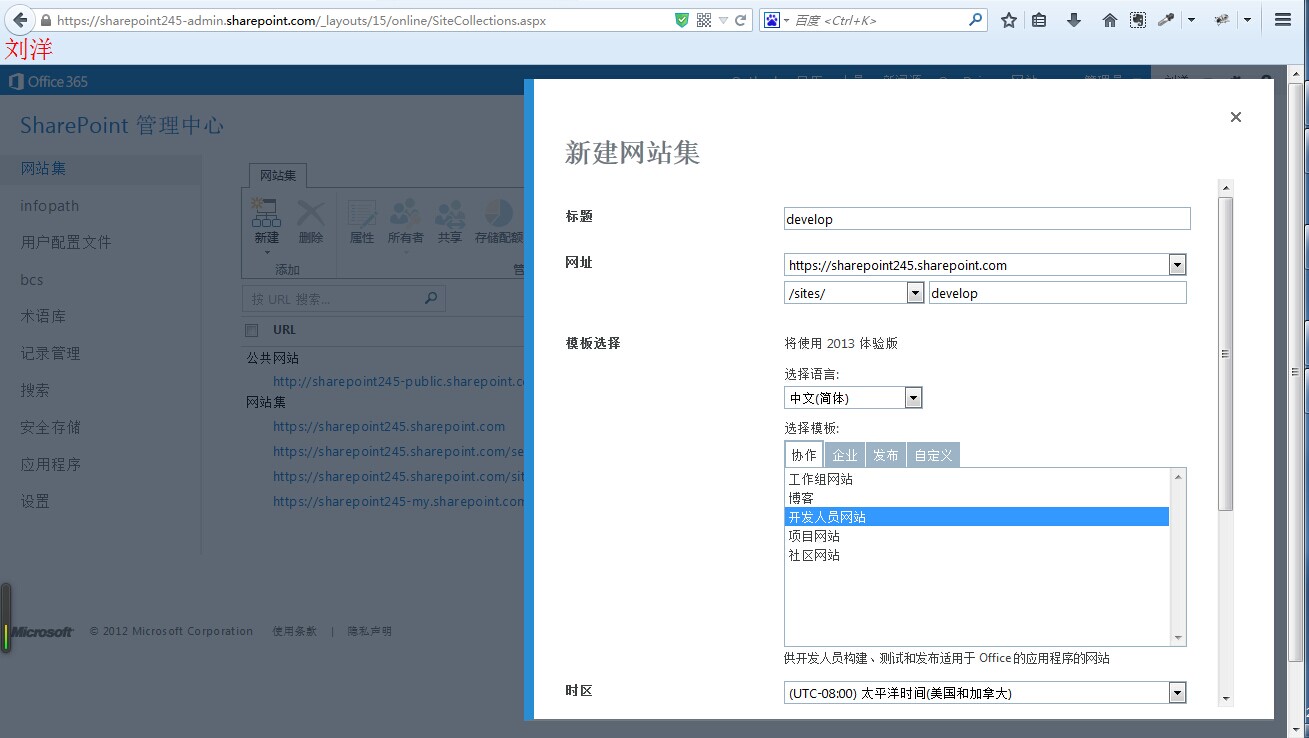
一,创建个开发者站点
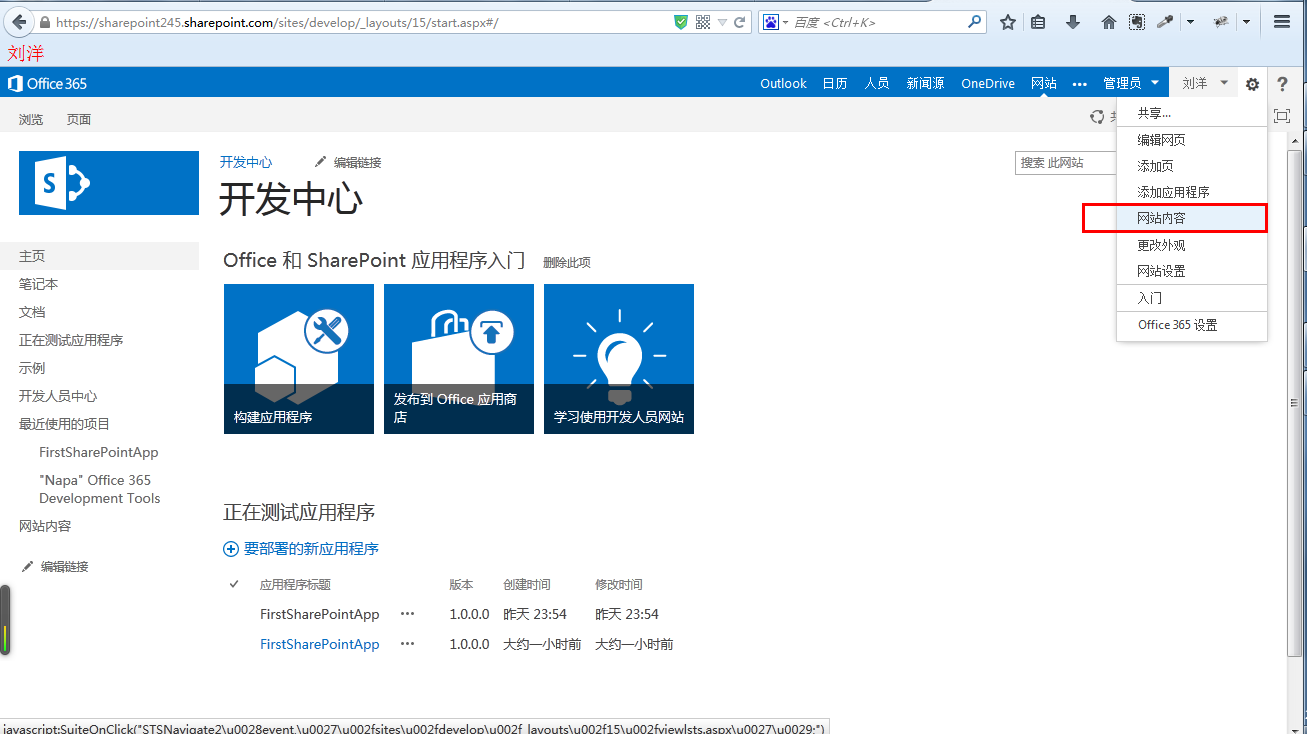
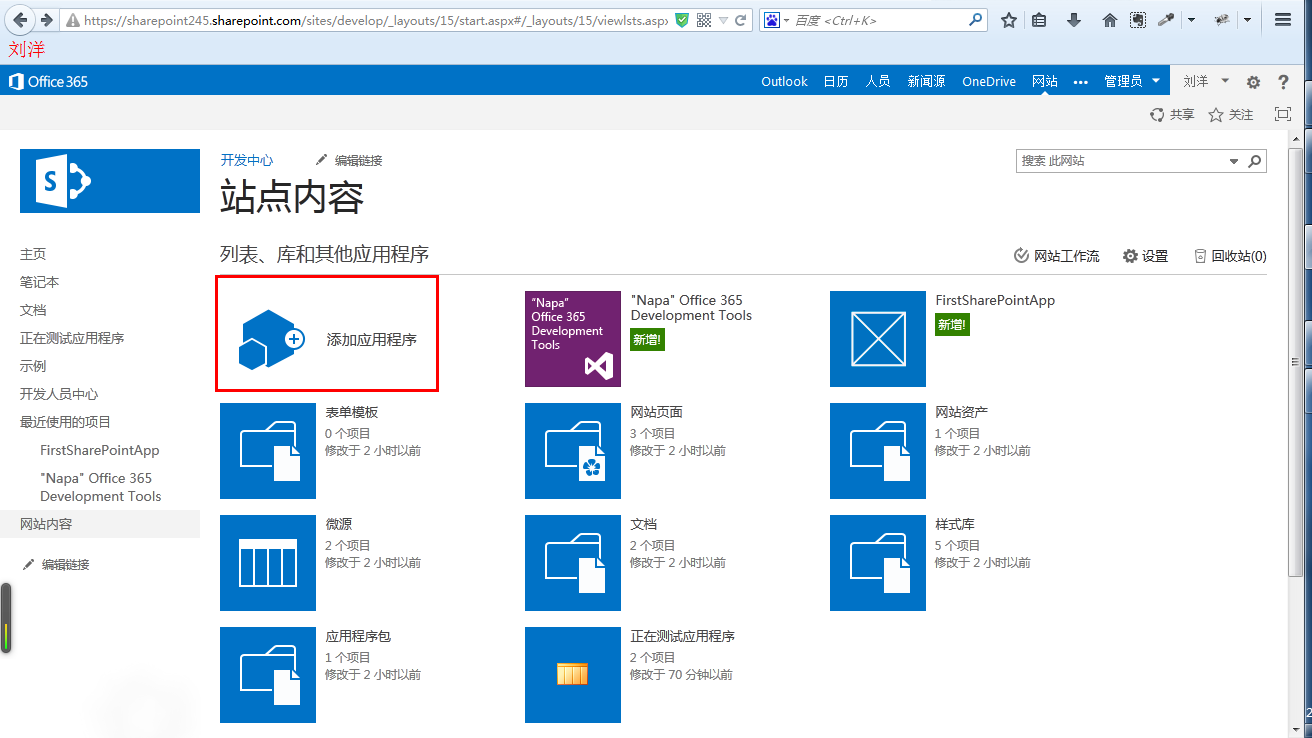
二,在网站内容》添加应用程序》SharePoint应用商店》区域选择英文的》添加 napa development tools
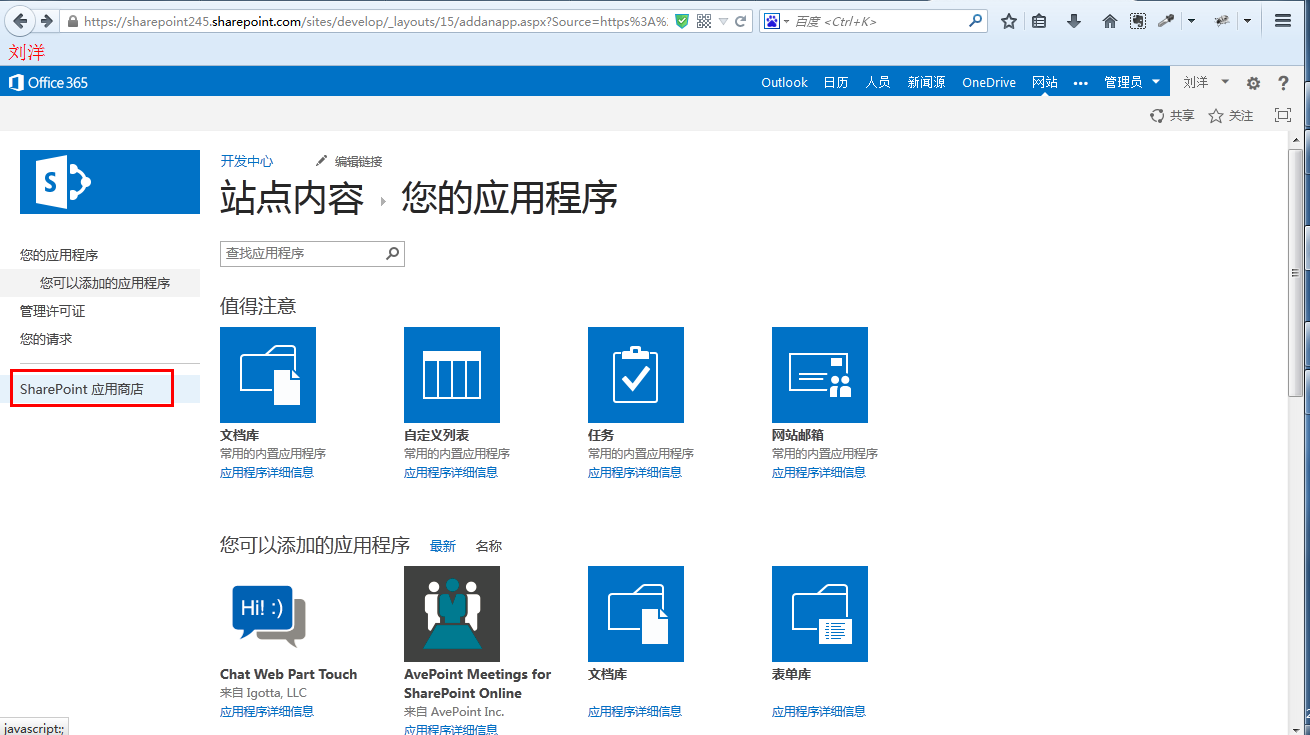
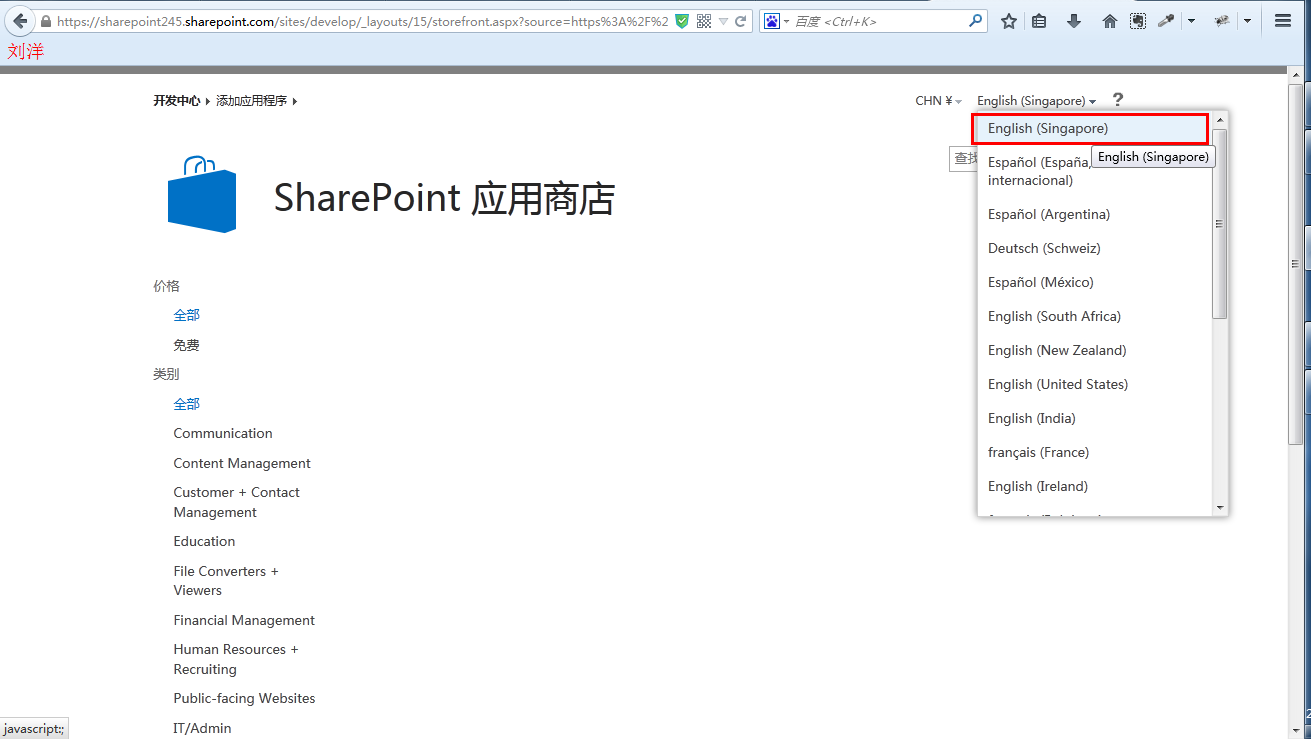
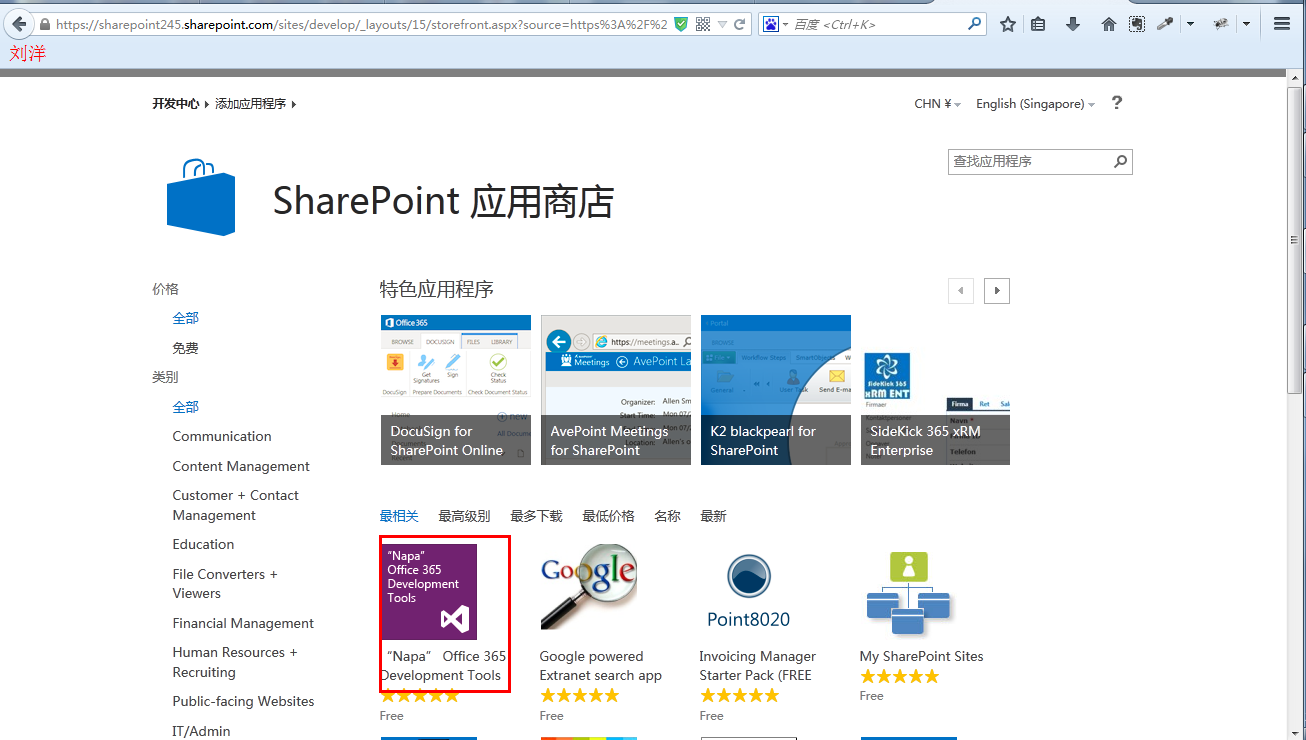
备注:添加 napa 时 需要帐号
三,app 开发
点开添加的 napa 》创建项目》编写代码
效果图:
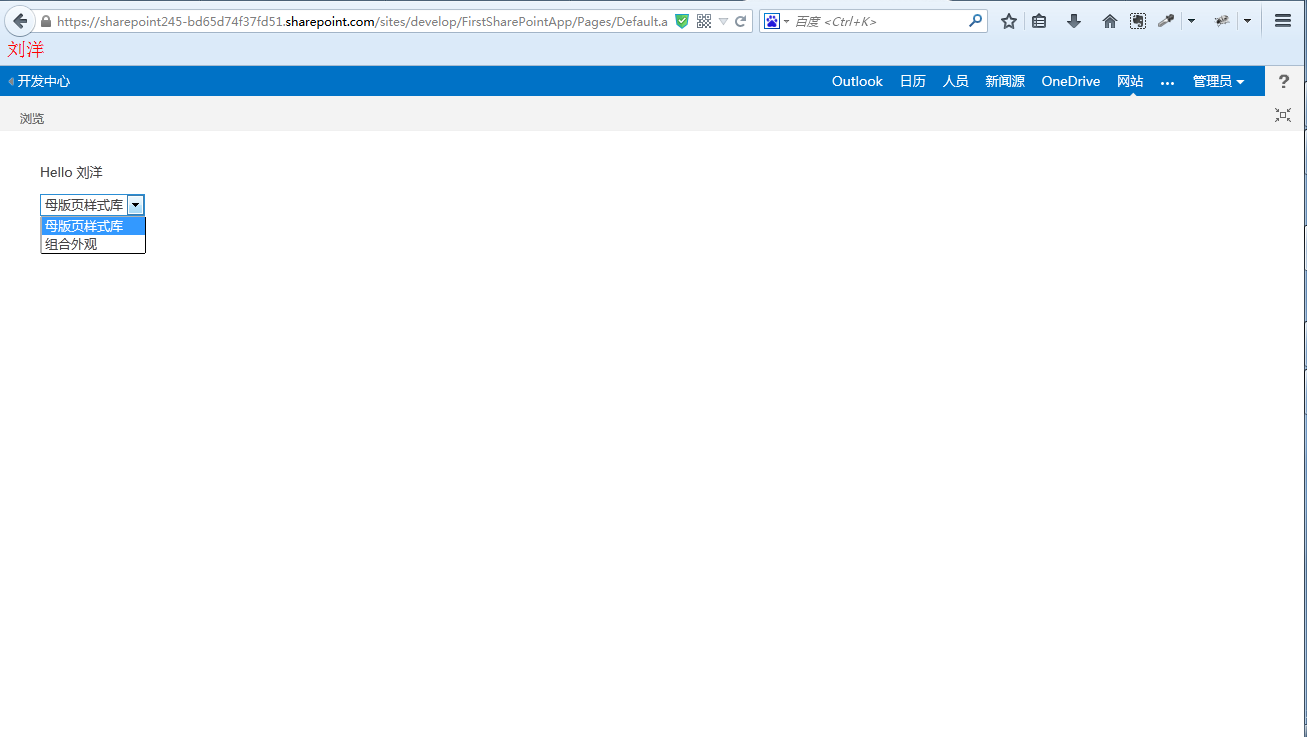
APP.js代码:
'use strict';

var context = SP.ClientContext.get_current();
var user = context.get_web().get_currentUser();

(function() {
    var lists;
    var web;
    // This code runs when the DOM is ready and creates a context object which is
    // needed to use the SharePoint object model
    $(document).ready(function() {
        getListsUserName();
        //this.ShowLists();
    });

    // This function prepares, loads, and then executes a SharePoint query to get
    // the current users information
    function getListsUserName() {
        context.load(user);
        //context.executeQueryAsync(onGetUserNameSuccess, onGetUserNameFail);
        web=context.get_web();
        lists = web.get_lists();
        context.load(lists);
        context.executeQueryAsync(onGetUserNameSuccess, onGetUserNameFail);

    }

    // This function is executed if the above call is successful
    // It replaces the contents of the 'message' element with the user name
    function onGetUserNameSuccess() {
        $('#message').text('Hello ' + user.get_title());
        //var listcount=lists.get_count();
        //alert(listcount);
        var listEnumerator = lists.getEnumerator();
        var selectListBox = document.getElementById("ListItemListBox");

        if (selectListBox.hasChildNodes) {
            while (selectListBox.childNodes.length >= 1) {
                selectListBox.removeChild(selectListBox.firstChild);
            }
        }
        while (listEnumerator.moveNext()) {
            var selectOption = document.createElement("option");

            selectOption.value = listEnumerator.get_current().get_title();

            selectOption.text= listEnumerator.get_current().get_title();

            selectListBox.appendChild(selectOption);
        }
    }

    // This function is executed if the above call fails
    function onGetUserNameFail(sender, args) {
        alert('Failed Error:' + args.get_message());
    }
})();
default.aspx代码:
<%-- The following 4 lines are ASP.NET directives needed when using SharePoint components --%>
<%@ Page Inherits="Microsoft.SharePoint.WebPartPages.WebPartPage, Microsoft.SharePoint, Version=15.0.0.0, Culture=neutral, PublicKeyToken=71e9bce111e9429c" MasterPageFile="~masterurl/default.master" Language="C#" %>
<%@ Register TagPrefix="SharePoint" Namespace="Microsoft.SharePoint.WebControls" Assembly="Microsoft.SharePoint, Version=15.0.0.0, Culture=neutral, PublicKeyToken=71e9bce111e9429c" %>
<%@ Register TagPrefix="Utilities" Namespace="Microsoft.SharePoint.Utilities" Assembly="Microsoft.SharePoint, Version=15.0.0.0, Culture=neutral, PublicKeyToken=71e9bce111e9429c" %>
<%@ Register TagPrefix="WebPartPages" Namespace="Microsoft.SharePoint.WebPartPages" Assembly="Microsoft.SharePoint, Version=15.0.0.0, Culture=neutral, PublicKeyToken=71e9bce111e9429c" %>

<%-- The markup and script in the following Content element will be placed in the <head> of the page --%>
<asp:Content ContentPlaceHolderID="PlaceHolderAdditionalPageHead" runat="server">
    <script type="text/javascript" src="https://ajax.aspnetcdn.com/ajax/jQuery/jquery-1.9.1.min.js"></script>
    <script type="text/javascript" src="/_layouts/15/sp.runtime.js"></script>
    <script type="text/javascript" src="/_layouts/15/sp.js"></script>

    <!-- Add your CSS styles to the following file -->
    <link rel="Stylesheet" type="text/css" href="../Content/App.css" />

    <!-- Add your JavaScript to the following file -->
    <script type="text/javascript" src="../Scripts/App.js"></script>
</asp:Content>

<%-- The markup in the following Content element will be placed in the TitleArea of the page --%>
<asp:Content ContentPlaceHolderID="PlaceHolderPageTitleInTitleArea" runat="server">
    Page Title
</asp:Content>

<%-- The markup and script in the following Content element will be placed in the <body> of the page --%>
<asp:Content ContentPlaceHolderID="PlaceHolderMain" runat="server">

    <div>
        <p id="message">
            <!-- The following content will be replaced with the user name when you run the app - see App.js -->
            initializing...
        </p>
        <select id="ListItemListBox"></select>
    </div>

</asp:Content>
四,run projec
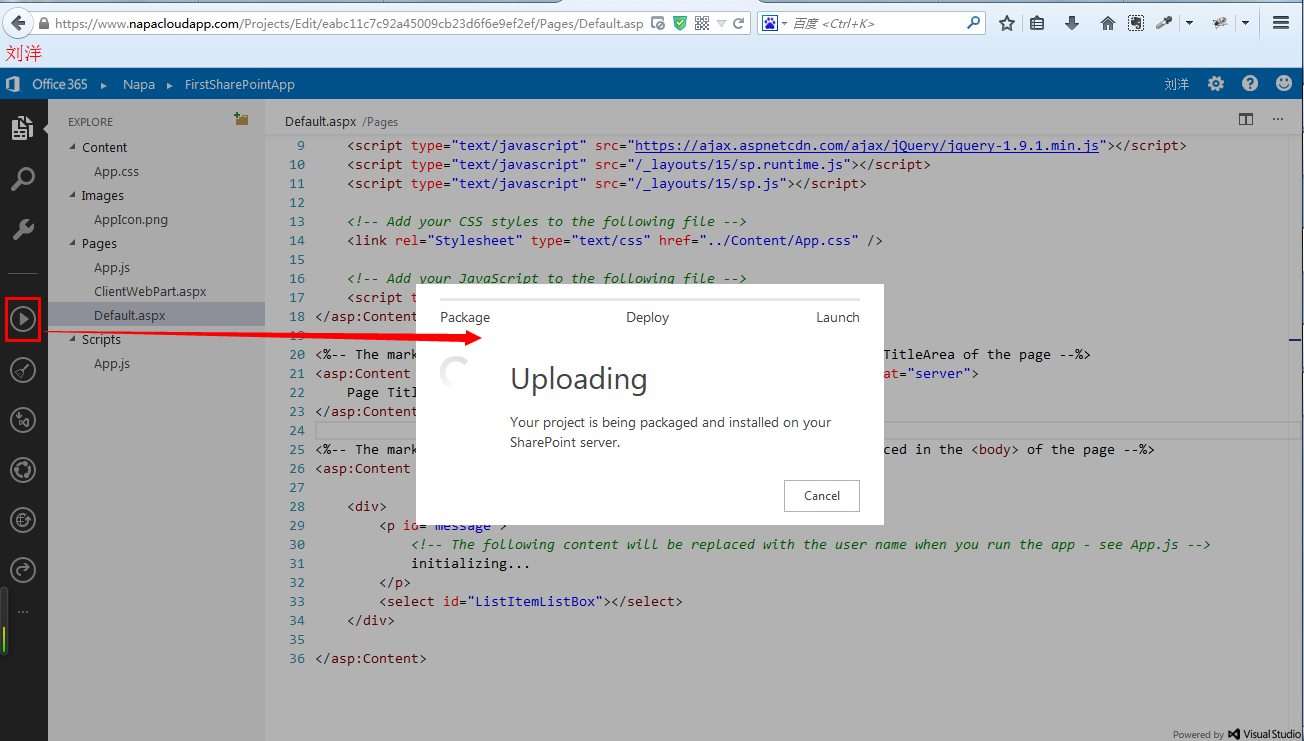
成功后则如预览图所示。
鄙人虽做SharePoint三四年,可是这是鄙人第一个博客。我自己都觉得写的很烂,平常几乎不写这东东,请谅解。。。。
免责声明:本文系网络转载或改编,未找到原创作者,版权归原作者所有。如涉及版权,请联系删
 技术文档
技术文档
 推荐好文
推荐好文






 155-2731-8020




