




软件

产品


在我们检测到人脸区域之后,接下来要研究的问题是获取到不同的脸部的特征,以区分不同人脸,即人脸特征检测(facial feature detection)。它也被称为人脸特征点检测( facial landmark detection )。
人脸特征点通常会标识出脸部的下列数个区域: 右眼眉毛(Right eyebrow) 左眼眉毛(Left eyebrow) 右眼(Right eye) 左眼(Left eye) 嘴巴(Mouth) 鼻子(Nose) 下巴(Jaw)
检测人脸特征点,分为如下两步:
简要的分为以下三步: (1) 定义一张脸上的68个具体的特征点(landmarks); (2) 标记面部特征点,获得带标记的训练数据。需要手动标记图像上的面部特征点,标签指定围绕每个面部结构的区域; (3) 给定训练数据,训练回归树的集合,直接从像素强度本身估计面部界标位置,得到模型。
Dlib提供两种 人脸检测 模型:
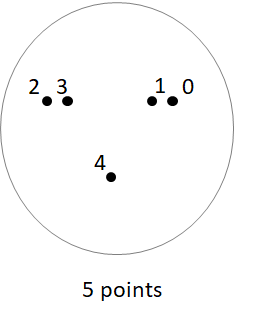
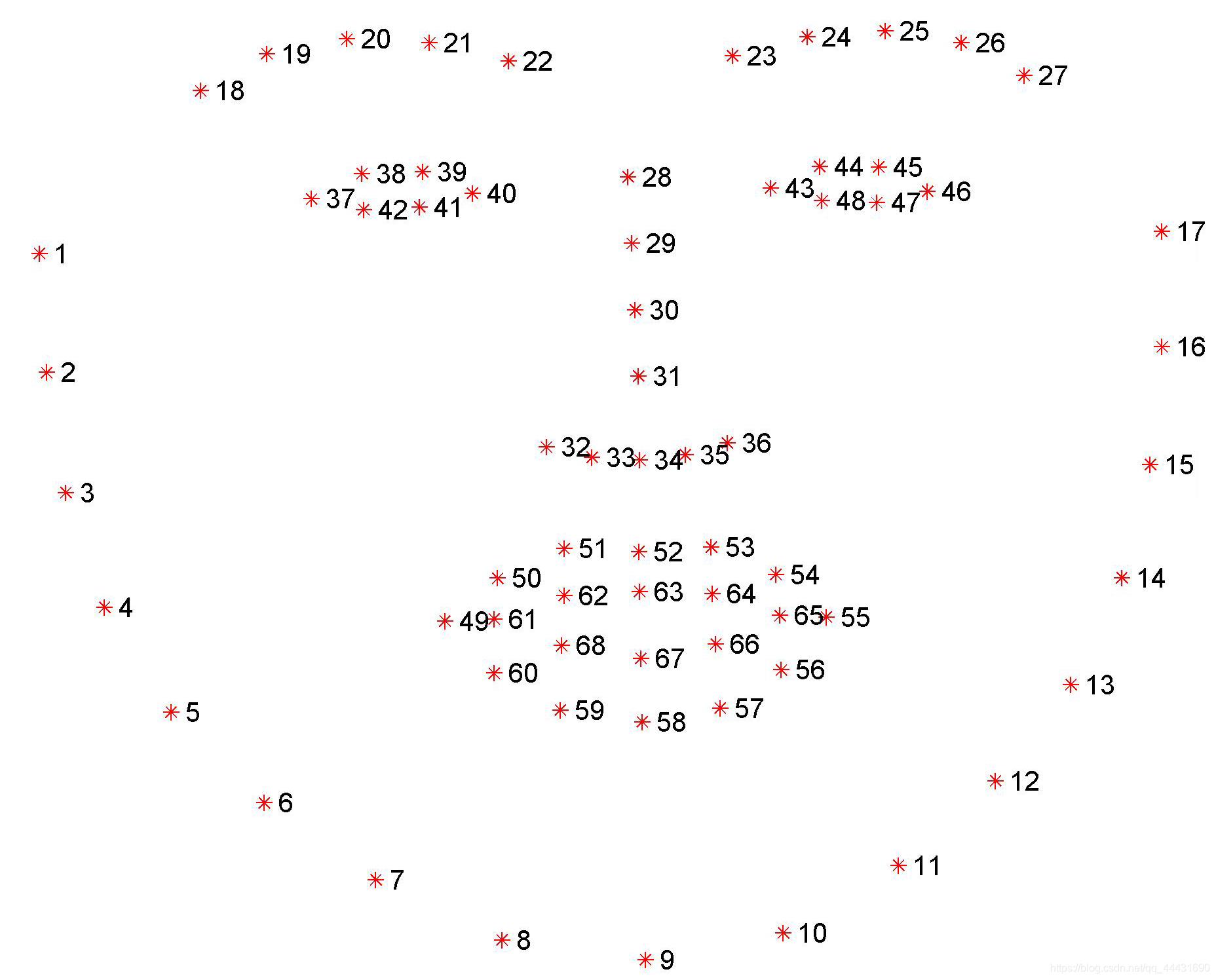
(1)利用Dlib的正向人脸检测器 get_frontal_face_detector(),进行人脸检测,提取人脸外部矩形框 :
detector = dlib.get_frontal_face_detector()
faces = detector(image, 1)
返回的faces为识别出的脸部数组。
(2)利用训练好的人脸68点特征检测器,进行人脸面部轮廓特征提取:
链接:shape_predictor_68_face_landmarks.dat
提取码:kuv2
predictor = dlib.shape_predictor("shape_predictor_68_face_landmarks.dat")
shape = predictor(image, face)
(3)示例:
import cv2
import dlib
# 读取图片
img_path = "picture.jpg"
img = cv2.imread(img_path)
# 转换为灰阶图片
gray = cv2.cvtColor(img, cv2.COLOR_BGR2GRAY)
# 正向人脸检测器将图像
detector = dlib.get_frontal_face_detector()
# 使用训练好的5个特征点模型
predictor_path = "shape_predictor_68_face_landmarks.dat"
predictor = dlib.shape_predictor(predictor_path)
# 使用检测器来检测图像中的人脸
faces = detector(gray, 1)
# 打印结果
print("人脸数: ", len(faces))
for i, face in enumerate(faces):
    print("第", i+1, "个人脸的矩形框坐标:\n","left:", face.left(), "right:", face.right(), "top:", face.top(), "bottom:", face.bottom())
    # 获取人脸特征点
    shape = predictor
免责声明:本文系网络转载或改编,未找到原创作者,版权归原作者所有。如涉及版权,请联系删
 技术文档
技术文档
 推荐好文
推荐好文






 155-2731-8020




