




软件

产品


1.需要安装vs2019或者其他版本
2.需要安装CAD2018
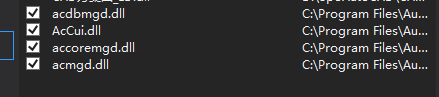
NETLOAD 加载外部dll,然后输入你自定义的命令
using System;
using System.Collections.Generic;
using System.Linq;
using System.Text;
using System.Threading.Tasks;
using Autodesk.AutoCAD.Runtime;
using Autodesk.AutoCAD.DatabaseServices;
using Autodesk.AutoCAD.ApplicationServices;
namespace AutoDemo1
{
    public class Class1
    {
        [CommandMethod("MyAutoCad")]
        //CAD指令
        public void MyAutoCad()
        {
            //链接数据库
            Database acdb = Application.DocumentManager.MdiActiveDocument.Database;
            //开启事务
            using (Transaction acTran = acdb.TransactionManager.StartTransaction())
            {
                BlockTable acbt;
                acbt = acTran.GetObject(acdb.BlockTableId, OpenMode.ForRead) as BlockTable;
                //以写模式读取
                BlockTableRecord acBTR;
                acBTR = acTran.GetObject(acbt[BlockTableRecord.ModelSpace], OpenMode.ForWrite) as BlockTableRecord;

                using (MText mText = new MText())
                {
                    mText.Location = new Autodesk.AutoCAD.Geometry.Point3d(0, 0, 0);
                    mText.Contents = "第一次测试";
                    acBTR.AppendEntity(mText);
                    acTran.AddNewlyCreatedDBObject(mText, true);
                    acTran.Commit();

免责声明:本文系网络转载或改编,未找到原创作者,版权归原作者所有。如涉及版权,请联系删
 技术文档
技术文档
 推荐好文
推荐好文






 155-2731-8020




