




软件

产品


networkx是一个用 Python 语言开发的图论与复杂网络建模工具,内置了常用的图与复杂网络分析算法,可以方便的进行复杂网络数据分析、仿真建模等工作。
利用networkx可以以标准化和非标准化的数据格式存储网络、生成多种随机网络和经典网络、分析网络结构、建立网络模型、设计新的网络算法、进行网络绘制等。
networkx支持创建简单无向图、有向图和多重图(multigraph);内置许多标准的图论算法,节点可为任意数据;支持任意的边值维度,功能丰富,简单易用。
networkx以图(graph)为基本数据结构。图既可以由程序生成,也可以来自在线数据源,还可以从文件与数据库中读取。
基本流程: 1. 导入networkx,matplotlib包 2. 建立网络 3. 绘制网络 nx.draw() 4. 建立布局 pos = nx.spring_layout美化作用
import networkx as nximport matplotlib.pyplot as plt # G = nx.random_graphs.barabasi_albert_graph(100, 1) # 生成一个BA无向图# G = nx.MultiGraph() # 有多重边无向图# G = nx.MultiDiGraph() # 有多重边有向图# G = nx.Graph() # 无多重边无向图G = nx.DiGraph() # 无多重边有向图...G.clear() # 清空图draw(G,[pos,ax,hold])draw_networkx(G,[pos,with_labels])draw_networkx_nodes(G,pos,[nodelist]) 绘制网络G的节点图draw_networkx_edges(G,pos[edgelist]) 绘制网络G的边图draw_networkx_edge_labels(G, pos[, ...]) 绘制网络G的边图,边有labeldraw_circular(G, **kwargs) Draw the graph G with a circular layout.draw_random(G, **kwargs) Draw the graph G with a random layout.draw_spectral(G, **kwargs) Draw the graph G with a spectral layout.draw_spring(G, **kwargs) Draw the graph G with a spring layout.draw_shell(G, **kwargs) Draw networkx graph with shell layout.draw_graphviz(G[, prog]) Draw networkx graph with graphviz layout.nx.draw(G,node_size = 30, with_label = False)上例,绘制节点的尺寸为30,不带标签的网络图。
node_size: 指定节点的尺寸大小(默认是300,单位未知,就是上图中那么大的点)node_color: 指定节点的颜色 (默认是红色,可以用字符串简单标识颜色,例如'r'为红色,'b'为绿色等,具体可查看手册),用“数据字典”赋值的时候必须对字典取值(.values())后再赋值node_shape: 节点的形状(默认是圆形,用字符串'o'标识,具体可查看手册)alpha: 透明度 (默认是1.0,不透明,0为完全透明)width: 边的宽度 (默认为1.0)edge_color: 边的颜色(默认为黑色)style: 边的样式(默认为实现,可选: solid|dashed|dotted,dashdot)with_labels: 节点是否带标签(默认为True)font_size: 节点标签字体大小 (默认为12)font_color: 节点标签字体颜色(默认为黑色)pos = nx.spring_layout
建立布局,对图进行布局美化,networkx 提供的布局方式有:
布局也可用pos参数指定,例如, nx .draw(G, pos = spring_layout(G)) 这样指定了networkx上以中心放射状分布.
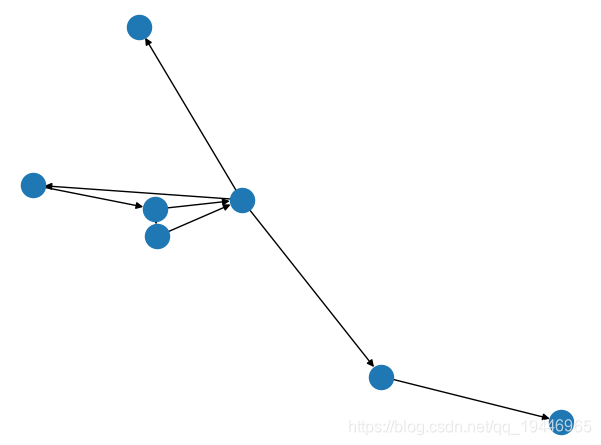
G = nx.DiGraph() # 无多重边有向图G.add_node(2) # 添加一个节点G.add_nodes_from([3, 4, 5, 6, 8, 9, 10, 11, 12]) # 添加多个节点G.add_cycle([1, 2, 3, 4]) # 添加环G.add_edge(1, 3) # 添加一条边G.add_edges_from([(3, 5), (3, 6), (6, 7)]) # 添加多条边G.remove_node(8) # 删除一个节点G.remove_nodes_from([9, 10, 11, 12]) # 删除多个节点print("nodes: ", G.nodes()) # 输出所有的节点print("edges: ", G.edges()) # 输出所有的边print("number_of_edges: ", G.number_of_edges()) # 边的条数,只有一条边,就是(2,3)print("degree: ", G.degree) # 返回节点的度print("in_degree: ", G.in_degree) # 返回节点的入度print("out_degree: ", G.out_degree) # 返回节点的出度print("degree_histogram: ", nx.degree_histogram(G)) # 返回所有节点的分布序列输出>>
nodes: [2, 3, 4, 5, 6, 1, 7]edges: [(2, 3), (3, 4), (3, 5), (3, 6), (4, 1), (6, 7), (1, 2), (1, 3)]number_of_edges: 8degree: [(2, 2), (3, 5), (4, 2), (5, 1), (6, 2), (1, 3), (7, 1)]in_degree: [(2, 1), (3, 2), (4, 1), (5, 1), (6, 1), (1, 1), (7, 1)]out_degree: [(2, 1), (3, 3), (4, 1), (5, 0), (6, 1), (1, 2), (7, 0)]degree_histogram: [0, 2, 3, 1, 0, 1]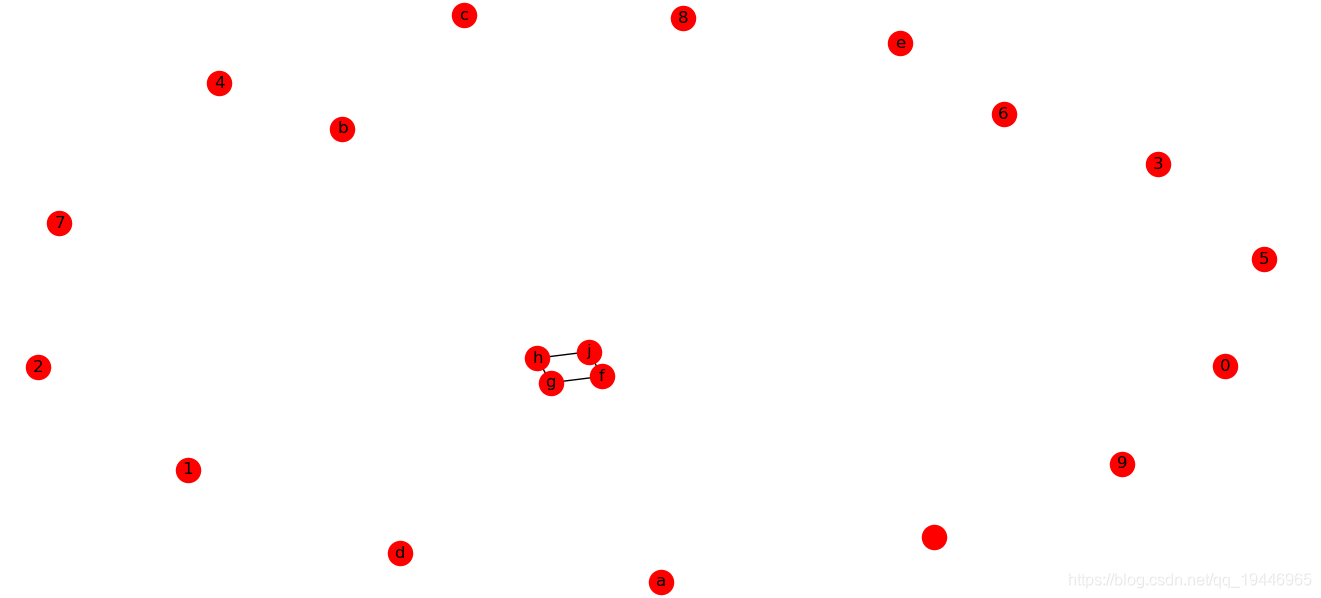
# 增加节点G.add_node('a') # 添加一个节点1G.add_nodes_from(['b', 'c', 'd', 'e']) # 加点集合G.add_cycle(['f', 'g', 'h', 'j']) # 加环H = nx.path_graph(10) # 返回由10个节点的无向图G.add_nodes_from(H) # 创建一个子图H加入GG.add_node(H) # 直接将图作为节点 # print("non_edges: ", G.non_edges) # 返回图中不存在的边print("all_neighbors: ") # 返回图中节点的所有邻居a = nx.all_neighbors(G, "f")for i, node in enumerate(a): print(i, node) print("non_neighbors: ") # 返回图中没有邻居的节点b = nx.non_neighbors(G, "f")for i, node in enumerate(b): print(i, node) print("common_neighbors: ") # 返回图中两个节点的公共邻居c = nx.common_neighbors(G, "j", "g")for i, node in enumerate(c): print(i, node) print("non_edges: ") # 返回图中不存在的边d = nx.non_edges(G)for i, node in enumerate(d): print(i, node) nx.draw(G, with_labels=True, node_color='red')plt.show()输出>>
all_neighbors: 0 g1 jnon_neighbors: 0 a 1 b 2 c 3 d 4 e 5 h 6 0 7 1 8 2 9common_neighbors: 0 h 1 fnon_edges: 0 (0, 'g')1 (0, 'h')2 (0, 1)3 (0, 2)4 (0, 'e')...太多了1、图的属性:
G = nx.Graph(day='Monday') # 可以在创建图时分配图的属性print(G.graph) G.graph['day'] = 'Friday' # 也可以修改已有的属性print(G.graph) G.graph['name'] = 'time' # 可以随时添加新的属性到图中print(G.graph)输出>>
{'day': 'Monday'}{'day': 'Friday'}{'day': 'Friday', 'name': 'time'}2、节点的属性:
G = nx.Graph(day='Monday')G.add_node(1, index='1th') # 在添加节点时分配节点属性print(G.node(data=True)) G.node[1]['index'] = '0th' # 通过G.node[][]来添加或修改属性print(G.node(data=True)) G.add_nodes_from([2, 3], index='2/3th') # 从集合中添加节点时分配属性print(G.node(data=True))输出>>
[(1, {'index': '1th'})][(1, {'index': '0th'})][(1, {'index': '0th'}), (2, {'index': '2/3th'}), (3, {'index': '2/3th'})]3、边的属性:
G.add_edge(1, 2, weight=10) # 在添加边时分配属性print(G.edges(data=True)) G.add_edges_from([(1, 3), (4, 5)], len=22) # 从集合中添加边时分配属性print(G.edges(data='len')) G.add_edges_from([(3, 4, {'hight': 10}), (1, 4, {'high': 'unknow'})])print(G.edges(data=True)) G[1][2]['weight'] = 100000 # 通过G[][][]来添加或修改属性print(G.edges(data=True))输出>>
[(1, 2, {'weight': 10})][(1, 2, None), (1, 3, 22), (4, 5, 22)][(1, 2, {'weight': 10}), (1, 3, {'len': 22}), (1, 4, {'high': 'unknow'}), (3, 4, {'hight': 10}), (4, 5, {'len': 22})][(1, 2, {'weight': 100000}), (1, 3, {'len': 22}), (1, 4, {'high': 'unknow'}), (3, 4, {'hight': 10}), (4, 5, {'len': 22})]有向图和多重图的基本操作与无向图一致。
无向图与有向图之间可以相互转换。
G = nx.DiGraph() H = G.to_undirected() # 有向图转化成无向图-方法1H = nx.Graph(G) # 有向图转化成无向图-方法2 F = H.to_directed() # 无向图转化成有向图-方法1F = nx.DiGraph(H) # 无向图转化成有向图-方法2使用pydot时会遇见如下的错误:
FileNotFoundError: [WinError 2] "twopi" not found in path.
解决参考:
1、 环形树状图
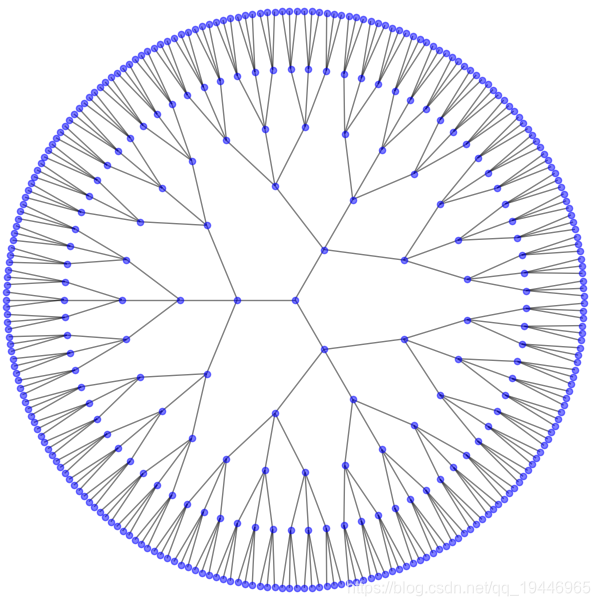
# 环形树状图import osimport pydotfrom networkx.drawing.nx_pydot import graphviz_layout def set_prog(prog="dot"): path = r'C:\Program Files (x86)\Graphviz 2.28\bin' # graphviz的bin目录 prog = os.path.join(path, prog) + '.exe' return prog G = nx.balanced_tree(3, 5)pos = graphviz_layout(G, prog=set_prog("twopi"))plt.figure(figsize=(8, 8))nx.draw(G, pos, node_size=20, alpha=0.5, node_color="blue", with_labels=False)plt.axis('equal')plt.show()2、权重图
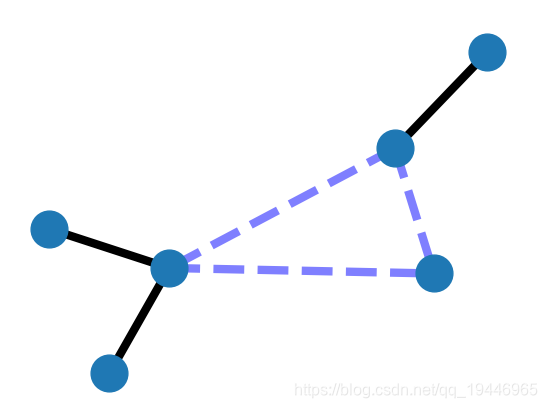
G = nx.Graph() G.add_edge('a', 'b', weight=0.6)G.add_edge('a', 'c', weight=0.2)G.add_edge('c', 'd', weight=0.1)G.add_edge('c', 'e', weight=0.7)G.add_edge('c', 'f', weight=0.9)G.add_edge('a', 'd', weight=0.3) elarge = [(u, v) for (u, v, d) in G.edges(data=True) if d['weight'] > 0.5]esmall = [(u, v) for (u, v, d) in G.edges(data=True) if d['weight'] <= 0.5] pos = nx.spring_layout(G) # positions for all nodes # nodesnx.draw_networkx_nodes(G, pos, node_size=700) # edgesnx.draw_networkx_edges(G, pos, edgelist=elarge, width=6)nx.draw_networkx_edges(G, pos, edgelist=esmall, width=6, alpha=0.5, edge_color='b', style='dashed') # labels-标签# nx.draw_networkx_labels(G, pos, font_size=20, font_family='sans-serif') plt.axis('off')plt.show()3、Giant Component
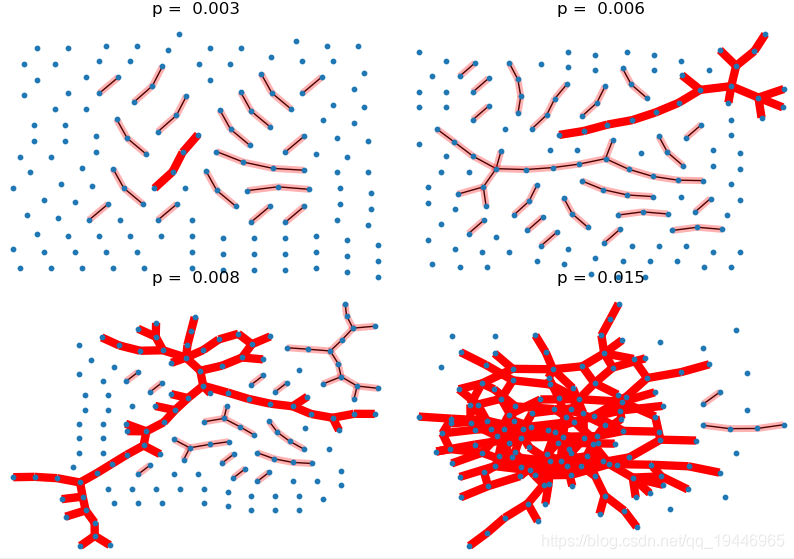
import pydotfrom networkx.drawing.nx_pydot import graphviz_layout def set_prog(prog="dot"): path = r'C:\Program Files (x86)\Graphviz 2.28\bin' # graphviz的bin目录 prog = os.path.join(path, prog) + '.exe' return prog pvals = [0.003, 0.006, 0.008, 0.015] # the range of p values should be close to the threshold plt.subplots_adjust(left=0, right=1, bottom=0, top=0.95, wspace=0.01, hspace=0.01)for i, p in enumerate(pvals): G = nx.binomial_graph(150, p) # 150 nodes pos = graphviz_layout(G, prog=set_prog("neato")) plt.subplot(2, 2, i + 1) plt.title("p = %6.3f" % (p,)) nx.draw(G, pos, with_labels=False, node_size=10) # 找出最大连通数的子图 Gcc = sorted(nx.connected_component_subgraphs(G), key=len, reverse=True) G0 = Gcc[0] nx.draw_networkx_edges(G0, pos, with_labels=False, edge_color='r', width=6.0) # 画出其他连通数子图 [nx.draw_networkx_edges(Gi, pos, with_labels=False, edge_color='r', alpha=0.3, width=5.0) for Gi in Gcc[1:] if len(Gi) > 1]plt.show()4、Random Geometric Graph 随机几何图
G = nx.random_geometric_graph(200, 0.125)pos = nx.get_node_attributes(G, 'pos') # position is stored as node attribute data for random_geometric_graph # find node near center (0.5,0.5)dmin = 1ncenter = 0for n in pos: x, y = pos[n] d = (x - 0.5) ** 2 + (y - 0.5) ** 2 if d < dmin: ncenter = n dmin = d # color by path length from node near centerp = dict(nx.single_source_shortest_path_length(G, ncenter)) plt.figure(figsize=(8, 8))nx.draw_networkx_edges(G, pos, nodelist=[ncenter], alpha=0.4)nx.draw_networkx_nodes(G, pos, nodelist=list(p.keys()), node_size=80, node_color=list(p.values()), cmap=plt.cm.Reds_r) plt.xlim(-0.05, 1.05)plt.ylim(-0.05, 1.05)plt.show()5、节点颜色渐变
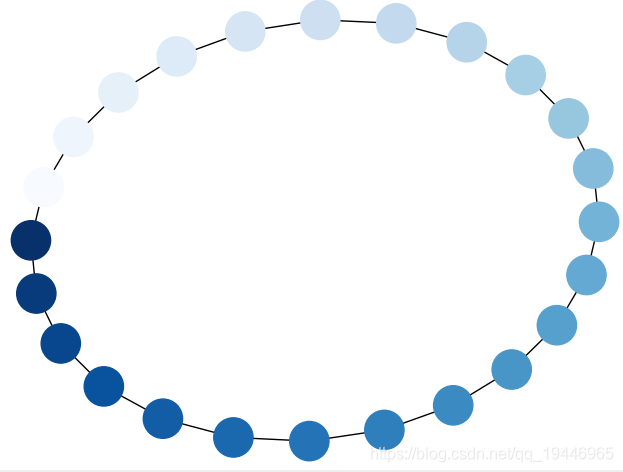
G = nx.cycle_graph(24)pos = nx.spring_layout(G, iterations=200)nx.draw(G, pos, node_color=range(24), node_size=800, cmap=plt.cm.Blues)plt.show()6、边颜色渐变
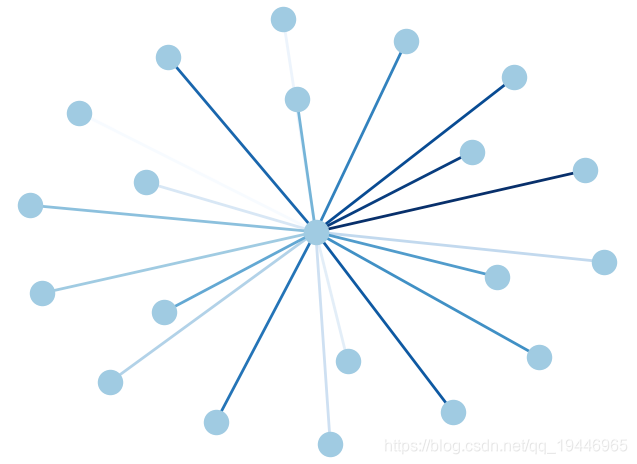
G = nx.star_graph(20)pos = nx.spring_layout(G) # 布局为中心放射状colors = range(20)nx.draw(G, pos, node_color='#A0CBE2', edge_color=colors, width=2, edge_cmap=plt.cm.Blues, with_labels=False)plt.show()7、Atlas
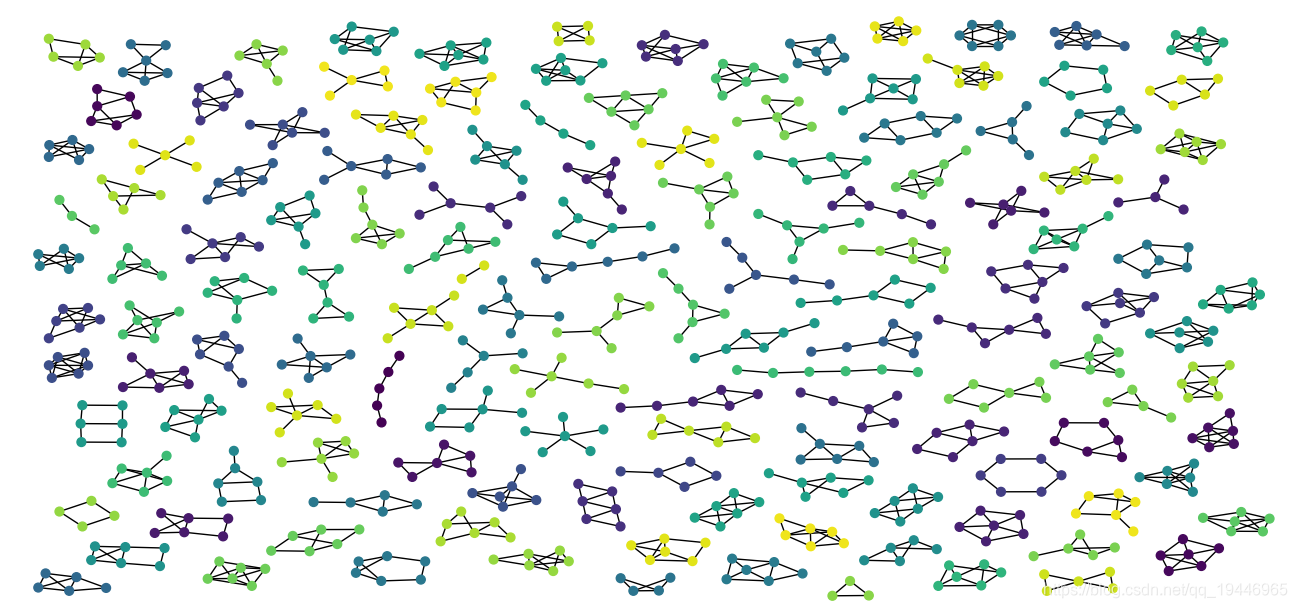
import osimport pydotimport randomfrom networkx.generators.atlas import graph_atlas_gfrom networkx.drawing.nx_pydot import graphviz_layoutfrom networkx.algorithms.isomorphism.isomorph import graph_could_be_isomorphic as isomorphic def set_prog(prog="dot"): path = r'C:\Program Files (x86)\Graphviz 2.28\bin' # graphviz的bin目录 prog = os.path.join(path, prog) + '.exe' return prog def atlas6(): """ Return the atlas of all connected graphs of 6 nodes or less. Attempt to check for isomorphisms and remove. """ Atlas = graph_atlas_g()[0:208] # 208 # remove isolated nodes, only connected graphs are left U = nx.Graph() # graph for union of all graphs in atlas for G in Atlas: for n in [n for n in G if G.degree(n) == 0]: G.remove_node(n) U = nx.disjoint_union(U, G) # iterator of graphs of all connected components C = (U.subgraph(c) for c in nx.connected_components(U)) UU = nx.Graph() # do quick isomorphic-like check, not a true isomorphism checker nlist = [] # list of nonisomorphic graphs for G in C: # check against all nonisomorphic graphs so far if not iso(G, nlist): nlist.append(G) UU = nx.disjoint_union(UU, G) # union the nonisomorphic graphs return UU def iso(G1, glist): """Quick and dirty nonisomorphism checker used to check isomorphisms.""" if any(isomorphic(G1, G2) for G2 in glist): return True return False G = atlas6()print("graph has %d nodes with %d edges" % (nx.number_of_nodes(G), nx.number_of_edges(G)))print(nx.number_connected_components(G), "connected components")plt.figure(1, figsize=(8, 8))pos = graphviz_layout(G, prog=set_prog("neato"))# color nodes the same in each connected subgraphC = (G.subgraph(c) for c in nx.connected_components(G))for g in C: c = [random.random()] * nx.number_of_nodes(g) # random color... nx.draw(g, pos, node_size=40, node_color=c, vmin=0.0, vmax=1.0, with_labels=False)plt.show()8、Club
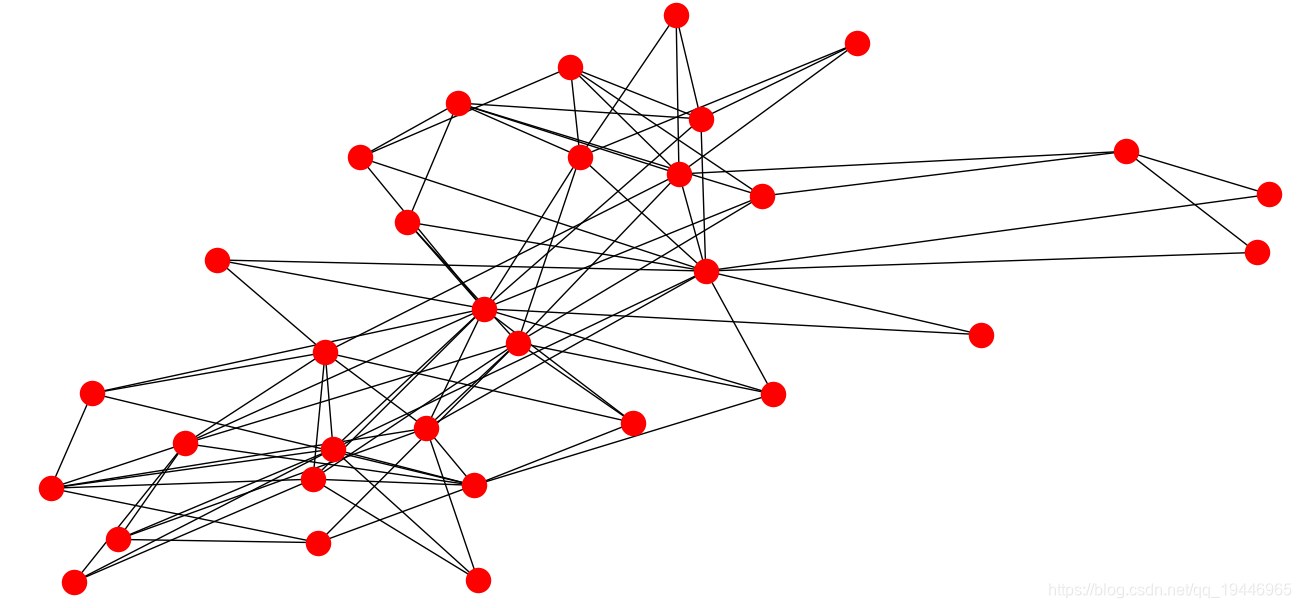
import networkx.algorithms.bipartite as bipartite G = nx.davis_southern_women_graph()women = G.graph['top']clubs = G.graph['bottom'] print("Biadjacency matrix")print(bipartite.biadjacency_matrix(G, women, clubs)) # project bipartite graph onto women nodesW = bipartite.projected_graph(G, women)print('')print("#Friends, Member")for w in women: print('%d %s' % (W.degree(w), w)) # project bipartite graph onto women nodes keeping number of co-occurence# the degree computed is weighted and counts the total number of shared contactsW = bipartite.weighted_projected_graph(G, women)print('')print("#Friend meetings, Member")for w in women: print('%d %s' % (W.degree(w, weight='weight'), w)) nx.draw(G, node_color="red")plt.show()
免责声明:本文系网络转载或改编,未找到原创作者,版权归原作者所有。如涉及版权,请联系删
 技术文档
技术文档
 推荐好文
推荐好文






 155-2731-8020




