




软件

产品


从源码安装OpenCV,使用python
ubuntu16.04下编译安装OpenCV3.4.5步骤(超详细)
ubuntu:安装及使用OpenCV4.1.0(C++/python)
OpenCV3.3+CUDA9.0+Cmake3.9 环境搭建
编译安装 opencv3.3.0 的cuda版本(cuda10.0)
ubuntu16.04安装cuda版本的opencv3.3.0,安装NVIDIA、CUDA和opencv
Ubuntu系统上OpenCV 4.1.2 源码的编译与安装
ubuntu系统编译安装OpenCV 4.4
linux ubuntu16.04 opencv3.4.2 cuda9 安装编译填坑记
Linux Ubuntu16.04 Opencv3(+CUDA9.0)安装记录
Install_OpenCV4_CUDA11_CUDNN8.md
[OpenCV] Install OpenCV 4.0 with DNN
-D OPENCV_EXTRA_MODULES_PATH=<opencv_contrib>/modules并开启-DWITH_CUDA=ON;树莓派3B/3B+和4B安装OpenCV教程 (详细教程)
Environment
Operating System + Version: Ubuntu + 16.04
GPU Type: GeForce GTX1650,4GB
Nvidia Driver Version: 470.63.01
CUDA Version:
CUDNN Version:
gcc:
g++:
官方建议的系统环境
GCC 4.4.x or later
CMake 2.8.7 or higher
Git
GTK+2.x or higher, including headers (libgtk2.0-dev)
pkg-config
Python 2.6 or later and Numpy 1.5 or later with developer packages (python-dev, python-numpy)
ffmpeg or libav development packages: libavcodec-dev, libavformat-dev, libswscale-dev
[optional] libtbb2 libtbb-dev
[optional] libdc1394 2.x
[optional] libjpeg-dev, libpng-dev, libtiff-dev, libjasper-dev, libdc1394-22-dev
[optional] CUDA Toolkit 6.5 or higher
以下文件可能由于网络原因,不能在线下载,则需要手动下载到对应目录中,并修改相应的配置文件。
源码编译opencv卡在IPPICV: Download: ippicv_2017u3_lnx_intel64_general_20170822.tgz解决办法
ippicv 是一个并行计算库,安装过程中下载的时间很长,甚至下载失败。
以 ippicv_2017u3_lnx_intel64_general_20170822.tgz 为例,ippicv下载链接:ippicv
创建downloads下载路径:/PATH/TO/opencv-4.1.0/3rdparty/ippicv/downloads。
下载后,在下载目录创建脚本文件download_ippicv.sh:
#!/bin/bash
# 根据实际情况修改路径
ipp_file=./ippicv_2017u3_lnx_intel64_general_20170822.tgz &&
ipp_hash=$(md5sum $ipp_file | cut -d" " -f1) &&
ipp_dir=/PATH/TO/opencv-4.1.0/3rdparty/ippicv/downloads/linux-$ipp_hash && mkdir -p $ipp_dir &&
cp $ipp_file $ipp_dir
执行脚本:
chmod +x download_ippicv.sh

mkdir downloads

./download_ippicv.sh
修改 /PATH/TO/opencv-4.1.0/3rdparty/ippicv/ippicv.cmake:
"https://raw.githubusercontent.com/opencv/opencv_3rdparty/${IPPICV_COMMIT}/ippicv/"
修改为
"file:///media/sda3/360Downloads/opencv-4.10.0/3rdparty/ippicv/downloads/linux-0f2745ff705ecae31176dad437608f6f/"
face_landmark_model.dat手动下载 face_landmark_model.dat,下载路径为:/PATH/TO/cmake_files。
修改 /PATH/TO/opencv-4.1.0/opencv_contrib-4.1.0/modules/face/CMakeLists.txt:
"https://raw.githubusercontent.com/opencv/opencv_3rdparty/${__commit_hash}/"
修改为
"file:///PATH/TO/cmake_files/"
boostdesc_bgm.i 和 vgg_* 等文件下载路径: /PATH/TO/cmake_files。
下载 boostdesc_*:
boostdesc_bgm.i
boostdesc_bgm_bi.i
boostdesc_bgm_hd.i
boostdesc_binboost_064.i
boostdesc_binboost_128.i
boostdesc_binboost_256.i
boostdesc_lbgm.i
原始下载链接:
https://raw.githubusercontent.com/opencv/opencv_3rdparty/34e4206aef44d50e6bbcd0ab06354b52e7466d26/boostdesc_bgm.i
https://raw.githubusercontent.com/opencv/opencv_3rdparty/34e4206aef44d50e6bbcd0ab06354b52e7466d26/boostdesc_bgm_bi.i
https://raw.githubusercontent.com/opencv/opencv_3rdparty/34e4206aef44d50e6bbcd0ab06354b52e7466d26/boostdesc_bgm_hd.i
https://raw.githubusercontent.com/opencv/opencv_3rdparty/34e4206aef44d50e6bbcd0ab06354b52e7466d26/boostdesc_binboost_064.i
https://raw.githubusercontent.com/opencv/opencv_3rdparty/34e4206aef44d50e6bbcd0ab06354b52e7466d26/boostdesc_binboost_128.i
https://raw.githubusercontent.com/opencv/opencv_3rdparty/34e4206aef44d50e6bbcd0ab06354b52e7466d26/boostdesc_binboost_256.i
https://raw.githubusercontent.com/opencv/opencv_3rdparty/34e4206aef44d50e6bbcd0ab06354b52e7466d26/boostdesc_lbgm.i
如果原始链接无法下载,则通过git加速下载:
https://github.moeyy.xyz/https://raw.githubusercontent.com/opencv/opencv_3rdparty/34e4206aef44d50e6bbcd0ab06354b52e7466d26/boostdesc_bgm.i
https://github.moeyy.xyz/https://raw.githubusercontent.com/opencv/opencv_3rdparty/34e4206aef44d50e6bbcd0ab06354b52e7466d26/boostdesc_bgm_bi.i
https://github.moeyy.xyz/https://raw.githubusercontent.com/opencv/opencv_3rdparty/34e4206aef44d50e6bbcd0ab06354b52e7466d26/boostdesc_bgm_hd.i
https://github.moeyy.xyz/https://raw.githubusercontent.com/opencv/opencv_3rdparty/34e4206aef44d50e6bbcd0ab06354b52e7466d26/boostdesc_binboost_064.i
https://github.moeyy.xyz/https://raw.githubusercontent.com/opencv/opencv_3rdparty/34e4206aef44d50e6bbcd0ab06354b52e7466d26/boostdesc_binboost_128.i
https://github.moeyy.xyz/https://raw.githubusercontent.com/opencv/opencv_3rdparty/34e4206aef44d50e6bbcd0ab06354b52e7466d26/boostdesc_binboost_256.i
https://github.moeyy.xyz/https://raw.githubusercontent.com/opencv/opencv_3rdparty/34e4206aef44d50e6bbcd0ab06354b52e7466d26/boostdesc_lbgm.i
下载 vgg_*:
vgg_generated_120.i
vgg_generated_48.i
vgg_generated_64.i
vgg_generated_80.i
下载 vgg 原始链接 :https://github.com/opencv/opencv_3rdparty/tree/contrib_xfeatures2d_vgg_20160317
下载整个 zip 包,然后提取到 /PATH/TO/cmake_files 目录下。
如果原始链接无法下载,则查看 opencv/build/CMakeDownloadLog.txt 文件中的真实下载链接,并进行逐个下载:
https://raw.githubusercontent.com/opencv/opencv_3rdparty/fccf7cd6a4b12079f73bbfb21745f9babcd4eb1d/vgg_generated_120.i
https://raw.githubusercontent.com/opencv/opencv_3rdparty/fccf7cd6a4b12079f73bbfb21745f9babcd4eb1d/vgg_generated_48.i
https://raw.githubusercontent.com/opencv/opencv_3rdparty/fccf7cd6a4b12079f73bbfb21745f9babcd4eb1d/vgg_generated_64.i
https://raw.githubusercontent.com/opencv/opencv_3rdparty/fccf7cd6a4b12079f73bbfb21745f9babcd4eb1d/vgg_generated_80.i
修改/PATH/TO/opencv-4.1.0/opencv_contrib-4.1.0/modules/xfeatures2d/cmake/download_boostdesc.cmake文件:
"https://raw.githubusercontent.com/opencv/opencv_3rdparty/${OPENCV_3RDPARTY_COMMIT}/"
修改为
"file:///PATH/TO/cmake_files/"
修改/PATH/TO//opencv-4.1.0/opencv_contrib-4.1.0/modules/xfeatures2d/cmake/download_vgg.cmake文件:
"https://raw.githubusercontent.com/opencv/opencv_3rdparty/${OPENCV_3RDPARTY_COMMIT}/"
修改为
"file:///PATH/TO/cmake_files/"
编译opencv过程中下载相关文件,参考博客 ubuntu cmake opencv4.2
以安装 OpenCV 4.1.0 为例,源码编译安装opencv。
安装依赖包的详细步骤,请参考:OpenCV 安装官方文档
# 安装编译器
sudo apt-get install build-essential

# 安装CMake等开发人员工具
# 安装build-essential、cmake、git和pkg-config
sudo apt-get install build-essential cmake git pkg-config

# 安装GTK2.0
sudo apt-get install libgtk2.0-dev

# 安装常用图像工具包
# 安装jpeg格式图像工具包
sudo apt-get install libjpeg8-dev

# 安装tif格式图像工具包
sudo apt-get install libtiff5-dev

#安装JPEG-2000图像工具包
sudo apt-get install libjasper-dev

# 安装png图像工具包
sudo apt-get install libpng12-dev

# 安装openCV数值优化函数包
sudo apt-get install libatlas-base-dev gfortran

# v4l中4后面的是 英文字母“l”
sudo apt-get install libavcodec-dev libavformat-dev libswscale-dev libv4l-dev

# 可选
sudo apt-get install python-dev python-numpy libtbb2 libtbb-dev libdc1394-22-dev
解压缩包:
unzip opencv-4.1.0.zip
./opencv-4.1.0  # opencv路径
├── 3rdparty
├── apps
├── cmake
├── CMakeLists.txt
├── CONTRIBUTING.md
├── data
├── doc
├── include
├── LICENSE
├── modules
├── opencv_build_dir
├── opencv_contrib-4.1.0  # opencv_contrib路径
├── platforms
├── README.md
└── samples
一般来说,。根据下述详细配置进行编译,可以避免各种问题。
创建 build 文件夹:
cd /PATH/TO/opencv 4.1.0
mkdir build
cd build
编译CPU版本,不支持GPU加速:
cmake -D CMAKE_BUILD_TYPE=Release \
-D CMAKE_INSTALL_PREFIX=/usr/local/opencv-4.10.0 \
-D OPENCV_EXTRA_MODULES_PATH=~/360Downloads/opencv-4.10.0/opencv_contrib-4.10.0/modules \
-D OPENCV_GENERATE_PKGCONFIG=ON \
-D BUILD_opencv_freetype=ON \
-D WITH_HARFBUZZ=ON \
-D BUILD_opencv_harfbuzz=ON \
-D WITH_JPEG=ON \
-D BUILD_JPEG=ON \
-D WITH_PNG=ON \
-D BUILD_PNG=ON \
-D BUILD_opencv_world=OFF \
-D BUILD_opencv_video=ON \
-D BUILD_opencv_videoio=ON \
-D BUILD_opencv_python2=OFF \
-D BUILD_opencv_python3=OFF \
-D BUILD_opencv_python_tests=OFF \
-D BUILD_opencv_dnn=ON \
-D BUILD_opencv_line_descriptor=ON \
-D BUILD_SHARED_LIBS=ON \
-D BUILD_PERF_TESTS=OFF \
-D BUILD_TESTS=OFF \
-D WITH_GTK=ON \
-D WITH_GTK_2_X=ON \
-D WITH_IPP=ON \
-D WITH_EIGEN=ON \
-D WITH_V4L=ON \
-D WITH_TBB=ON \
-D WITH_OPENGL=ON \
-D WITH_OPENMP=ON \
-D WITH_1394=ON ..
输出示例:
yoyo@yoyo:~/360Downloads/opencv-4.10.0/build$ rm -rf ./*
yoyo@yoyo:~/360Downloads/opencv-4.10.0/build$ cmake -D CMAKE_BUILD_TYPE=Release \
> -D CMAKE_INSTALL_PREFIX=/usr/local/opencv-4.10.0 \
> -D OPENCV_EXTRA_MODULES_PATH=~/360Downloads/opencv-4.10.0/opencv_contrib-4.10.0/modules \
> -D OPENCV_GENERATE_PKGCONFIG=ON \
> -D BUILD_opencv_freetype=ON \
> -D WITH_HARFBUZZ=ON \
> -D BUILD_opencv_harfbuzz=ON \
> -D WITH_JPEG=ON \
> -D BUILD_JPEG=ON \
> -D WITH_PNG=ON \
> -D BUILD_PNG=ON \
> -D BUILD_opencv_world=OFF \
> -D BUILD_opencv_video=ON \
> -D BUILD_opencv_videoio=ON \
> -D BUILD_opencv_python2=OFF \
> -D BUILD_opencv_python3=OFF \
> -D BUILD_opencv_python_tests=OFF \
> -D BUILD_opencv_dnn=ON \
> -D BUILD_opencv_line_descriptor=ON \
> -D BUILD_SHARED_LIBS=ON \
> -D BUILD_PERF_TESTS=OFF \
> -D BUILD_TESTS=OFF \
> -D WITH_GTK=ON \
> -D WITH_GTK_2_X=ON \
> -D WITH_IPP=ON \
> -D WITH_EIGEN=ON \
> -D WITH_V4L=ON \
> -D WITH_TBB=ON \
> -D WITH_OPENGL=ON \
> -D WITH_OPENMP=ON \
> -D WITH_1394=ON ..
CMake Deprecation Warning at CMakeLists.txt:25 (cmake_minimum_required):
  Compatibility with CMake < 3.10 will be removed from a future version of
  CMake.

  Update the VERSION argument <min> value.  Or, use the <min>...<max> syntax
  to tell CMake that the project requires at least <min> but has been updated
  to work with policies introduced by <max> or earlier.


CMake Warning (dev) at CMakeLists.txt:127 (enable_language):
  project() should be called prior to this enable_language() call.
This warning is for project developers.  Use -Wno-dev to suppress it.

-- The CXX compiler identification is GNU 9.4.0
-- The C compiler identification is GNU 9.4.0
-- Detecting CXX compiler ABI info
-- Detecting CXX compiler ABI info - done
-- Check for working CXX compiler: /usr/bin/c++ - skipped
-- Detecting CXX compile features
-- Detecting CXX compile features - done
-- Detecting C compiler ABI info
-- Detecting C compiler ABI info - done
-- Check for working C compiler: /usr/bin/cc - skipped
-- Detecting C compile features
-- Detecting C compile features - done
-- ocv_init_download: OpenCV source tree is not fetched as git repository. 3rdparty resources will be downloaded from github.com by default.
-- Detected processor: x86_64
-- Found PythonInterp: /usr/bin/python3 (found suitable version "3.7.17", minimum required is "3.2")
-- Found PythonLibs: /usr/lib/x86_64-linux-gnu/libpython3.7m.so (found suitable exact version "3.7.17")
Traceback (most recent call last):
  File "<string>", line 1, in <module>
ModuleNotFoundError: No module named 'numpy'
-- Looking for ccache - not found
-- Performing Test HAVE_CXX_FSIGNED_CHAR
-- Performing Test HAVE_CXX_FSIGNED_CHAR - Success
-- Performing Test HAVE_C_FSIGNED_CHAR
-- Performing Test HAVE_C_FSIGNED_CHAR - Success
-- Performing Test HAVE_CXX_W
-- Performing Test HAVE_CXX_W - Success
-- Performing Test HAVE_C_W
-- Performing Test HAVE_C_W - Success
-- Performing Test HAVE_CXX_WALL
-- Performing Test HAVE_CXX_WALL - Success
-- Performing Test HAVE_C_WALL
-- Performing Test HAVE_C_WALL - Success
-- Performing Test HAVE_CXX_WRETURN_TYPE
-- Performing Test HAVE_CXX_WRETURN_TYPE - Success
-- Performing Test HAVE_C_WRETURN_TYPE
-- Performing Test HAVE_C_WRETURN_TYPE - Success
-- Performing Test HAVE_CXX_WNON_VIRTUAL_DTOR
-- Performing Test HAVE_CXX_WNON_VIRTUAL_DTOR - Success
-- Performing Test HAVE_C_WNON_VIRTUAL_DTOR
-- Performing Test HAVE_C_WNON_VIRTUAL_DTOR - Failed
-- Performing Test HAVE_CXX_WADDRESS
-- Performing Test HAVE_CXX_WADDRESS - Success
-- Performing Test HAVE_C_WADDRESS
-- Performing Test HAVE_C_WADDRESS - Success
-- Performing Test HAVE_CXX_WSEQUENCE_POINT
-- Performing Test HAVE_CXX_WSEQUENCE_POINT - Success
-- Performing Test HAVE_C_WSEQUENCE_POINT
-- Performing Test HAVE_C_WSEQUENCE_POINT - Success
-- Performing Test HAVE_CXX_WFORMAT
-- Performing Test HAVE_CXX_WFORMAT - Success
-- Performing Test HAVE_C_WFORMAT
-- Performing Test HAVE_C_WFORMAT - Success
-- Performing Test HAVE_CXX_WFORMAT_SECURITY
-- Performing Test HAVE_CXX_WFORMAT_SECURITY - Success
-- Performing Test HAVE_C_WFORMAT_SECURITY
-- Performing Test HAVE_C_WFORMAT_SECURITY - Success
-- Performing Test HAVE_CXX_WMISSING_DECLARATIONS
-- Performing Test HAVE_CXX_WMISSING_DECLARATIONS - Success
-- Performing Test HAVE_C_WMISSING_DECLARATIONS
-- Performing Test HAVE_C_WMISSING_DECLARATIONS - Success
-- Performing Test HAVE_CXX_WMISSING_PROTOTYPES
-- Performing Test HAVE_CXX_WMISSING_PROTOTYPES - Failed
-- Performing Test HAVE_C_WMISSING_PROTOTYPES
-- Performing Test HAVE_C_WMISSING_PROTOTYPES - Success
-- Performing Test HAVE_CXX_WSTRICT_PROTOTYPES
-- Performing Test HAVE_CXX_WSTRICT_PROTOTYPES - Failed
-- Performing Test HAVE_C_WSTRICT_PROTOTYPES
-- Performing Test HAVE_C_WSTRICT_PROTOTYPES - Success
-- Performing Test HAVE_CXX_WUNDEF
-- Performing Test HAVE_CXX_WUNDEF - Success
-- Performing Test HAVE_C_WUNDEF
-- Performing Test HAVE_C_WUNDEF - Success
-- Performing Test HAVE_CXX_WINIT_SELF
-- Performing Test HAVE_CXX_WINIT_SELF - Success
-- Performing Test HAVE_C_WINIT_SELF
-- Performing Test HAVE_C_WINIT_SELF - Success
-- Performing Test HAVE_CXX_WPOINTER_ARITH
-- Performing Test HAVE_CXX_WPOINTER_ARITH - Success
-- Performing Test HAVE_C_WPOINTER_ARITH
-- Performing Test HAVE_C_WPOINTER_ARITH - Success
-- Performing Test HAVE_CXX_WSHADOW
-- Performing Test HAVE_CXX_WSHADOW - Success
-- Performing Test HAVE_C_WSHADOW
-- Performing Test HAVE_C_WSHADOW - Success
-- Performing Test HAVE_CXX_WSIGN_PROMO
-- Performing Test HAVE_CXX_WSIGN_PROMO - Success
-- Performing Test HAVE_C_WSIGN_PROMO
-- Performing Test HAVE_C_WSIGN_PROMO - Failed
-- Performing Test HAVE_CXX_WUNINITIALIZED
-- Performing Test HAVE_CXX_WUNINITIALIZED - Success
-- Performing Test HAVE_C_WUNINITIALIZED
-- Performing Test HAVE_C_WUNINITIALIZED - Success
-- Performing Test HAVE_CXX_WSUGGEST_OVERRIDE
-- Performing Test HAVE_CXX_WSUGGEST_OVERRIDE - Success
-- Performing Test HAVE_C_WSUGGEST_OVERRIDE
-- Performing Test HAVE_C_WSUGGEST_OVERRIDE - Failed
-- Performing Test HAVE_CXX_WNO_DELETE_NON_VIRTUAL_DTOR
-- Performing Test HAVE_CXX_WNO_DELETE_NON_VIRTUAL_DTOR - Success
-- Performing Test HAVE_C_WNO_DELETE_NON_VIRTUAL_DTOR
-- Performing Test HAVE_C_WNO_DELETE_NON_VIRTUAL_DTOR - Failed
-- Performing Test HAVE_CXX_WNO_UNNAMED_TYPE_TEMPLATE_ARGS
-- Performing Test HAVE_CXX_WNO_UNNAMED_TYPE_TEMPLATE_ARGS - Failed
-- Performing Test HAVE_C_WNO_UNNAMED_TYPE_TEMPLATE_ARGS
-- Performing Test HAVE_C_WNO_UNNAMED_TYPE_TEMPLATE_ARGS - Failed
-- Performing Test HAVE_CXX_WNO_COMMENT
-- Performing Test HAVE_CXX_WNO_COMMENT - Success
-- Performing Test HAVE_C_WNO_COMMENT
-- Performing Test HAVE_C_WNO_COMMENT - Success
-- Performing Test HAVE_CXX_WIMPLICIT_FALLTHROUGH_3
-- Performing Test HAVE_CXX_WIMPLICIT_FALLTHROUGH_3 - Success
-- Performing Test HAVE_C_WIMPLICIT_FALLTHROUGH_3
-- Performing Test HAVE_C_WIMPLICIT_FALLTHROUGH_3 - Success
-- Performing Test HAVE_CXX_WNO_STRICT_OVERFLOW
-- Performing Test HAVE_CXX_WNO_STRICT_OVERFLOW - Success
-- Performing Test HAVE_C_WNO_STRICT_OVERFLOW
-- Performing Test HAVE_C_WNO_STRICT_OVERFLOW - Success
-- Performing Test HAVE_CXX_FDIAGNOSTICS_SHOW_OPTION
-- Performing Test HAVE_CXX_FDIAGNOSTICS_SHOW_OPTION - Success
-- Performing Test HAVE_C_FDIAGNOSTICS_SHOW_OPTION
-- Performing Test HAVE_C_FDIAGNOSTICS_SHOW_OPTION - Success
-- Performing Test HAVE_CXX_WNO_LONG_LONG
-- Performing Test HAVE_CXX_WNO_LONG_LONG - Success
-- Performing Test HAVE_C_WNO_LONG_LONG
-- Performing Test HAVE_C_WNO_LONG_LONG - Success
-- Performing Test HAVE_CXX_PTHREAD
-- Performing Test HAVE_CXX_PTHREAD - Success
-- Performing Test HAVE_C_PTHREAD
-- Performing Test HAVE_C_PTHREAD - Success
-- Performing Test HAVE_CXX_FOMIT_FRAME_POINTER
-- Performing Test HAVE_CXX_FOMIT_FRAME_POINTER - Success
-- Performing Test HAVE_C_FOMIT_FRAME_POINTER
-- Performing Test HAVE_C_FOMIT_FRAME_POINTER - Success
-- Performing Test HAVE_CXX_FFUNCTION_SECTIONS
-- Performing Test HAVE_CXX_FFUNCTION_SECTIONS - Success
-- Performing Test HAVE_C_FFUNCTION_SECTIONS
-- Performing Test HAVE_C_FFUNCTION_SECTIONS - Success
-- Performing Test HAVE_CXX_FDATA_SECTIONS
-- Performing Test HAVE_CXX_FDATA_SECTIONS - Success
-- Performing Test HAVE_C_FDATA_SECTIONS
-- Performing Test HAVE_C_FDATA_SECTIONS - Success
-- Performing Test HAVE_CXX_MSSE (check file: cmake/checks/cpu_sse.cpp)
-- Performing Test HAVE_CXX_MSSE - Success
-- Performing Test HAVE_CXX_MSSE2 (check file: cmake/checks/cpu_sse2.cpp)
-- Performing Test HAVE_CXX_MSSE2 - Success
-- Performing Test HAVE_CXX_MSSE3 (check file: cmake/checks/cpu_sse3.cpp)
-- Performing Test HAVE_CXX_MSSE3 - Success
-- Performing Test HAVE_CXX_MSSSE3 (check file: cmake/checks/cpu_ssse3.cpp)
-- Performing Test HAVE_CXX_MSSSE3 - Success
-- Performing Test HAVE_CXX_MSSE4_1 (check file: cmake/checks/cpu_sse41.cpp)
-- Performing Test HAVE_CXX_MSSE4_1 - Success
-- Performing Test HAVE_CXX_MPOPCNT (check file: cmake/checks/cpu_popcnt.cpp)
-- Performing Test HAVE_CXX_MPOPCNT - Success
-- Performing Test HAVE_CXX_MSSE4_2 (check file: cmake/checks/cpu_sse42.cpp)
-- Performing Test HAVE_CXX_MSSE4_2 - Success
-- Performing Test HAVE_CXX_MF16C (check file: cmake/checks/cpu_fp16.cpp)
-- Performing Test HAVE_CXX_MF16C - Success
-- Performing Test HAVE_CXX_MFMA
-- Performing Test HAVE_CXX_MFMA - Success
-- Performing Test HAVE_CXX_MAVX (check file: cmake/checks/cpu_avx.cpp)
-- Performing Test HAVE_CXX_MAVX - Success
-- Performing Test HAVE_CXX_MAVX2 (check file: cmake/checks/cpu_avx2.cpp)
-- Performing Test HAVE_CXX_MAVX2 - Success
-- Performing Test HAVE_CXX_MAVX512F (check file: cmake/checks/cpu_avx512.cpp)
-- Performing Test HAVE_CXX_MAVX512F - Success
-- Performing Test HAVE_CXX_MAVX512F_MAVX512CD (check file: cmake/checks/cpu_avx512common.cpp)
-- Performing Test HAVE_CXX_MAVX512F_MAVX512CD - Success
-- Performing Test HAVE_CXX_MAVX512F_MAVX512CD_MAVX512VL_MAVX512BW_MAVX512DQ (check file: cmake/checks/cpu_avx512skx.cpp)
-- Performing Test HAVE_CXX_MAVX512F_MAVX512CD_MAVX512VL_MAVX512BW_MAVX512DQ - Success
-- Performing Test HAVE_CPU_BASELINE_FLAGS
-- Performing Test HAVE_CPU_BASELINE_FLAGS - Success
-- Performing Test HAVE_CPU_DISPATCH_FLAGS_SSE4_1
-- Performing Test HAVE_CPU_DISPATCH_FLAGS_SSE4_1 - Success
-- Performing Test HAVE_CPU_DISPATCH_FLAGS_SSE4_2
-- Performing Test HAVE_CPU_DISPATCH_FLAGS_SSE4_2 - Success
-- Performing Test HAVE_CPU_DISPATCH_FLAGS_FP16
-- Performing Test HAVE_CPU_DISPATCH_FLAGS_FP16 - Success
-- Performing Test HAVE_CPU_DISPATCH_FLAGS_AVX
-- Performing Test HAVE_CPU_DISPATCH_FLAGS_AVX - Success
-- Performing Test HAVE_CPU_DISPATCH_FLAGS_AVX2
-- Performing Test HAVE_CPU_DISPATCH_FLAGS_AVX2 - Success
-- Performing Test HAVE_CPU_DISPATCH_FLAGS_AVX512_SKX
-- Performing Test HAVE_CPU_DISPATCH_FLAGS_AVX512_SKX - Success
-- Performing Test HAVE_CXX_FVISIBILITY_HIDDEN
-- Performing Test HAVE_CXX_FVISIBILITY_HIDDEN - Success
-- Performing Test HAVE_C_FVISIBILITY_HIDDEN
-- Performing Test HAVE_C_FVISIBILITY_HIDDEN - Success
-- Performing Test HAVE_CXX_FVISIBILITY_INLINES_HIDDEN
-- Performing Test HAVE_CXX_FVISIBILITY_INLINES_HIDDEN - Success
-- Performing Test HAVE_C_FVISIBILITY_INLINES_HIDDEN
-- Performing Test HAVE_C_FVISIBILITY_INLINES_HIDDEN - Failed
-- Performing Test HAVE_LINK_AS_NEEDED
-- Performing Test HAVE_LINK_AS_NEEDED - Success
-- Performing Test HAVE_LINK_NO_UNDEFINED
-- Performing Test HAVE_LINK_NO_UNDEFINED - Success
-- Looking for pthread.h
-- Looking for pthread.h - found
-- Looking for posix_memalign
-- Looking for posix_memalign - found
-- Looking for malloc.h
-- Looking for malloc.h - found
-- Looking for memalign
-- Looking for memalign - found
-- Found OpenMP_C: -fopenmp (found version "4.5")
-- Found OpenMP_CXX: -fopenmp (found version "4.5")
-- Found OpenMP: TRUE (found version "4.5")
-- Found ZLIB: /usr/lib/x86_64-linux-gnu/libz.so (found suitable version "1.2.11", minimum required is "1.2.3")
-- Performing Test HAVE_C_WNO_UNUSED_PARAMETER
-- Performing Test HAVE_C_WNO_UNUSED_PARAMETER - Success
-- Performing Test HAVE_C_WNO_SIGN_COMPARE
-- Performing Test HAVE_C_WNO_SIGN_COMPARE - Success
-- Performing Test HAVE_C_WNO_SHORTEN_64_TO_32
-- Performing Test HAVE_C_WNO_SHORTEN_64_TO_32 - Failed
-- Performing Test HAVE_C_WNO_IMPLICIT_FALLTHROUGH
-- Performing Test HAVE_C_WNO_IMPLICIT_FALLTHROUGH - Success
-- libjpeg-turbo: VERSION = 3.0.3, BUILD = opencv-4.10.0-libjpeg-turbo
-- Looking for sys/types.h
-- Looking for sys/types.h - found
-- Looking for stdint.h
-- Looking for stdint.h - found
-- Looking for stddef.h
-- Looking for stddef.h - found
-- Check size of size_t
-- Check size of size_t - done
-- Check size of unsigned long
-- Check size of unsigned long - done
-- Looking for include file locale.h
-- Looking for include file locale.h - found
-- Looking for include file stdlib.h
-- Looking for include file stdlib.h - found
-- Looking for include file sys/types.h
-- Looking for include file sys/types.h - found
-- Looking for a ASM_NASM compiler
-- Looking for a ASM_NASM compiler - /usr/bin/yasm
-- The ASM_NASM compiler identification is YASM
-- Found assembler: /usr/bin/yasm
-- CMAKE_ASM_NASM_COMPILER = /usr/bin/yasm
-- CMAKE_ASM_NASM_OBJECT_FORMAT = elf64
-- Performing Test HAVE_CET
-- Performing Test HAVE_CET - Success
-- CMAKE_ASM_NASM_FLAGS =  -DELF -D__x86_64__ -DPIC -D__CET__
-- SIMD extensions: x86_64 (WITH_SIMD = 1)
-- Found TIFF: /usr/lib/x86_64-linux-gnu/libtiff.so (found version "4.1.0")
-- Performing Test HAVE_C_WNO_UNUSED_VARIABLE
-- Performing Test HAVE_C_WNO_UNUSED_VARIABLE - Success
-- Performing Test HAVE_C_WNO_UNUSED_FUNCTION
-- Performing Test HAVE_C_WNO_UNUSED_FUNCTION - Success
-- Performing Test HAVE_C_WNO_SHADOW
-- Performing Test HAVE_C_WNO_SHADOW - Success
-- Performing Test HAVE_C_WNO_MAYBE_UNINITIALIZED
-- Performing Test HAVE_C_WNO_MAYBE_UNINITIALIZED - Success
-- Performing Test HAVE_C_WNO_MISSING_PROTOTYPES
-- Performing Test HAVE_C_WNO_MISSING_PROTOTYPES - Success
-- Performing Test HAVE_C_WNO_MISSING_DECLARATIONS
-- Performing Test HAVE_C_WNO_MISSING_DECLARATIONS - Success
-- Performing Test HAVE_C_WNO_UNUSED_BUT_SET_VARIABLE
-- Performing Test HAVE_C_WNO_UNUSED_BUT_SET_VARIABLE - Success
-- Could NOT find OpenJPEG (minimal suitable version: 2.0, recommended version >= 2.3.1). OpenJPEG will be built from sources
-- Performing Test HAVE_C_WNO_IMPLICIT_CONST_INT_FLOAT_CONVERSION
-- Performing Test HAVE_C_WNO_IMPLICIT_CONST_INT_FLOAT_CONVERSION - Failed
-- Performing Test HAVE_C_WNO_DOCUMENTATION
-- Performing Test HAVE_C_WNO_DOCUMENTATION - Failed
-- OpenJPEG: VERSION = 2.5.0, BUILD = opencv-4.10.0-openjp2-2.5.0
-- Looking for string.h
-- Looking for string.h - found
-- Looking for memory.h
-- Looking for memory.h - found
-- Looking for stdio.h
-- Looking for stdio.h - found
-- Looking for math.h
-- Looking for math.h - found
-- Looking for float.h
-- Looking for float.h - found
-- Looking for time.h
-- Looking for time.h - found
-- Looking for stdarg.h
-- Looking for stdarg.h - found
-- Looking for ctype.h
-- Looking for ctype.h - found
-- Looking for assert.h
-- Looking for assert.h - found
-- Looking for stdint.h
-- Looking for stdint.h - found
-- Looking for inttypes.h
-- Looking for inttypes.h - found
-- Looking for strings.h
-- Looking for strings.h - found
-- Looking for sys/stat.h
-- Looking for sys/stat.h - found
-- Looking for unistd.h
-- Looking for unistd.h - found
-- Looking for include file malloc.h
-- Looking for include file malloc.h - found
-- Looking for _aligned_malloc
-- Looking for _aligned_malloc - not found
-- Looking for posix_memalign
-- Looking for posix_memalign - found
-- Looking for memalign
-- Looking for memalign - found
-- Performing Test HAVE_C_WNO_UNDEF
-- Performing Test HAVE_C_WNO_UNDEF - Success
-- Performing Test HAVE_C_WNO_STRICT_PROTOTYPES
-- Performing Test HAVE_C_WNO_STRICT_PROTOTYPES - Success
-- Performing Test HAVE_C_WNO_CAST_FUNCTION_TYPE
-- Performing Test HAVE_C_WNO_CAST_FUNCTION_TYPE - Success
-- OpenJPEG libraries will be built from sources: libopenjp2 (version "2.5.0")
-- Performing Test HAVE_C_WNO_CAST_ALIGN
-- Performing Test HAVE_C_WNO_CAST_ALIGN - Success
-- Performing Test HAVE_C_WNO_NULL_POINTER_SUBTRACTION
-- Performing Test HAVE_C_WNO_NULL_POINTER_SUBTRACTION - Failed
-- Found OpenEXR: /usr/lib/x86_64-linux-gnu/libIlmImf.so
-- Found TBB (cmake): /usr/lib/x86_64-linux-gnu/libtbb.so.2
-- IPPICV: Downloading ippicv_2021.11.0_lnx_intel64_20240201_general.tgz from file://~/360Downloads/opencv-4.10.0/3rdparty/ippicv/downloads/linux-0f2745ff705ecae31176dad437608f6f/ippicv_2021.11.0_lnx_intel64_20240201_general.tgz
-- found Intel IPP (ICV version): 2021.11.0 [2021.11.0]
-- at: ~/360Downloads/opencv-4.10.0/build/3rdparty/ippicv/ippicv_lnx/icv
-- found Intel IPP Integration Wrappers sources: 2021.11.0
-- at: ~/360Downloads/opencv-4.10.0/build/3rdparty/ippicv/ippicv_lnx/iw
-- Could not find OpenBLAS include. Turning OpenBLAS_FOUND off
-- Could not find OpenBLAS lib. Turning OpenBLAS_FOUND off
-- Could NOT find Atlas (missing: Atlas_CLAPACK_INCLUDE_DIR)
-- Looking for sgemm_
-- Looking for sgemm_ - not found
-- Found Threads: TRUE
-- Looking for sgemm_
-- Looking for sgemm_ - found
-- Found BLAS: /usr/lib/x86_64-linux-gnu/libmkl_intel_lp64.so;/usr/lib/x86_64-linux-gnu/libmkl_intel_thread.so;/usr/lib/x86_64-linux-gnu/libmkl_core.so;/usr/lib/x86_64-linux-gnu/libiomp5.so;-lm;-ldl
-- Looking for cheev_
-- Looking for cheev_ - found
-- Found LAPACK: /usr/lib/x86_64-linux-gnu/libmkl_intel_lp64.so;/usr/lib/x86_64-linux-gnu/libmkl_intel_thread.so;/usr/lib/x86_64-linux-gnu/libmkl_core.so;/usr/lib/x86_64-linux-gnu/libiomp5.so;-lm;-ldl;-lm;-ldl
-- Performing Test HAVE_CXX_WNO_DEPRECATED
-- Performing Test HAVE_CXX_WNO_DEPRECATED - Success
-- Performing Test HAVE_CXX_WNO_MISSING_PROTOTYPES
-- Performing Test HAVE_CXX_WNO_MISSING_PROTOTYPES - Failed
-- Performing Test HAVE_CXX_WNO_MISSING_DECLARATIONS
-- Performing Test HAVE_CXX_WNO_MISSING_DECLARATIONS - Success
-- Performing Test HAVE_CXX_WNO_SHADOW
-- Performing Test HAVE_CXX_WNO_SHADOW - Success
-- Performing Test HAVE_CXX_WNO_UNUSED_PARAMETER
-- Performing Test HAVE_CXX_WNO_UNUSED_PARAMETER - Success
-- Performing Test HAVE_CXX_WNO_UNUSED_LOCAL_TYPEDEFS
-- Performing Test HAVE_CXX_WNO_UNUSED_LOCAL_TYPEDEFS - Success
-- Performing Test HAVE_CXX_WNO_SIGN_COMPARE
-- Performing Test HAVE_CXX_WNO_SIGN_COMPARE - Success
-- Performing Test HAVE_CXX_WNO_SIGN_PROMO
-- Performing Test HAVE_CXX_WNO_SIGN_PROMO - Success
-- Performing Test HAVE_CXX_WNO_UNDEF
-- Performing Test HAVE_CXX_WNO_UNDEF - Success
-- Performing Test HAVE_CXX_WNO_TAUTOLOGICAL_UNDEFINED_COMPARE
-- Performing Test HAVE_CXX_WNO_TAUTOLOGICAL_UNDEFINED_COMPARE - Failed
-- Performing Test HAVE_CXX_WNO_IGNORED_QUALIFIERS
-- Performing Test HAVE_CXX_WNO_IGNORED_QUALIFIERS - Success
-- Performing Test HAVE_CXX_WNO_EXTRA
-- Performing Test HAVE_CXX_WNO_EXTRA - Success
-- Performing Test HAVE_CXX_WNO_UNUSED_FUNCTION
-- Performing Test HAVE_CXX_WNO_UNUSED_FUNCTION - Success
-- Performing Test HAVE_CXX_WNO_UNUSED_CONST_VARIABLE
-- Performing Test HAVE_CXX_WNO_UNUSED_CONST_VARIABLE - Success
-- Performing Test HAVE_CXX_WNO_SHORTEN_64_TO_32
-- Performing Test HAVE_CXX_WNO_SHORTEN_64_TO_32 - Failed
-- Performing Test HAVE_CXX_WNO_INVALID_OFFSETOF
-- Performing Test HAVE_CXX_WNO_INVALID_OFFSETOF - Success
-- Performing Test HAVE_CXX_WNO_ENUM_COMPARE_SWITCH
-- Performing Test HAVE_CXX_WNO_ENUM_COMPARE_SWITCH - Failed
-- Performing Test HAVE_CXX_WNO_SUGGEST_OVERRIDE
-- Performing Test HAVE_CXX_WNO_SUGGEST_OVERRIDE - Success
-- Performing Test HAVE_CXX_WNO_INCONSISTENT_MISSING_OVERRIDE
-- Performing Test HAVE_CXX_WNO_INCONSISTENT_MISSING_OVERRIDE - Failed
-- Performing Test HAVE_CXX_WNO_IMPLICIT_FALLTHROUGH
-- Performing Test HAVE_CXX_WNO_IMPLICIT_FALLTHROUGH - Success
-- Performing Test HAVE_CXX_WNO_ARRAY_BOUNDS
-- Performing Test HAVE_CXX_WNO_ARRAY_BOUNDS - Success
-- Performing Test HAVE_CXX_WNO_STRINGOP_OVERFLOW
-- Performing Test HAVE_CXX_WNO_STRINGOP_OVERFLOW - Success
-- Performing Test HAVE_CXX_WNO_STRINGOP_OVERREAD
-- Performing Test HAVE_CXX_WNO_STRINGOP_OVERREAD - Failed
-- Performing Test HAVE_CXX_WNO_EXTRA_SEMI
-- Performing Test HAVE_CXX_WNO_EXTRA_SEMI - Success
-- Performing Test HAVE_CXX_WNO_COMMA
-- Performing Test HAVE_CXX_WNO_COMMA - Failed
-- Performing Test HAVE_CXX_WNO_CLASS_MEMACCESS
-- Performing Test HAVE_CXX_WNO_CLASS_MEMACCESS - Success
-- Could NOT find Java (missing: Java_JAVA_EXECUTABLE Java_JAR_EXECUTABLE Java_JAVAC_EXECUTABLE Java_JAVAH_EXECUTABLE Java_JAVADOC_EXECUTABLE)
-- Could NOT find JNI (missing: JAVA_INCLUDE_PATH JAVA_INCLUDE_PATH2 AWT JVM)
-- VTK is not found. Please set -DVTK_DIR in CMake to VTK build directory, or to VTK install subdirectory with VTKConfig.cmake file
-- Looking for dlerror in dl
-- Looking for dlerror in dl - found
-- ADE: Downloading v0.1.2d.zip from https://github.com/opencv/ade/archive/v0.1.2d.zip
-- Checking for module 'gtk+-2.0'
--   Found gtk+-2.0, version 2.24.32
-- Checking for module 'gthread-2.0>=2.32'
--   Found gthread-2.0, version 2.64.6
-- Checking for module 'gtkglext-1.0'
--   No package 'gtkglext-1.0' found
-- Checking for modules 'libavcodec;libavformat;libavutil;libswscale'
--   Found libavcodec, version 58.54.100
--   Found libavformat, version 58.29.100
--   Found libavutil, version 56.31.100
--   Found libswscale, version 5.5.100
-- Checking for module 'libavresample'
--   Found libavresample, version 4.0.0
-- Checking for module 'gstreamer-base-1.0'
--   No package 'gstreamer-base-1.0' found
-- Checking for module 'gstreamer-app-1.0'
--   No package 'gstreamer-app-1.0' found
-- Checking for module 'gstreamer-riff-1.0'
--   No package 'gstreamer-riff-1.0' found
-- Checking for module 'gstreamer-pbutils-1.0'
--   No package 'gstreamer-pbutils-1.0' found
-- Checking for module 'gstreamer-video-1.0'
--   No package 'gstreamer-video-1.0' found
-- Checking for module 'gstreamer-audio-1.0'
--   No package 'gstreamer-audio-1.0' found
-- Checking for module 'libdc1394-2'
--   Found libdc1394-2, version 2.2.5
-- Module opencv_alphamat disabled because the following dependencies are not found: Eigen
-- Checking for module 'freetype2'
--   Found freetype2, version 23.1.17
-- Checking for module 'harfbuzz'
--   Found harfbuzz, version 2.6.4
-- freetype2:   YES (ver 23.1.17)
-- harfbuzz:    YES (ver 2.6.4)
-- Found HDF5: /usr/lib/x86_64-linux-gnu/hdf5/serial/libhdf5.so;/usr/lib/x86_64-linux-gnu/libpthread.so;/usr/lib/x86_64-linux-gnu/libsz.so;/usr/lib/x86_64-linux-gnu/libz.so;/usr/lib/x86_64-linux-gnu/libdl.so;/usr/lib/x86_64-linux-gnu/libm.so (found version "1.10.4")
-- Julia not found. Not compiling Julia Bindings.
-- Module opencv_ovis disabled because OGRE3D was not found
-- Checking SFM glog/gflags deps... TRUE
-- Module opencv_sfm disabled because the following dependencies are not found: Eigen
-- Checking for module 'tesseract'
--   No package 'tesseract' found
-- Tesseract:   NO
-- Allocator metrics storage type: 'long long'
-- Excluding from source files list: modules/imgproc/src/imgwarp.lasx.cpp
-- Excluding from source files list: modules/imgproc/src/resize.lasx.cpp
-- Registering hook 'INIT_MODULE_SOURCES_opencv_dnn': ~/360Downloads/opencv-4.10.0/modules/dnn/cmake/hooks/INIT_MODULE_SOURCES_opencv_dnn.cmake
-- opencv_dnn: filter out cuda4dnn source code
-- Excluding from source files list: modules/dnn/src/layers/cpu_kernels/conv_winograd_f63.neon.cpp
-- Excluding from source files list: <BUILD>/modules/dnn/layers/layers_common.rvv.cpp
-- Excluding from source files list: <BUILD>/modules/dnn/layers/layers_common.lasx.cpp
-- Excluding from source files list: <BUILD>/modules/dnn/int8layers/layers_common.rvv.cpp
-- Excluding from source files list: <BUILD>/modules/dnn/int8layers/layers_common.lasx.cpp
-- Excluding from source files list: <BUILD>/modules/dnn/layers/cpu_kernels/conv_block.neon.cpp
-- Excluding from source files list: <BUILD>/modules/dnn/layers/cpu_kernels/conv_block.neon_fp16.cpp
-- Excluding from source files list: <BUILD>/modules/dnn/layers/cpu_kernels/conv_depthwise.rvv.cpp
-- Excluding from source files list: <BUILD>/modules/dnn/layers/cpu_kernels/conv_depthwise.lasx.cpp
-- Excluding from source files list: <BUILD>/modules/dnn/layers/cpu_kernels/conv_winograd_f63.neon_fp16.cpp
-- Excluding from source files list: <BUILD>/modules/dnn/layers/cpu_kernels/fast_gemm_kernels.neon.cpp
-- Excluding from source files list: <BUILD>/modules/dnn/layers/cpu_kernels/fast_gemm_kernels.lasx.cpp
-- Performing Test HAVE_CXX_WNO_DEPRECATED_DECLARATIONS
-- Performing Test HAVE_CXX_WNO_DEPRECATED_DECLARATIONS - Success
-- Performing Test HAVE_CXX_WNO_OVERLOADED_VIRTUAL
-- Performing Test HAVE_CXX_WNO_OVERLOADED_VIRTUAL - Success
-- highgui: using builtin backend: GTK2
-- rgbd: Eigen support is disabled. Eigen is Required for Posegraph optimization
-- Performing Test Iconv_IS_BUILT_IN
-- Performing Test Iconv_IS_BUILT_IN - Success
-- wechat_qrcode: Downloading detect.caffemodel from https://raw.githubusercontent.com/WeChatCV/opencv_3rdparty/a8b69ccc738421293254aec5ddb38bd523503252/detect.caffemodel
-- wechat_qrcode: Downloading detect.prototxt from https://raw.githubusercontent.com/WeChatCV/opencv_3rdparty/a8b69ccc738421293254aec5ddb38bd523503252/detect.prototxt
-- wechat_qrcode: Downloading sr.caffemodel from https://raw.githubusercontent.com/WeChatCV/opencv_3rdparty/a8b69ccc738421293254aec5ddb38bd523503252/sr.caffemodel
-- wechat_qrcode: Downloading sr.prototxt from https://raw.githubusercontent.com/WeChatCV/opencv_3rdparty/a8b69ccc738421293254aec5ddb38bd523503252/sr.prototxt
-- xfeatures2d/boostdesc: Downloading boostdesc_bgm.i from file://~/360Downloads/opencv-4.10.0/downloads/xfeatures2d/boostdesc_bgm.i
-- xfeatures2d/boostdesc: Downloading boostdesc_bgm_bi.i from file://~/360Downloads/opencv-4.10.0/downloads/xfeatures2d/boostdesc_bgm_bi.i
-- xfeatures2d/boostdesc: Downloading boostdesc_bgm_hd.i from file://~/360Downloads/opencv-4.10.0/downloads/xfeatures2d/boostdesc_bgm_hd.i
-- xfeatures2d/boostdesc: Downloading boostdesc_binboost_064.i from file://~/360Downloads/opencv-4.10.0/downloads/xfeatures2d/boostdesc_binboost_064.i
-- xfeatures2d/boostdesc: Downloading boostdesc_binboost_128.i from file://~/360Downloads/opencv-4.10.0/downloads/xfeatures2d/boostdesc_binboost_128.i
-- xfeatures2d/boostdesc: Downloading boostdesc_binboost_256.i from file://~/360Downloads/opencv-4.10.0/downloads/xfeatures2d/boostdesc_binboost_256.i
-- xfeatures2d/boostdesc: Downloading boostdesc_lbgm.i from file://~/360Downloads/opencv-4.10.0/downloads/xfeatures2d/boostdesc_lbgm.i
-- xfeatures2d/vgg: Downloading vgg_generated_48.i from file://~/360Downloads/opencv-4.10.0/downloads/xfeatures2d/vgg_generated_48.i
-- xfeatures2d/vgg: Downloading vgg_generated_64.i from file://~/360Downloads/opencv-4.10.0/downloads/xfeatures2d/vgg_generated_64.i
-- xfeatures2d/vgg: Downloading vgg_generated_80.i from file://~/360Downloads/opencv-4.10.0/downloads/xfeatures2d/vgg_generated_80.i
-- xfeatures2d/vgg: Downloading vgg_generated_120.i from file://~/360Downloads/opencv-4.10.0/downloads/xfeatures2d/vgg_generated_120.i
-- data: Downloading face_landmark_model.dat from file://~/360Downloads/opencv-4.10.0/downloads/face_landmark_model.dat
-- Found 'misc' Python modules from ~/360Downloads/opencv-4.10.0/modules/python/package/extra_modules
-- Found 'mat_wrapper;utils' Python modules from ~/360Downloads/opencv-4.10.0/modules/core/misc/python/package
-- Found 'gapi' Python modules from ~/360Downloads/opencv-4.10.0/modules/gapi/misc/python/package
--
-- General configuration for OpenCV 4.10.0 =====================================
--   Version control:               unknown
--
--   Extra modules:
--     Location (extra):            ~/360Downloads/opencv-4.10.0/opencv_contrib-4.10.0/modules
--     Version control (extra):     unknown
--
--   Platform:
--     Timestamp:                   2025-06-26T06:14:46Z
--     Host:                        Linux 5.15.0-127-generic x86_64
--     CMake:                       3.31.3
--     CMake generator:             Unix Makefiles
--     CMake build tool:            /usr/bin/make
--     Configuration:               Release
--
--   CPU/HW features:
--     Baseline:                    SSE SSE2 SSE3
--       requested:                 SSE3
--     Dispatched code generation:  SSE4_1 SSE4_2 FP16 AVX AVX2 AVX512_SKX
--       requested:                 SSE4_1 SSE4_2 AVX FP16 AVX2 AVX512_SKX
--       SSE4_1 (16 files):         + SSSE3 SSE4_1
--       SSE4_2 (1 files):          + SSSE3 SSE4_1 POPCNT SSE4_2
--       FP16 (0 files):            + SSSE3 SSE4_1 POPCNT SSE4_2 FP16 AVX
--       AVX (8 files):             + SSSE3 SSE4_1 POPCNT SSE4_2 AVX
--       AVX2 (36 files):           + SSSE3 SSE4_1 POPCNT SSE4_2 FP16 FMA3 AVX AVX2
--       AVX512_SKX (5 files):      + SSSE3 SSE4_1 POPCNT SSE4_2 FP16 FMA3 AVX AVX2 AVX_512F AVX512_COMMON AVX512_SKX
--
--   C/C++:
--     Built as dynamic libs?:      YES
--     C++ standard:                11
--     C++ Compiler:                /usr/bin/c++  (ver 9.4.0)
--     C++ flags (Release):         -fsigned-char -W -Wall -Wreturn-type -Wnon-virtual-dtor -Waddress -Wsequence-point -Wformat -Wformat-security -Wmissing-declarations -Wundef -Winit-self -Wpointer-arith -Wshadow -Wsign-promo -Wuninitialized -Wsuggest-override -Wno-delete-non-virtual-dtor -Wno-comment -Wimplicit-fallthrough=3 -Wno-strict-overflow -fdiagnostics-show-option -Wno-long-long -pthread -fomit-frame-pointer -ffunction-sections -fdata-sections  -msse -msse2 -msse3 -fvisibility=hidden -fvisibility-inlines-hidden -fopenmp -O3 -DNDEBUG  -DNDEBUG
--     C++ flags (Debug):           -fsigned-char -W -Wall -Wreturn-type -Wnon-virtual-dtor -Waddress -Wsequence-point -Wformat -Wformat-security -Wmissing-declarations -Wundef -Winit-self -Wpointer-arith -Wshadow -Wsign-promo -Wuninitialized -Wsuggest-override -Wno-delete-non-virtual-dtor -Wno-comment -Wimplicit-fallthrough=3 -Wno-strict-overflow -fdiagnostics-show-option -Wno-long-long -pthread -fomit-frame-pointer -ffunction-sections -fdata-sections  -msse -msse2 -msse3 -fvisibility=hidden -fvisibility-inlines-hidden -fopenmp -g  -O0 -DDEBUG -D_DEBUG
--     C Compiler:                  /usr/bin/cc
--     C flags (Release):           -fsigned-char -W -Wall -Wreturn-type -Waddress -Wsequence-point -Wformat -Wformat-security -Wmissing-declarations -Wmissing-prototypes -Wstrict-prototypes -Wundef -Winit-self -Wpointer-arith -Wshadow -Wuninitialized -Wno-comment -Wimplicit-fallthrough=3 -Wno-strict-overflow -fdiagnostics-show-option -Wno-long-long -pthread -fomit-frame-pointer -ffunction-sections -fdata-sections  -msse -msse2 -msse3 -fvisibility=hidden -fopenmp -O3 -DNDEBUG  -DNDEBUG
--     C flags (Debug):             -fsigned-char -W -Wall -Wreturn-type -Waddress -Wsequence-point -Wformat -Wformat-security -Wmissing-declarations -Wmissing-prototypes -Wstrict-prototypes -Wundef -Winit-self -Wpointer-arith -Wshadow -Wuninitialized -Wno-comment -Wimplicit-fallthrough=3 -Wno-strict-overflow -fdiagnostics-show-option -Wno-long-long -pthread -fomit-frame-pointer -ffunction-sections -fdata-sections  -msse -msse2 -msse3 -fvisibility=hidden -fopenmp -g  -O0 -DDEBUG -D_DEBUG
--     Linker flags (Release):      -Wl,--exclude-libs,libippicv.a -Wl,--exclude-libs,libippiw.a   -Wl,--gc-sections -Wl,--as-needed -Wl,--no-undefined
--     Linker flags (Debug):        -Wl,--exclude-libs,libippicv.a -Wl,--exclude-libs,libippiw.a   -Wl,--gc-sections -Wl,--as-needed -Wl,--no-undefined
--     ccache:                      NO
--     Precompiled headers:         NO
--     Extra dependencies:          dl m pthread rt
--     3rdparty dependencies:
--
--   OpenCV modules:
--     To be built:                 aruco bgsegm bioinspired calib3d ccalib core datasets dnn dnn_objdetect dnn_superres dpm face features2d flann freetype fuzzy gapi hdf hfs highgui img_hash imgcodecs imgproc intensity_transform line_descriptor mcc ml objdetect optflow phase_unwrapping photo plot quality rapid reg rgbd saliency shape signal stereo stitching structured_light superres surface_matching text tracking video videoio videostab wechat_qrcode xfeatures2d ximgproc xobjdetect xphoto
--     Disabled:                    python_tests world
--     Disabled by dependency:      -
--     Unavailable:                 alphamat cannops cudaarithm cudabgsegm cudacodec cudafeatures2d cudafilters cudaimgproc cudalegacy cudaobjdetect cudaoptflow cudastereo cudawarping cudev cvv java julia matlab ovis python2 python3 sfm ts viz
--     Applications:                apps
--     Documentation:               NO
--     Non-free algorithms:         NO
--
--   GUI:                           GTK2
--     GTK+:                        YES (ver 2.24.32)
--       GThread :                  YES (ver 2.64.6)
--       GtkGlExt:                  NO
--     OpenGL support:              NO
--     VTK support:                 NO
--
--   Media I/O:
--     ZLib:                        /usr/lib/x86_64-linux-gnu/libz.so (ver 1.2.11)
--     JPEG:                        build-libjpeg-turbo (ver 3.0.3-70)
--       SIMD Support Request:      YES
--       SIMD Support:              YES
--     WEBP:                        build (ver encoder: 0x020f)
--     PNG:                         build (ver 1.6.43)
--       SIMD Support Request:      YES
--       SIMD Support:              YES (Intel SSE)
--     TIFF:                        /usr/lib/x86_64-linux-gnu/libtiff.so (ver 42 / 4.1.0)
--     JPEG 2000:                   build (ver 2.5.0)
--     OpenEXR:                     /usr/lib/x86_64-linux-gnu/libImath.so /usr/lib/x86_64-linux-gnu/libIlmImf.so /usr/lib/x86_64-linux-gnu/libIex.so /usr/lib/x86_64-linux-gnu/libHalf.so /usr/lib/x86_64-linux-gnu/libIlmThread.so (ver 2_3)
--     HDR:                         YES
--     SUNRASTER:                   YES
--     PXM:                         YES
--     PFM:                         YES
--
--   Video I/O:
--     DC1394:                      YES (2.2.5)
--     FFMPEG:                      YES
--       avcodec:                   YES (58.54.100)
--       avformat:                  YES (58.29.100)
--       avutil:                    YES (56.31.100)
--       swscale:                   YES (5.5.100)
--       avresample:                YES (4.0.0)
--     GStreamer:                   NO
--     v4l/v4l2:                    YES (linux/videodev2.h)
--
--   Parallel framework:            TBB (ver 2020.1 interface 11101)
--
--   Trace:                         YES (with Intel ITT)
--
--   Other third-party libraries:
--     Intel IPP:                   2021.11.0 [2021.11.0]
--            at:                   ~/360Downloads/opencv-4.10.0/build/3rdparty/ippicv/ippicv_lnx/icv
--     Intel IPP IW:                sources (2021.11.0)
--               at:                ~/360Downloads/opencv-4.10.0/build/3rdparty/ippicv/ippicv_lnx/iw
--     VA:                          YES
--     Lapack:                      NO
--     Eigen:                       NO
--     Custom HAL:                  NO
--     Protobuf:                    build (3.19.1)
--     Flatbuffers:                 builtin/3rdparty (23.5.9)
--
--   OpenCL:                        YES (INTELVA)
--     Include path:                ~/360Downloads/opencv-4.10.0/3rdparty/include/opencl/1.2
--     Link libraries:              Dynamic load
--
--   Python (for build):            /usr/bin/python3
--
--   Java:
--     ant:                         NO
--     Java:                        NO
--     JNI:                         NO
--     Java wrappers:               NO
--     Java tests:                  NO
--
--   Install to:                    /usr/local/opencv-4.10.0
-- -----------------------------------------------------------------
--
-- Configuring done (16.7s)
-- Generating done (0.5s)
-- Build files have been written to: ~/360Downloads/opencv-4.10.0/build
编译GPU版本,支持CUDA加速:
cmake \
-D CMAKE_BUILD_TYPE=RELEASE \
-D CMAKE_INSTALL_PREFIX=/usr/local/opencv-4.1.0 \
-D OPENCV_EXTRA_MODULES_PATH=/PATH/TO/opencv-4.1.0/opencv_contrib-4.1.0/modules \
-D BUILD_CUDA_STUBS=ON \
-D BUILD_DOCS=ON \
-D BUILD_EXAMPLES=ON \
-D BUILD_opencv_cudacodec=OFF \
-D CUDA_FAST_MATH=ON \
-D CUDA_ARCH_BIN=7.5 \
-D CUDA_GENERATION=Pascal \
-D CUDA_NVCC_FLAGS="-std=c++11 --expt-relaxed-constexpr" \
-D ENABLE_AVX=ON \
-D ENABLE_CXX11=1 \
-D ENABLE_FAST_MATH=1 \
-D HAVE_opencv_python3=ON \
-D INSTALL_PYTHON_EXAMPLES=ON \
-D INSTALL_C_EXAMPLES=ON \
-D OPENCV_ENABLE_NONFREE=ON \
-D OPENCV_DNN_CUDA=ON \
-D OPENCV_GENERATE_PKGCONFIG=ON \
-D PYTHON_EXECUTABLE=~/anaconda3/envs/face/bin/python \
-D WITH_CUBLAS=ON \
-D WITH_CUFFT=ON \
-D WITH_CUDA=ON \
-D WITH_CUDNN=ON \
-D WITH_EIGEN=ON \
-D WITH_V4L=ON \
-D WITH_NVCUVID=1 \
-D WITH_FFMPEG=ON \
-D WITH_IPP=ON \
-D WITH_TBB=ON \
-D WITH_OPENGL=ON \
-D WITH_OPENMP=ON \
-D WITH_GTK=ON \
-D WITH_OPENCL=ON ..
参数解释:
CMAKE_INSTALL_PREFIX,指定opencv的安装路径。OPENCV_EXTRA_MODULES_PATH,指定opencv_contrib/modules的路径。该选项包含一个以分号分隔的目录列表,其中包含将添加到联编过程中的额外模块。CMAKE_BUILD_TYPE=RELEASE,表示编译发布版本。CUDA_ARCH_BIN=7.5,指定Compute Capability算力,对应的算力值需要根据自己的显卡型号到官网上查询。CUDA_FAST_MATH=ON,计算速度更快但是相对不精确。CUDA_NVCC_FLAGS="-std=c++11 --expt-relaxed-constexpr",这句话是告诉cuda,也使用c++11来编译,否则会报错:“opencv cuda error: identifier “nullptr” is undefined”。WITH_CUDA=ON,使用CUDA,如果不是非常需要GPU或者没有CUDA,关掉这个就可以解决CUDA_nppi_LIBRARY的问题。WITH_CUBLAS=ON,与WITH_CUDA=ON 保持一致就好。WITH_GTK=ON,这个配置是为了防止GTK配置失败:即安装了libgtk2.0-dev依赖,还是报错未安装。WITH_QT=ON,如果qt未安装可以删去此行;若因为未正确安装qt导致的Qt5Gui报错,可将build内文件全部删除后重新cmake,具体可以参考这里。OPENCV_GENERATE_PKGCONFIG=YES,表示自动生成OpenCV的pkgconfig文件,否则需要自己手动生成。dynlink_nvcuvid.h 和 nvcuvid.h,所以要将 BUILD_opencv_cudacodec=OFF。如果编译 opencv-contrib 需要下载boost之类的可以不编译这个,则去掉 OPENCV_EXTRA_MODULES_PATH。Configure和Generate生成配置,请参考:【Ubuntu版】源码安装opencv(三)
1. start cmake-gui

2. select the opencv source code folder and the folder where binaries will be built (the 2 upper forms of the interface)

3. press the configure button. you will see all the opencv build parameters in the central interface

4. browse the parameters and look for the form called OPENCV_EXTRA_MODULES_PATH (use the search form to focus rapidly on it)

5. complete this OPENCV_EXTRA_MODULES_PATH by the proper pathname to the <opencv_contrib>/modules value using its browse button.

6. press the configure button followed by the generate button (the first time, you will be asked which makefile style to use)

7. build the opencv core with the method you chose (make and make install if you chose Unix makfile at step 6)

8. to run, linker flags to contrib modules will need to be added to use them in your code/IDE. For example to use the aruco module, "-lopencv_aruco" flag will be added.
如果重新编译,则需要清理编译:
make clean
make编译:
make -j$(nproc)
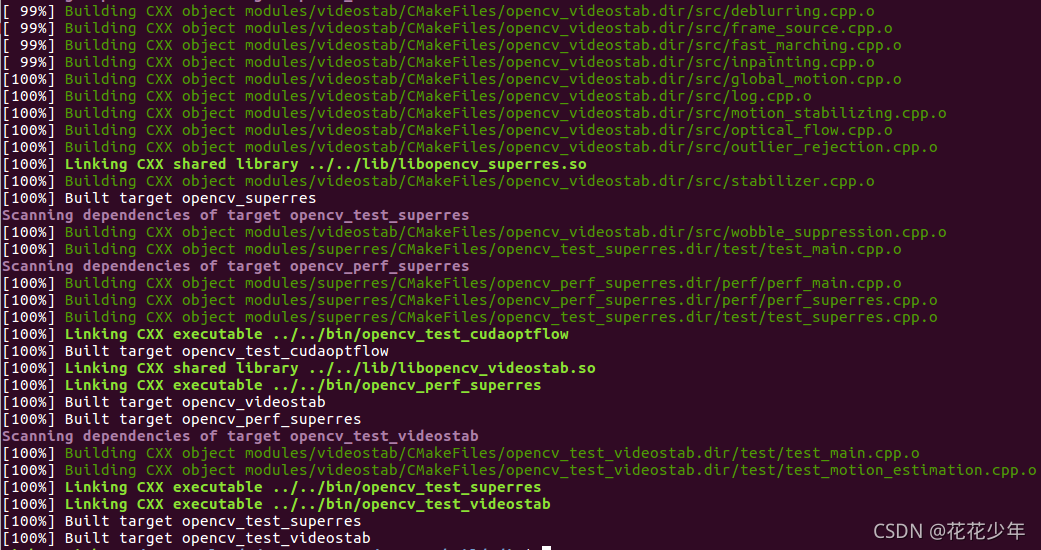
By default OpenCV will be installed to the /usr/local directory, all files will be copied to following locations: /usr/local/bin - executable files /usr/local/lib - libraries (.so) /usr/local/cmake/opencv4 - cmake package /usr/local/include/opencv4 - headers /usr/local/share/opencv4 - other files (e.g. trained cascades in XML format) Since /usr/local is owned by the root user, the installation should be performed with elevated privileges (sudo): sudo make install 一键获取完整项目代码bash1 Installation root directory can be changed with CMAKE_INSTALL_PREFIX configuration parameter, e.g. -DCMAKE_INSTALL_PREFIX=$HOME/.local to install to current user’s local directory.
sudo make install

安装完成后,将安装以下文件:
Installed Programs:
opencv_annotation
opencv_interactive-calibration
opencv_model_diagnostics
opencv_version
opencv_visualisation
setup_vars_opencv4.sh
Installed Libraries:
libopencv_calib3d.so
libopencv_core.so
libopencv_dnn.so
libopencv_features2d.so
libopencv_flann.so
libopencv_gapi.so
libopencv_highgui.so
libopencv_imgcodecs.so
libopencv_imgproc.so
libopencv_ml.so
libopencv_objdetect.so
libopencv_photo.so
libopencv_stitching.so
libopencv_video.so
libopencv_videoio.so
Installed Directories:
/usr/include/opencv4
/usr/lib/cmake/opencv4
/usr/lib/python3.9/site-packages/cv2
/usr/share/licenses/opencv4
/usr/share/opencv4
/usr/share/java/opencv4
/usr/local/include/opencv4
/usr/local/share/opencv4
/usr/local/bin/opencv*
/usr/local/lib/libopencv*
/usr/local/lib/pkgconfig/opencv4.pc
/usr/local/lib/cmake/opencv4
查看安装路径下的文件:
root@notebook-1831255119708831746-scnlbe5oi5-92399:/usr/local# tree -L 4 opencv4.10.0/
opencv4.10.0/
|-- bin
|   |-- opencv_annotation
|   |-- opencv_interactive-calibration
|   |-- opencv_model_diagnostics
|   |-- opencv_version
|   |-- opencv_visualisation
|   `-- setup_vars_opencv4.sh
|-- include
|   `-- opencv4
|       `-- opencv2
|           |-- calib3d
|           |-- calib3d.hpp
|           |-- core
|           |-- core.hpp
|           |-- cvconfig.h
|           |-- dnn
|           |-- dnn.hpp
|           |-- features2d
|           |-- features2d.hpp
|           |-- flann
|           |-- flann.hpp
|           |-- gapi
|           |-- gapi.hpp
|           |-- highgui
|           |-- highgui.hpp
|           |-- imgcodecs
|           |-- imgcodecs.hpp
|           |-- imgproc
|           |-- imgproc.hpp
|           |-- ml
|           |-- ml.hpp
|           |-- objdetect
|           |-- objdetect.hpp
|           |-- opencv.hpp
|           |-- opencv_modules.hpp
|           |-- photo
|           |-- photo.hpp
|           |-- stitching
|           |-- stitching.hpp
|           |-- video
|           |-- video.hpp
|           |-- videoio
|           `-- videoio.hpp
|-- lib
|   |-- cmake
|   |   `-- opencv4
|   |       |-- OpenCVConfig-version.cmake
|   |       |-- OpenCVConfig.cmake
|   |       |-- OpenCVModules-release.cmake
|   |       `-- OpenCVModules.cmake
|   |-- libopencv_calib3d.so -> libopencv_calib3d.so.410
|   |-- libopencv_calib3d.so.4.10.0
|   |-- libopencv_calib3d.so.410 -> libopencv_calib3d.so.4.10.0
|   |-- libopencv_core.so -> libopencv_core.so.410
|   |-- libopencv_core.so.4.10.0
|   |-- libopencv_core.so.410 -> libopencv_core.so.4.10.0
|   |-- libopencv_dnn.so -> libopencv_dnn.so.410
|   |-- libopencv_dnn.so.4.10.0
|   |-- libopencv_dnn.so.410 -> libopencv_dnn.so.4.10.0
|   |-- libopencv_features2d.so -> libopencv_features2d.so.410
|   |-- libopencv_features2d.so.4.10.0
|   |-- libopencv_features2d.so.410 -> libopencv_features2d.so.4.10.0
|   |-- libopencv_flann.so -> libopencv_flann.so.410
|   |-- libopencv_flann.so.4.10.0
|   |-- libopencv_flann.so.410 -> libopencv_flann.so.4.10.0
|   |-- libopencv_gapi.so -> libopencv_gapi.so.410
|   |-- libopencv_gapi.so.4.10.0
|   |-- libopencv_gapi.so.410 -> libopencv_gapi.so.4.10.0
|   |-- libopencv_highgui.so -> libopencv_highgui.so.410
|   |-- libopencv_highgui.so.4.10.0
|   |-- libopencv_highgui.so.410 -> libopencv_highgui.so.4.10.0
|   |-- libopencv_imgcodecs.so -> libopencv_imgcodecs.so.410
|   |-- libopencv_imgcodecs.so.4.10.0
|   |-- libopencv_imgcodecs.so.410 -> libopencv_imgcodecs.so.4.10.0
|   |-- libopencv_imgproc.so -> libopencv_imgproc.so.410
|   |-- libopencv_imgproc.so.4.10.0
|   |-- libopencv_imgproc.so.410 -> libopencv_imgproc.so.4.10.0
|   |-- libopencv_ml.so -> libopencv_ml.so.410
|   |-- libopencv_ml.so.4.10.0
|   |-- libopencv_ml.so.410 -> libopencv_ml.so.4.10.0
|   |-- libopencv_objdetect.so -> libopencv_objdetect.so.410
|   |-- libopencv_objdetect.so.4.10.0
|   |-- libopencv_objdetect.so.410 -> libopencv_objdetect.so.4.10.0
|   |-- libopencv_photo.so -> libopencv_photo.so.410
|   |-- libopencv_photo.so.4.10.0
|   |-- libopencv_photo.so.410 -> libopencv_photo.so.4.10.0
|   |-- libopencv_stitching.so -> libopencv_stitching.so.410
|   |-- libopencv_stitching.so.4.10.0
|   |-- libopencv_stitching.so.410 -> libopencv_stitching.so.4.10.0
|   |-- libopencv_video.so -> libopencv_video.so.410
|   |-- libopencv_video.so.4.10.0
|   |-- libopencv_video.so.410 -> libopencv_video.so.4.10.0
|   |-- libopencv_videoio.so -> libopencv_videoio.so.410
|   |-- libopencv_videoio.so.4.10.0
|   |-- libopencv_videoio.so.410 -> libopencv_videoio.so.4.10.0
|   `-- pkgconfig
|       `-- opencv4.pc
`-- share
    |-- licenses
    |   `-- opencv4
    |       |-- SoftFloat-COPYING.txt
    |       |-- ade-LICENSE
    |       |-- flatbuffers-LICENSE.txt
    |       |-- ippicv-EULA.txt
    |       |-- ippicv-readme.htm
    |       |-- ippicv-third-party-programs.txt
    |       |-- ippiw-EULA.txt
    |       |-- ippiw-support.txt
    |       |-- ippiw-third-party-programs.txt
    |       |-- ittnotify-LICENSE.BSD
    |       |-- ittnotify-LICENSE.GPL
    |       |-- libopenjp2-LICENSE
    |       |-- libopenjp2-README.md
    |       |-- mscr-chi_table_LICENSE.txt
    |       |-- opencl-headers-LICENSE.txt
    |       |-- protobuf-LICENSE
    |       |-- protobuf-README.md
    |       `-- vasot-LICENSE.txt
    `-- opencv4
        |-- haarcascades
        |   |-- haarcascade_eye.xml
        |   |-- haarcascade_eye_tree_eyeglasses.xml
        |   |-- haarcascade_frontalcatface.xml
        |   |-- haarcascade_frontalcatface_extended.xml
        |   |-- haarcascade_frontalface_alt.xml
        |   |-- haarcascade_frontalface_alt2.xml
        |   |-- haarcascade_frontalface_alt_tree.xml
        |   |-- haarcascade_frontalface_default.xml
        |   |-- haarcascade_fullbody.xml
        |   |-- haarcascade_lefteye_2splits.xml
        |   |-- haarcascade_license_plate_rus_16stages.xml
        |   |-- haarcascade_lowerbody.xml
        |   |-- haarcascade_profileface.xml
        |   |-- haarcascade_righteye_2splits.xml
        |   |-- haarcascade_russian_plate_number.xml
        |   |-- haarcascade_smile.xml
        |   `-- haarcascade_upperbody.xml
        |-- lbpcascades
        |   |-- lbpcascade_frontalcatface.xml
        |   |-- lbpcascade_frontalface.xml
        |   |-- lbpcascade_frontalface_improved.xml
        |   |-- lbpcascade_profileface.xml
        |   `-- lbpcascade_silverware.xml
        |-- valgrind.supp
        `-- valgrind_3rdparty.supp
配置 /etc/ld.so.conf.d/opencv.conf:
sudo gedit /etc/ld.so.conf.d/opencv.conf

# 添加一行
/usr/local/opencv-4.1.0/lib
更新配置:
sudo ldconfig
或者
sudo /sbin/ldconfig
 sudo gedit /etc/bash.bashrc

# 末尾添加一行
export PKG_CONFIG_PATH=$PKG_CONFIG_PATH:/usr/local/opencv-4.1.0/lib/pkgconfig
更新配置:
source /etc/bash.bashrc
sudo updatedb
如果 updatedb 错误,则执行以下指令:
sudo apt install mlocate
或者
sudo apt install locate
方法一:查看opencv版本。
pkg-config opencv --modversion
或者
pkg-config opencv4 --modversion
方法二:测试用例。
cd /PATH/TO/opencv-4.1.0/samples/cpp/example_cmake

mkdir build && cd build

cmake ..
make

./opencv_example

# 如果需要重新编译
make clean
输出结果:
yoyo@yoyo:~/360Downloads/opencv-4.10.0/samples/cpp/example_cmake/build$ cmake ..
CMake Deprecation Warning at CMakeLists.txt:2 (cmake_minimum_required):
  Compatibility with CMake < 3.10 will be removed from a future version of
  CMake.

  Update the VERSION argument <min> value.  Or, use the <min>...<max> syntax
  to tell CMake that the project requires at least <min> but has been updated
  to work with policies introduced by <max> or earlier.


-- The C compiler identification is GNU 11.4.0
-- The CXX compiler identification is GNU 11.4.0
-- Detecting C compiler ABI info
-- Detecting C compiler ABI info - done
-- Check for working C compiler: /usr/bin/cc - skipped
-- Detecting C compile features
-- Detecting C compile features - done
-- Detecting CXX compiler ABI info
-- Detecting CXX compiler ABI info - done
-- Check for working CXX compiler: /usr/bin/c++ - skipped
-- Detecting CXX compile features
-- Detecting CXX compile features - done
-- Found OpenCV: /usr/local/opencv-4.10.0 (found version "4.10.0")
-- OpenCV library status:
--     config: /usr/local/opencv-4.10.0/lib/cmake/opencv4
--     version: 4.10.0
--     libraries: opencv_calib3d;opencv_core;opencv_dnn;opencv_features2d;opencv_flann;opencv_gapi;opencv_highgui;opencv_imgcodecs;opencv_imgproc;opencv_ml;opencv_objdetect;opencv_photo;opencv_stitching;opencv_video;opencv_videoio;opencv_aruco;opencv_bgsegm;opencv_bioinspired;opencv_ccalib;opencv_datasets;opencv_dnn_objdetect;opencv_dnn_superres;opencv_dpm;opencv_face;opencv_freetype;opencv_fuzzy;opencv_hfs;opencv_img_hash;opencv_intensity_transform;opencv_line_descriptor;opencv_mcc;opencv_optflow;opencv_phase_unwrapping;opencv_plot;opencv_quality;opencv_rapid;opencv_reg;opencv_rgbd;opencv_saliency;opencv_shape;opencv_signal;opencv_stereo;opencv_structured_light;opencv_superres;opencv_surface_matching;opencv_text;opencv_tracking;opencv_videostab;opencv_wechat_qrcode;opencv_xfeatures2d;opencv_ximgproc;opencv_xobjdetect;opencv_xphoto
--     include path: /usr/local/opencv-4.10.0/include/opencv4
-- Configuring done (0.3s)
-- Generating done (0.0s)
-- Build files have been written to: /home/yoyo/360Downloads/opencv-4.10.0/samples/cpp/example_cmake/build
yoyo@yoyo:~/360Downloads/opencv-4.10.0/samples/cpp/example_cmake/build$ ./opencv_example
Built with OpenCV 4.10.0
[ WARN:0@0.001] global cap_v4l.cpp:999 open VIDEOIO(V4L2:/dev/video0): can't open camera by index
[ERROR:0@0.003] global obsensor_uvc_stream_channel.cpp:158 getStreamChannelGroup Camera index out of range
No capture
Gtk-Message: 19:08:41.124: Failed to load module "canberra-gtk-module"
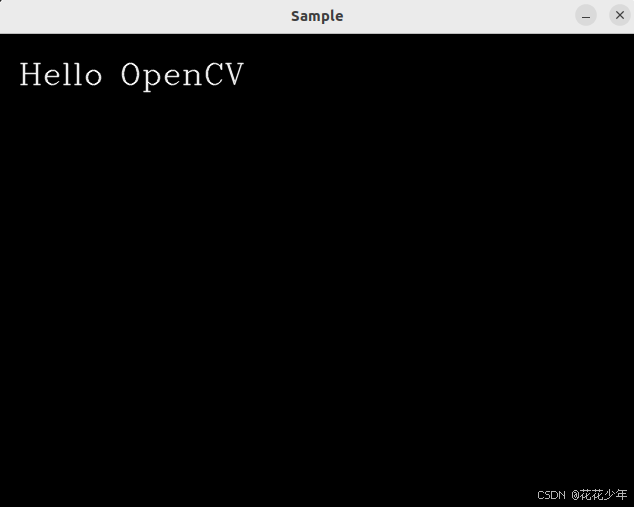
g++ test.cpp -o a.out `pkg-config --libs --cflags opencv4`
modules/gapi/src/backends/render/ft_render_priv.hpp:15:10: fatal error: ft2build.h: No such file or directoryIn file included from ~/360Downloads/opencv-4.10.0/modules/gapi/src/backends/render/ft_render.cpp:12:
~/360Downloads/opencv-4.10.0/modules/gapi/src/backends/render/ft_render_priv.hpp:15:10: fatal error: ft2build.h: No such file or directory
15 | #include <ft2build.h>
| ^~~~~~~~~~~~
compilation terminated.
解决方法:
-D WITH_FREETYPE=OFF \
-D BUILD_opencv_freetype=OFF \
Permission denied.-- Install configuration: "Release"
-- Installing: /usr/local/opencv-4.10.0/share/licenses/opencv4/ippicv-readme.htm
CMake Error at cmake_install.cmake:46 (file):
file INSTALL cannot copy file
"~/360Downloads/opencv-4.10.0/build/3rdparty/ippicv/ippicv_lnx/icv/readme.htm"
to "/usr/local/opencv-4.10.0/share/licenses/opencv4/ippicv-readme.htm":
Permission denied.
错误原因:安装权限不足。
解决方法:使用sudo权限。
sudo make install
GTK+ 2.x or Cocoa support. If you are on Ubuntu or Debian, install libgtk2.0-dev and pkg-config, then re-run cmake or configure script in function 'cvShowImage'ubuntu下安装opencv报错解决,libgtk2.0-dev安装报错,显示cvNamedWindow错误-CSDN博客
terminate called after throwing an instance of 'cv::Exception'
  what():  OpenCV(4.10.0) ~/360Downloads/opencv-4.10.0/modules/highgui/src/window.cpp:1301: error: (-2:Unspecified error) The function is not implemented. Rebuild the library with Windows, GTK+ 2.x or Cocoa support. If you are on Ubuntu or Debian, install libgtk2.0-dev and pkg-config, then re-run cmake or configure script in function 'cvShowImage'
错误原因:重新安装(覆盖)opencv之后,出现这个问题,可能是新安装的opencv与libgtk2.0-dev版本不兼容。
解决方法:重新安装 libgtk2.0-dev,并重新安装opencv。
(1)查看 gtk2.0-dev 是否安装。
yoyo@yoyo:~/360Downloads/opencv-4.10.0/build$ sudo apt search libgtk2.0-dev
Sorting... Done
Full Text Search... Done
libgtk2.0-dev/focal-updates,focal-security,now 2.24.32-4ubuntu4.1 amd64 [installed]
  development files for the GTK library
(2)如果没有安装,则安装 gtk2.0-dev:
sudo apt-get install libgtk2.0-dev
(3)cmake配置项:
WITH_GTK=ON

免责声明:本文系网络转载或改编,未找到原创作者,版权归原作者所有。如涉及版权,请联系删
 技术文档
技术文档
 推荐好文
推荐好文






 155-2731-8020




