




软件

产品


Last year, we unveiled the Unity FBX Exporter, giving creators the ability to round-trip scenes between Autodesk 3ds Max or Autodesk Maya and Unity. On the heels of today’s announcement of our deeper collaboration with Autodesk, we want to share some exciting details of how we’re building significant interoperability between Unity and multiple Autodesk tools such as Shotgun Software, Revit and VRED.
去年,我们推出了Unity FBX导出器,使创作者能够在Autodesk 3ds Max或Autodesk Maya与Unity之间往返场景。 在宣布与Autodesk进行更深入合作之后,我们希望分享一些令人兴奋的细节,说明我们如何在Unity和多个Autodesk工具(例如Shotgun Software,Revit和VRED)之间建立重要的互操作性。
The FBX Exporter is now available from the Package Manager, if you’re using Unity 2018.2 or newer (you’ll need to enable “Show preview packages” from the Advanced drop-down). For older Unity versions, the FBX Exporter is also available on the Asset Store.
如果您使用的是Unity 2018.2或更高版本,则可以从软件包管理器中获取FBX Exporter(您需要从“高级”下拉列表中启用“显示预览软件包”)。 对于较旧的Unity版本,资产商店中也提供FBX导出器。
Note that animation export is not supported on versions older than Unity 2018.2.
请注意,Unity 2018.2。之前的版本不支持动画导出。
As you may know, our FBX Exporter addresses two common game-dev use cases: 1) white-boxing (or grey-boxing) a level in the Unity Editor, then switching to Maya or 3ds Max to complete the level with production-ready assets; and 2) recording gameplay in the Unity Editor, exporting animation to Maya for an animator to polish, then returning to Unity to add the animation to a Timeline track.
如您所知,我们的FBX导出器解决了两个常见的游戏开发用例:1)在Unity Editor中对一个关卡进行白盒装(或灰盒装),然后切换到Maya或3ds Max以完成可用于生产的关卡资产; 和2)在Unity编辑器中记录游戏玩法,将动画导出到Maya中以供动画制作者进行抛光,然后返回Unity将动画添加到时间轴轨道中。
Let’s look at these two use cases in greater detail.
让我们更详细地看一下这两个用例。
The term “white-boxing” (or gray-boxing) comes from the practice of using white (or gray) boxes to build your game’s levels. Avoiding expensive models and textures at this early stage means game designers can focus all of their attention on game mechanics without becoming unduly distracted by how the game might eventually look. Ideally, white-boxing is done inside the Unity Editor, giving the designer full access to Unity’s rich set of game components. ProBuilder (part of Unity since 2017) is a popular tool for white-boxing, and provides game designers with a cohesive set of tools for building simple geometry like walls, floors and stairways, and also dynamic objects such as props, vehicles, and character items.
术语“白盒”(或灰盒)来自使用白色(或灰色)盒来构建游戏关卡的实践。 在此早期阶段避免使用昂贵的模型和纹理意味着游戏设计师可以将所有注意力都集中在游戏机制上,而不必对游戏最终的外观过度分散注意力。 理想情况下,白盒化是在Unity编辑器中完成的,使设计人员可以完全访问Unity丰富的游戏组件集。 ProBuilder(自2017年以来是Unity的一部分)是一种流行的白盒工具,它为游戏设计师提供了一套凝聚力强大的工具,可用于构建简单的几何体(如墙壁,地板和楼梯)以及动态对象(如道具,车辆和角色)项目。
While sketching a level, the designer can also add physics, navigation, gameplay scripts, cameras, audio and input controllers in order to turn their level into something playable. Game designers can rapidly iterate at this stage without waiting for other departments to provide assets. Once a level reaches the desired stage of completion, the scene (or individual items) can be exported in FBX format using the Unity FBX Exporter (supported since October 2017).
在绘制关卡时,设计人员还可以添加物理,导航,游戏脚本,摄像机,音频和输入控制器,以将其关卡变成可玩的东西。 游戏设计师可以在此阶段快速迭代,而无需等待其他部门提供资产。 一旦级别达到所需的完成阶段,就可以使用Unity FBX Exporter(自2017年10月开始支持)以FBX格式导出场景(或单个项目)。
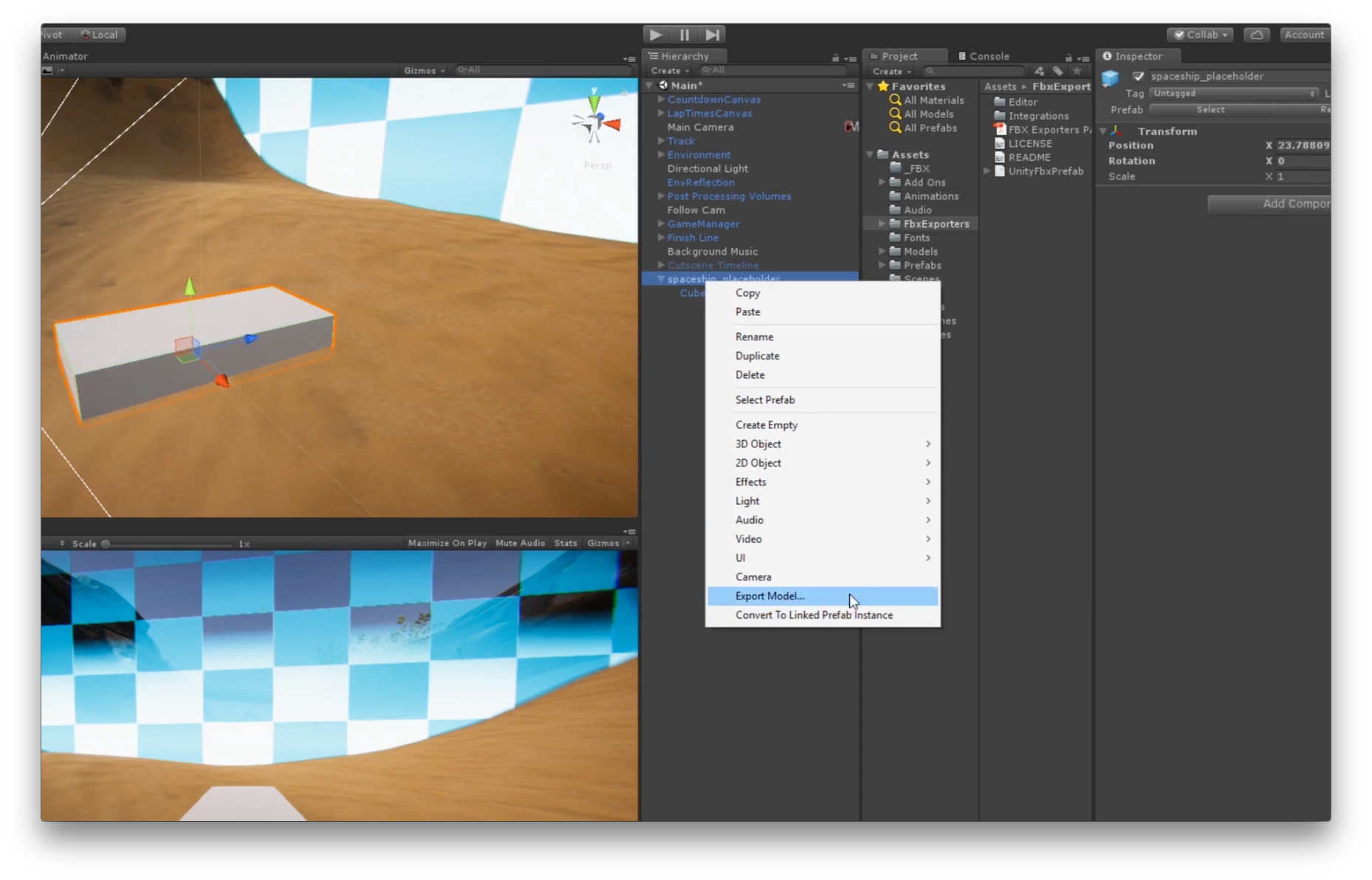
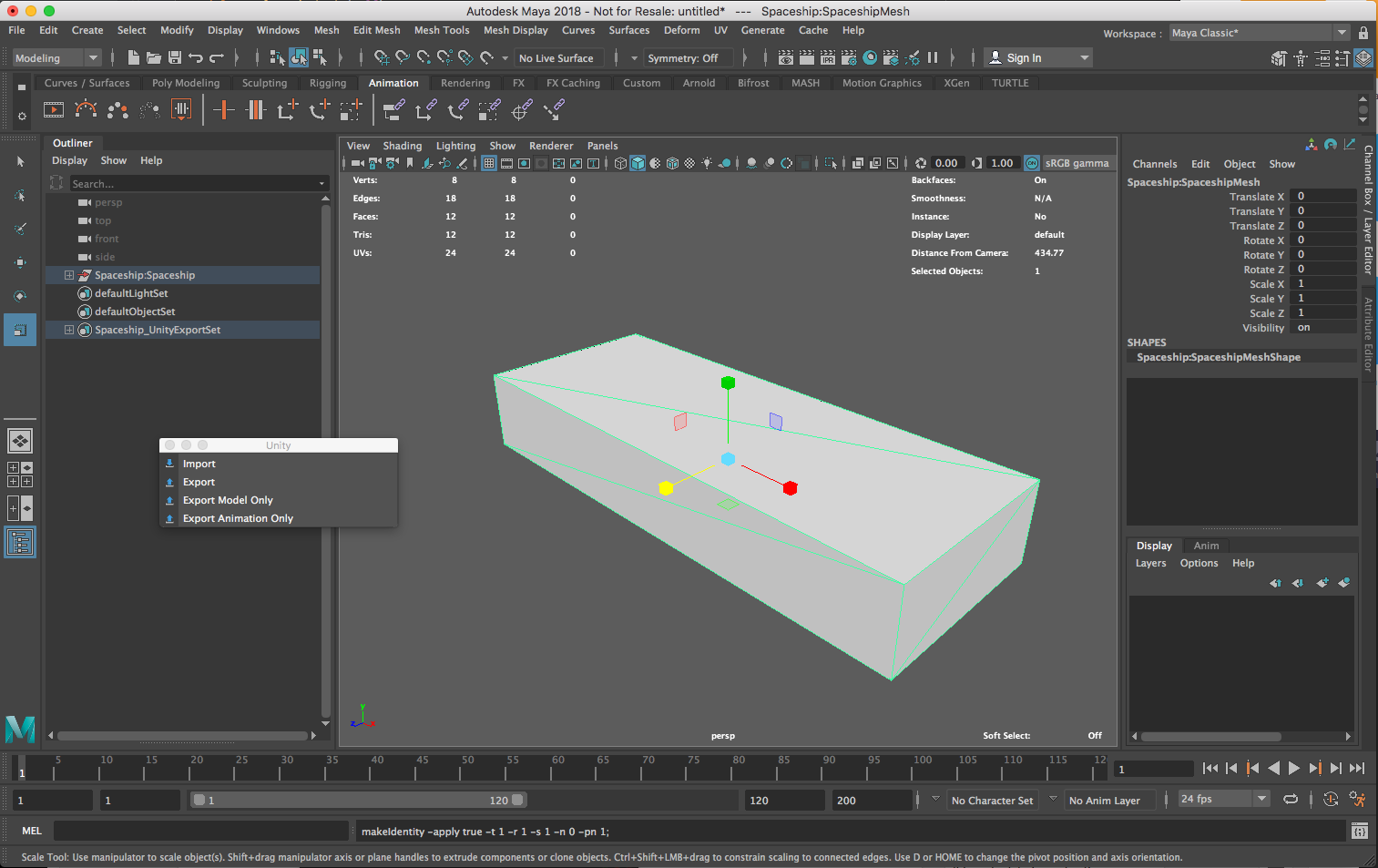
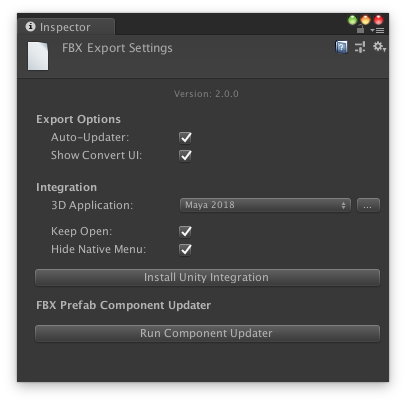
Thanks to Unity’s convenient DCC integration tools (available inside Maya and 3ds Max), a single click reads or writes an FBX file, without the need to navigate complex options or directories. The integration also tracks which objects should be exported for each file, and gives artists an easy way to keep this information up to date using export sets. Our DCC integration tools can be installed from inside the FBX Export Settings.
得益于Unity方便的DCC集成工具(在Maya和3ds Max中提供),单击即可读取或写入FBX文件,而无需导航复杂的选项或目录。 集成还跟踪应为每个文件导出哪些对象,并为艺术家提供一种使用导出集使此信息保持最新状态的简便方法。 可以从FBX导出设置内部安装我们的DCC集成工具。
Once back in Unity, iteration can continue, either with the level designer sending a new FBX back to the 3D department or with the 3D department continuing to provide updated FBX files. Round-tripping gives artists the power to iterate using the right tool for the job.
回到Unity后,可以继续进行迭代,关卡设计人员将新的FBX发送回3D部门,或者3D部门继续提供更新的FBX文件。 双向传递使艺术家可以使用正确的工具进行工作进行迭代。
Another common use case for FBX export (supported since March 2018) is the export of gameplay animation for in-game cinematic sequences, or cut-scenes.
FBX导出的另一个常见用例(自2018年3月以来受支持)是导出游戏中电影序列或过场动画的游戏动画。
Cut-scenes often use the same assets as gameplay, but add additional polish to animation. Hand-animating characters from scratch is time-consuming, so a common trick is to record animation from gameplay, then polish and refine that animation in Maya. The FBX Exporter also supports Unity’s physical camera properties, giving animators accurate framing context of their scene from inside Maya.
过场动画通常使用与游戏相同的资产,但会增加动画的效果。 从头开始对角色进行动画处理非常耗时,因此一个常见的技巧是从游戏中录制动画,然后在Maya中对该动画进行修饰和完善。 FBX Exporter还支持Unity的物理摄影机属性,从而使动画师可以从Maya内部对其场景进行准确的取景。
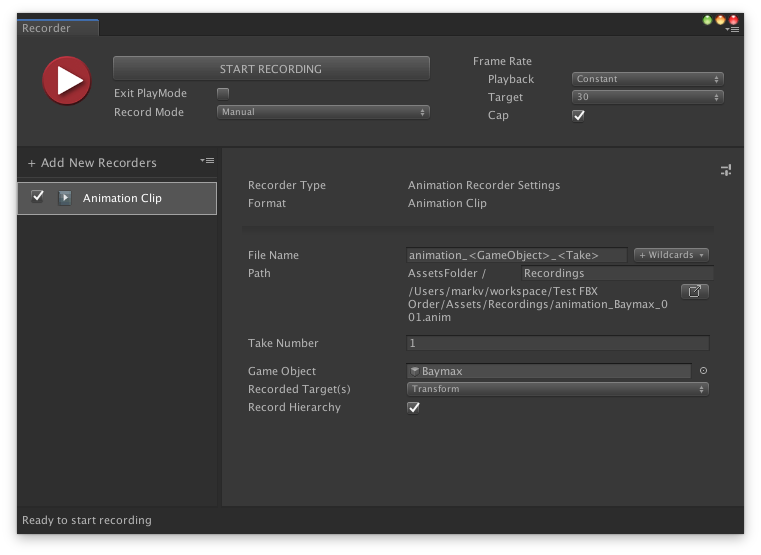
You can record gameplay to an asset using the Unity Recorder’s animation clip support.
您可以使用Unity Recorder的动画剪辑支持将游戏玩法录制到资产中。
Once you’ve added this new animation clip to Timeline, you can export it as an FBX clip.
将这个新的动画剪辑添加到时间轴后,可以将其导出为FBX剪辑。
You can then import the FBX clip into Maya, where an animator can polish and refine the animation using the powerful Maya animation toolset.
然后,您可以将FBX剪辑导入Maya,在此动画师可以使用功能强大的Maya动画工具集完善和细化动画。
The final animation can then be re-exported as an FBX file and added to the cut-scene’s Timeline. Watch our full-animation round-tripping video to see how to do it.
然后可以将最终动画重新导出为FBX文件,并将其添加到过场动画的时间轴中。 观看我们的完整动画往返视频以了解操作方法。
This new collaboration enables opportunities for more improvements to material interoperability, closer connections between Unity and Maya and 3ds Max, and enhancements to the FBX file format.
这项新的合作为进一步改善材料的互操作性,Unity与Maya和3ds Max之间的紧密连接以及增强FBX文件格式提供了机会 。
—
-
Find out how Unity and Autodesk are collaborating to improve workflows across the gaming, film, automotive and architecture, engineering, construction (AEC) industries.
了解Unity和Autodesk如何合作改善游戏,电影,汽车和建筑,工程,建筑(AEC)行业的工作流程。
Unity and Autodesk: Powering your creativity with better workflows
https://blogs.unity3d.com/2018/11/13/unity-and-autodesk-powering-immersive-experiences-with-more-efficient-workflows
Unity和Autodesk:通过更好的工作流程增强创造力
https://blogs.unity3d.com/2018/11/13/unity-and-autodesk-powering-immersive-experiences-with-more-efficient-workflows
Visualizing your BIM data with real-time design
https://blogs.unity3d.com/2018/11/13/visualizing-your-bim-data-with-real-time-design
通过实时设计可视化您的BIM数据
https://blogs.unity3d.com/2018/11/13/visualizing-your-bim-data-with-real-time-design
Bringing VRED data into real-time customer experiences
https://blogs.unity3d.com/2018/11/13/bringing-autodesk-vred-data-into-real-time-customer-experiences
将VRED数据带入实时客户体验
https://blogs.unity3d.com/2018/11/13/bringing-autodesk-vred-data-into-real-time-customer-experiences
New: Shotgun Template Coming 2019
https://blogs.unity3d.com/2018/11/13/new-shotgun-template-coming-2019
新增内容:Shot弹枪模板将于2019年推出
https://blogs.unity3d.com/2018/11/13/new-shotgun-template-coming-2019
翻译自: https://blogs.unity3d.com/2018/11/13/fbx-exporter-and-round-tripping-between-autodesk-3ds-max-autodesk-maya-and-unity/
 技术文档
技术文档
 推荐好文
推荐好文






 155-2731-8020




