




软件

产品


今年Psychtoolbox的最新版需要付费了,导致很多原来能运行的程序完全运行不了,心理学专业的同学们简直一个头两个大。为了解决这一问题,可以安装老版本的Psychtoolbox。
matlab版本:2022b
GStreamer版本:
MSVC 64-bit (VS 2019, Release CRT)
1.26.1 runtime installer
psychtoolbox版本:beta-20190207 V3.0.15
Microsoft Visual C++ Redistributable version:v14.44.35208.0,X64
我是在学校的正版软件平台安装的。当然,其他途径也可以,不多讲。
官网:https://gstreamer.freedesktop.org/download/#windows
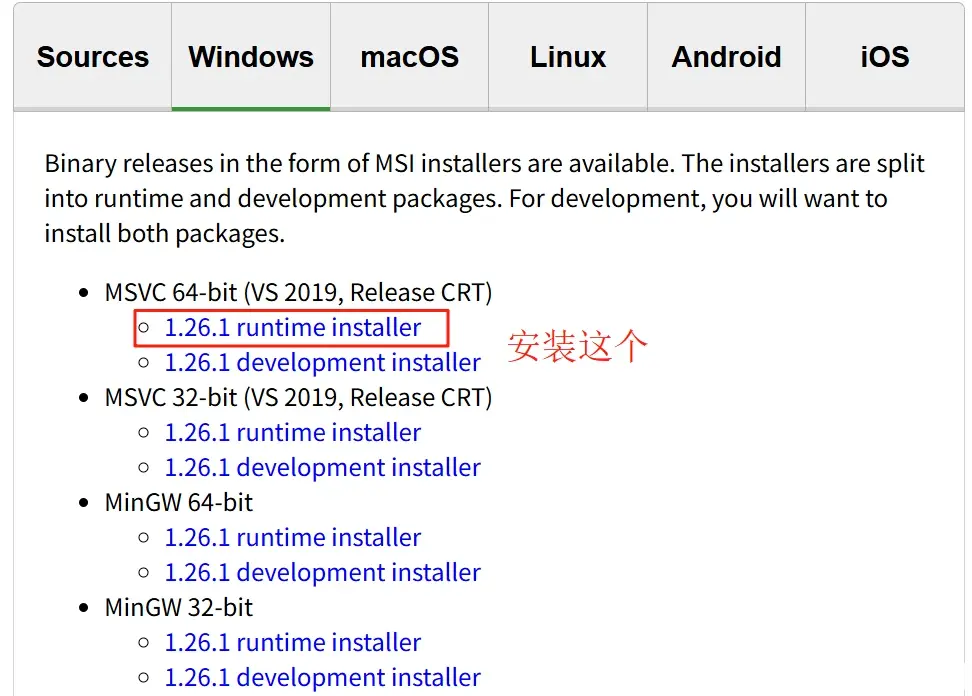
装好之后,需要配置环境变量:
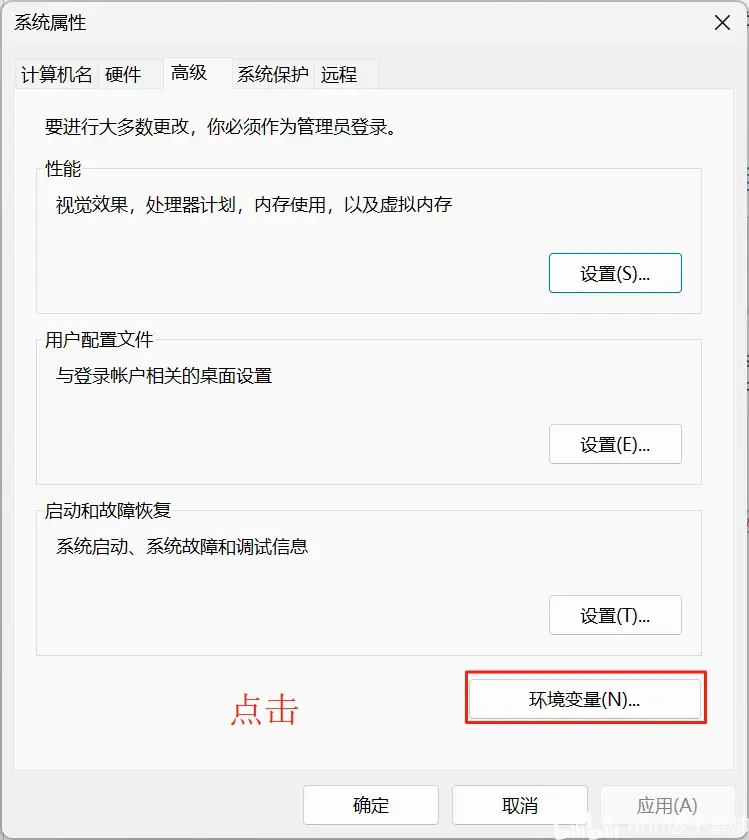
1. 按下Win + S键,搜索“编辑系统环境变量”
2. 点击“环境变量”
找到“用户变量”,点击【新建】,变量名填写:GSTREAMER_1_0_ROOT_X86-64;变量值填写实际的安装路径,比如我的路径是C:\gstreamer\1.0\msvc_x86_64。
如果变量已存在,找到GSTREAMER_1_0_ROOT_X86-64,选中它,点击【编辑】,并修改为正确路径。
还需要把bin目录添加到Path:
为了保险,还需要找到“系统变量”部分,并进行相同的操作
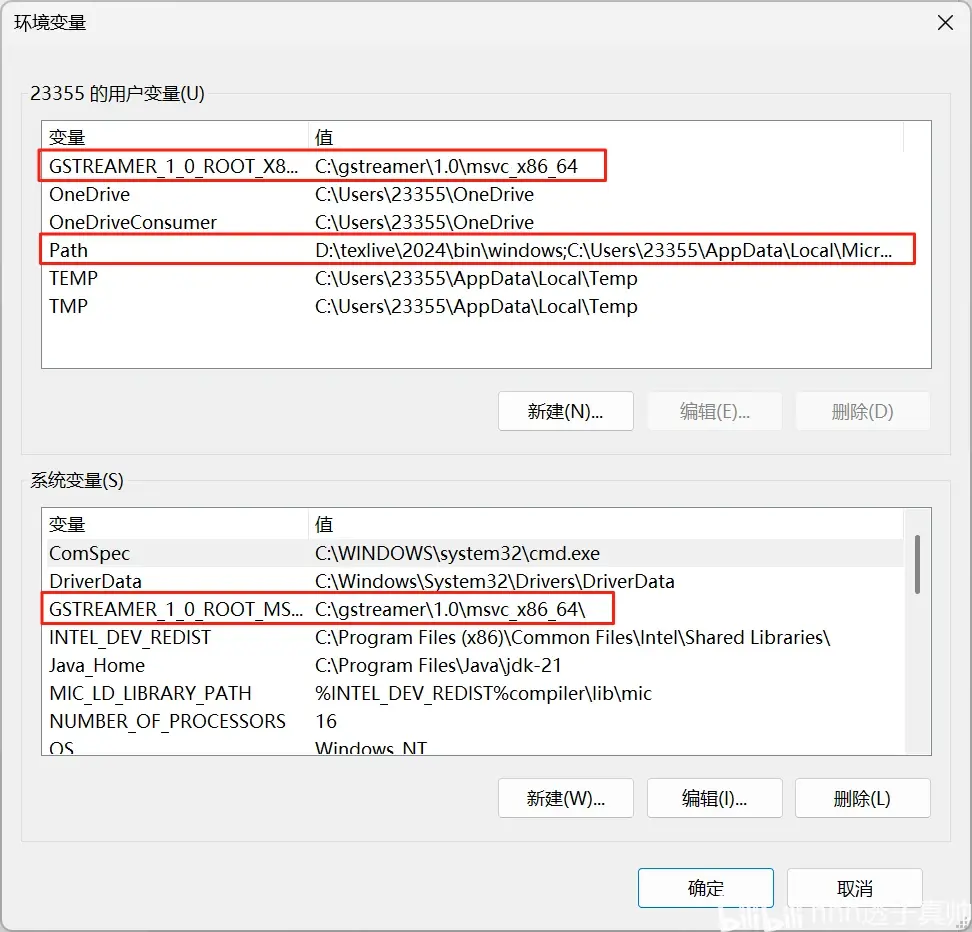
设置好环境变量后,重启matlab
https://learn.microsoft.com/en-us/cpp/windows/latest-supported-vc-redist?view=msvc-170#visual-studio-2015-2017-2019-and-2022
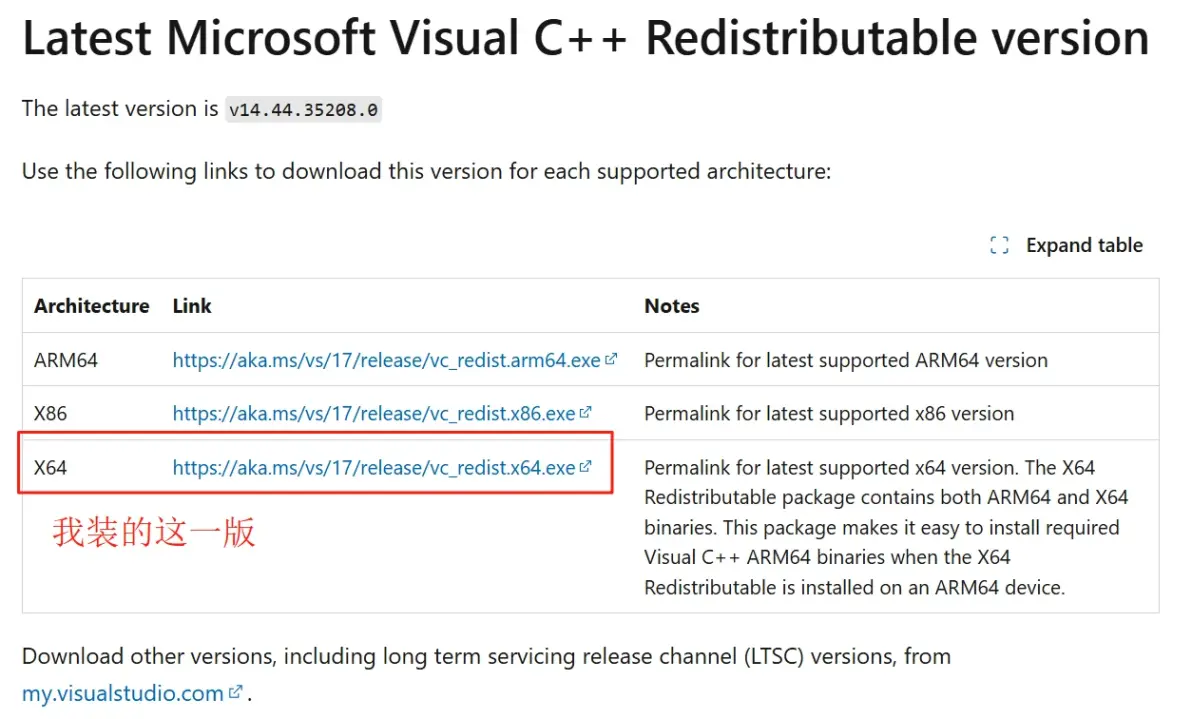
最新版的Psychtoolbox要付费了,所以我们装之前的版本
https://github.com/Psychtoolbox-3/Psychtoolbox-3/releases/tag/PTB_Beta-2019-02-07_V3.0.15
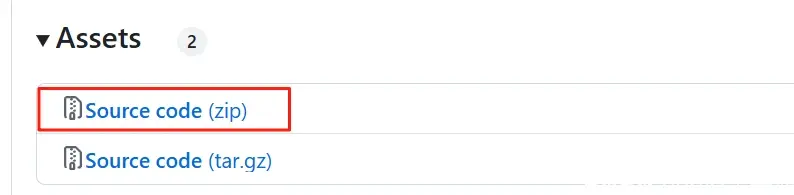
装这个,装好之后解压
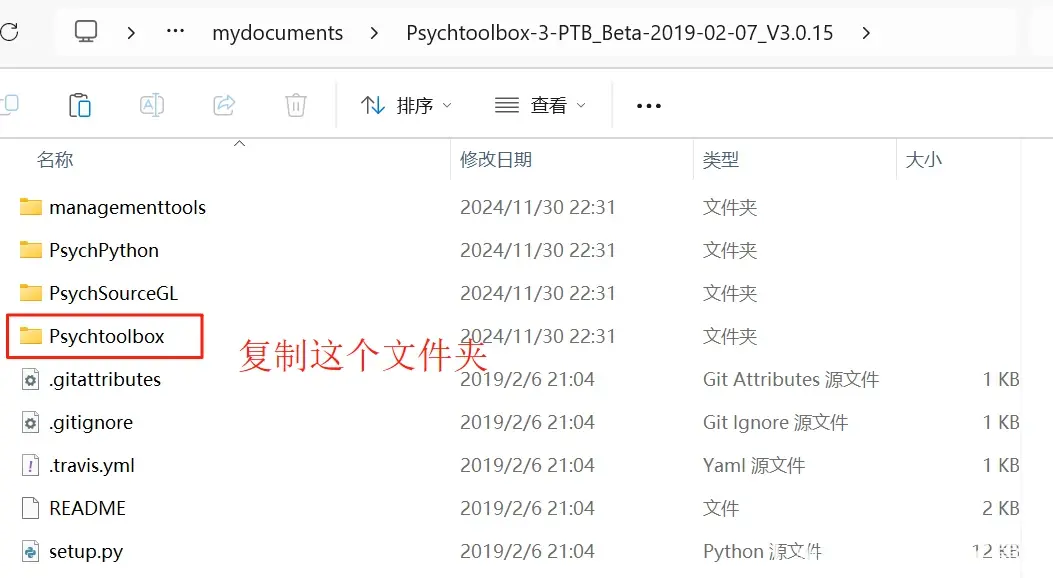
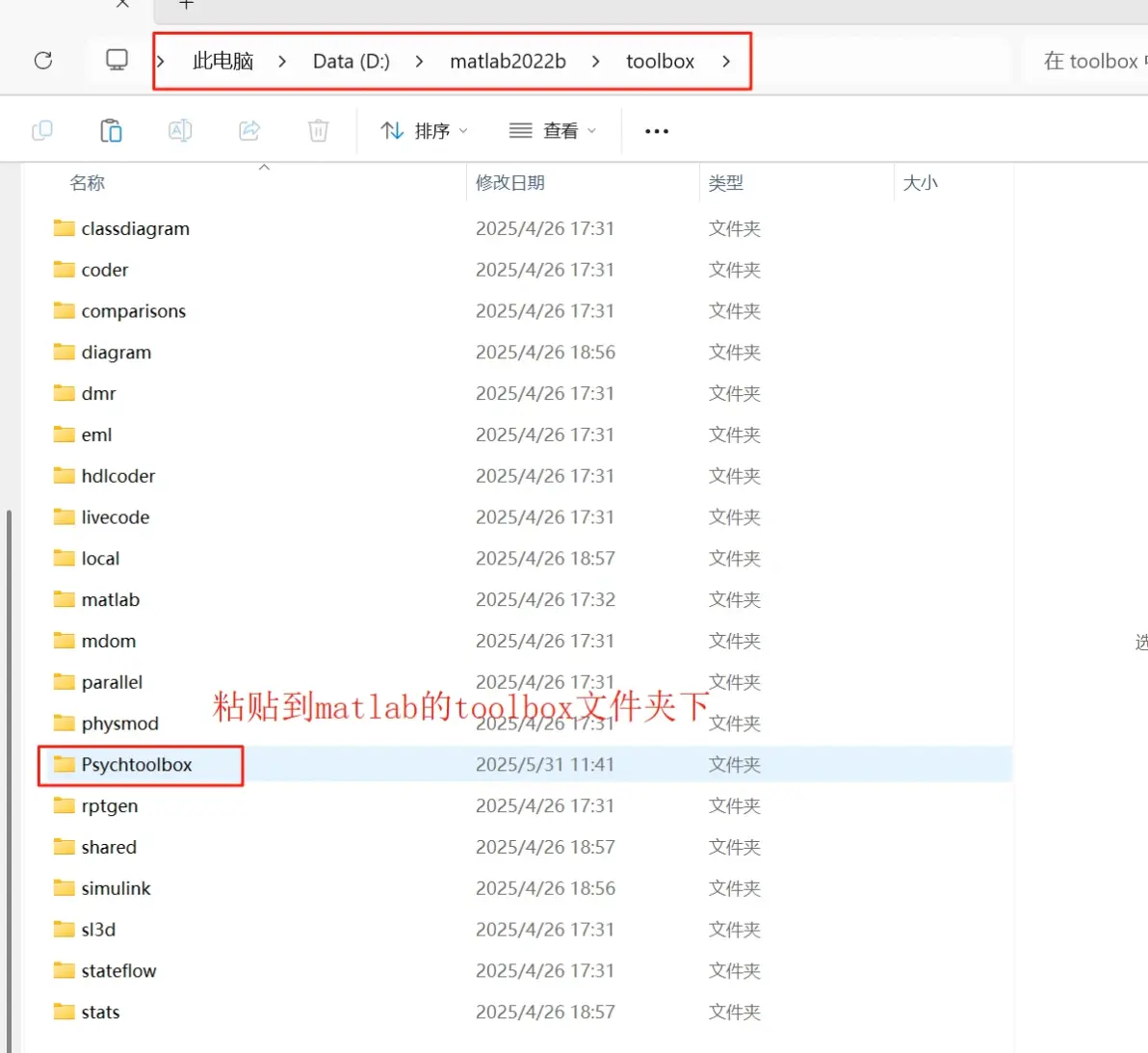
找到matlab的toolbox位置
找到Setup文件
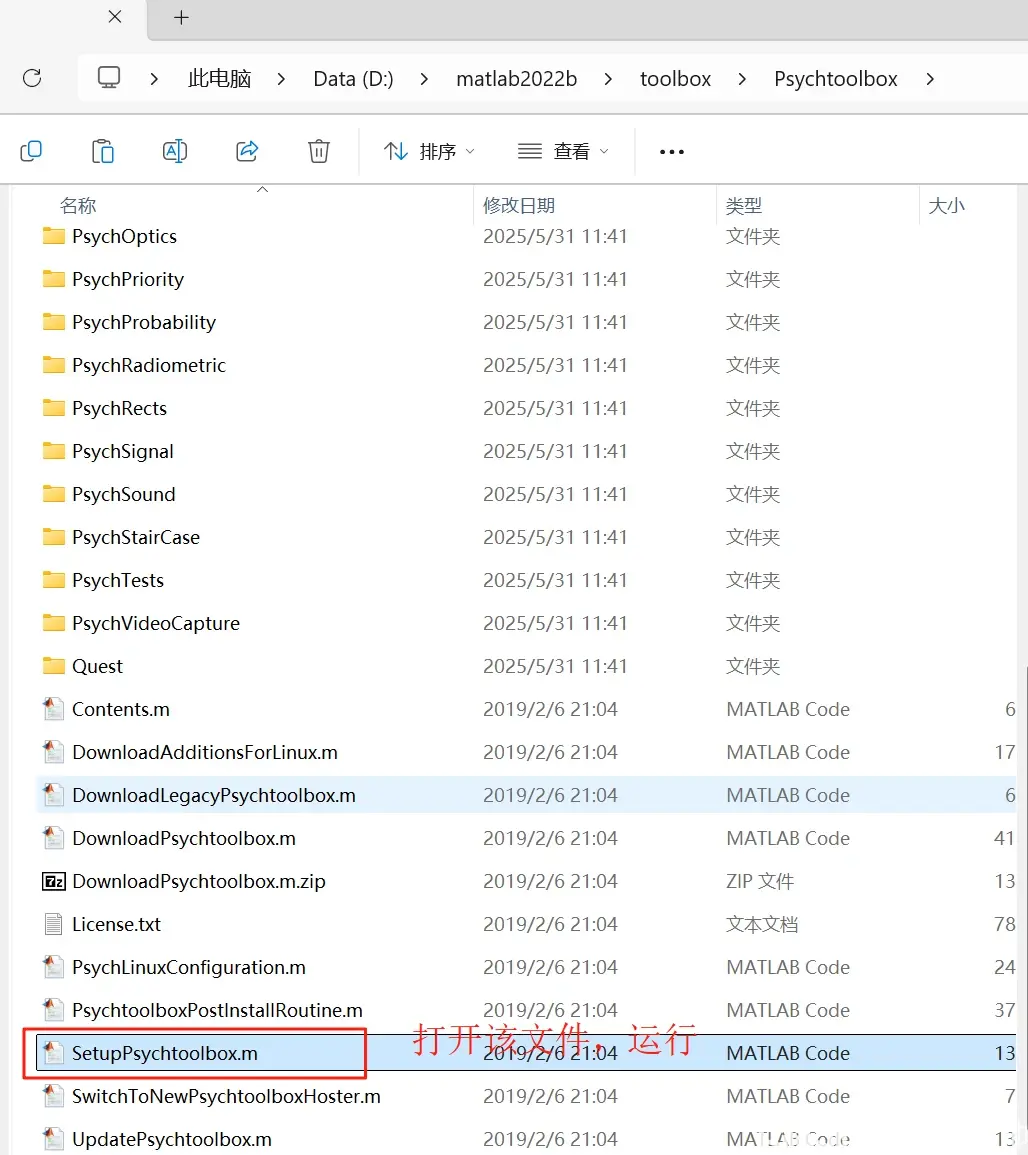
运行该文件即可
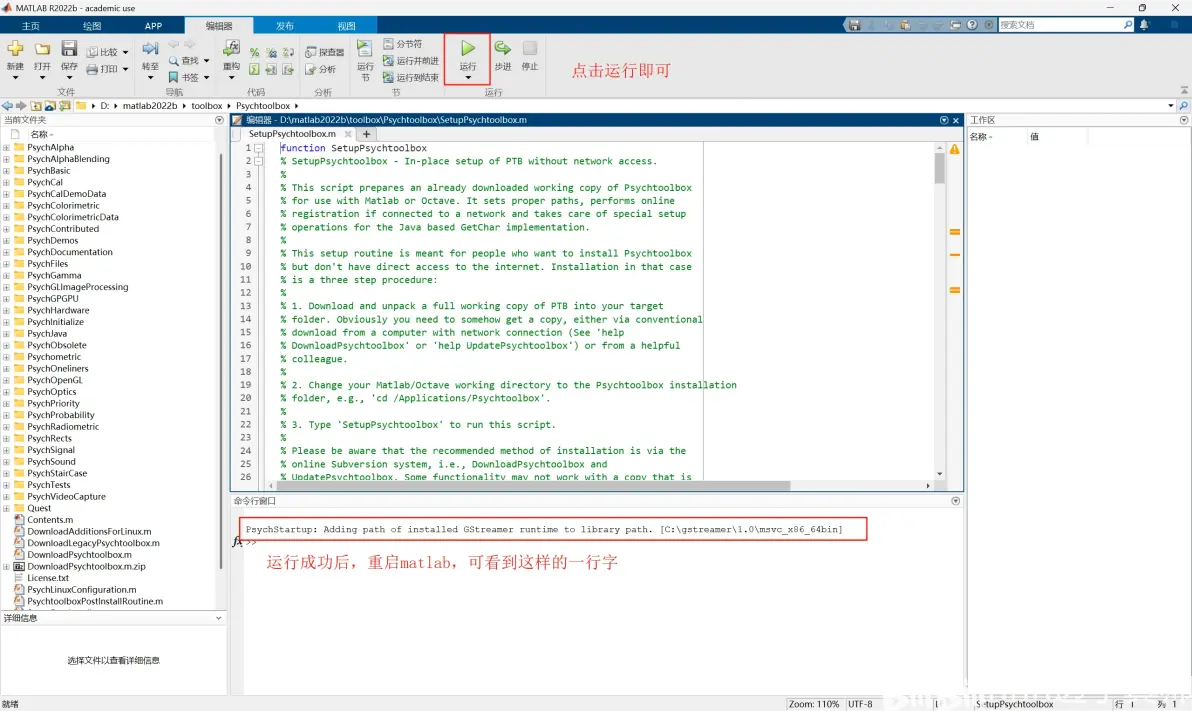
今天发现打开matlab的时候会报这样的错:
PsychStartup: Environment variable GSTREAMER_1_0_ROOT_X86_64 is undefined.
PsychStartup: Either GStreamer-1.4 is not installed at all, or if it is installed then something
PsychStartup: is botched. Trying various common locations for the GStreamer runtime to keep going.
PsychStartup: Path to GStreamer runtime is undefined! This probably means that
PsychStartup: the 64-Bit GStreamer 1.x runtime from www.gstreamer.net is not installed.
PsychStartup: The Psychtoolbox Screen() multimedia functions and the new 'DrawText'
PsychStartup: high quality text renderer will fail to work until you fix PsychStartup: this! Read 'help GStreamer' for instructions.
后来才知道, 这是没有设置好环境变量导致的。可以通过上文中的第二步来解决该问题,特此记录。
免责声明:本文系网络转载或改编,未找到原创作者,版权归原作者所有。如涉及版权,请联系删
 技术文档
技术文档
 推荐好文
推荐好文






 155-2731-8020