




软件

产品


Jetson nano/NX 部署Yolo v5过程记录
https://blog.csdn.net/weixin_46269743/article/details/121206695
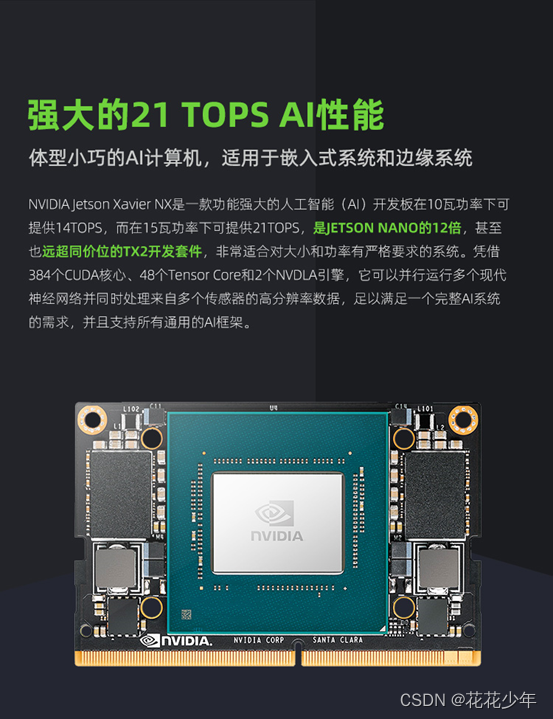
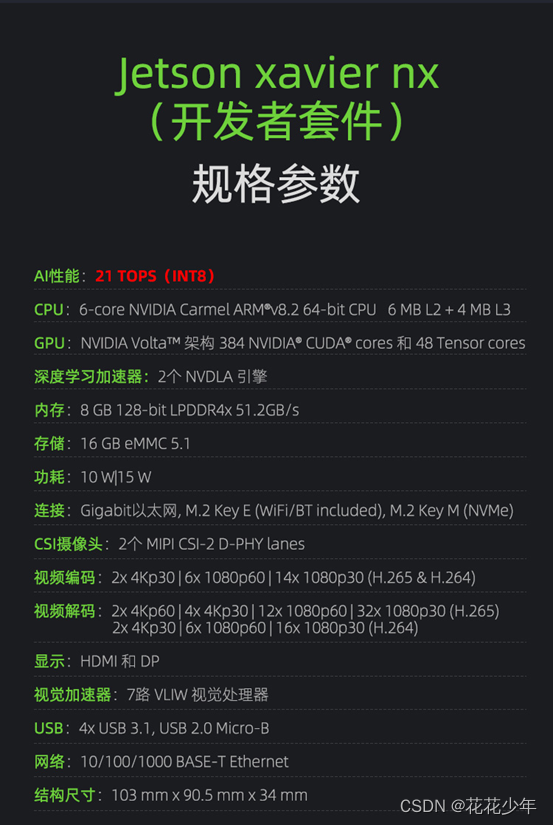
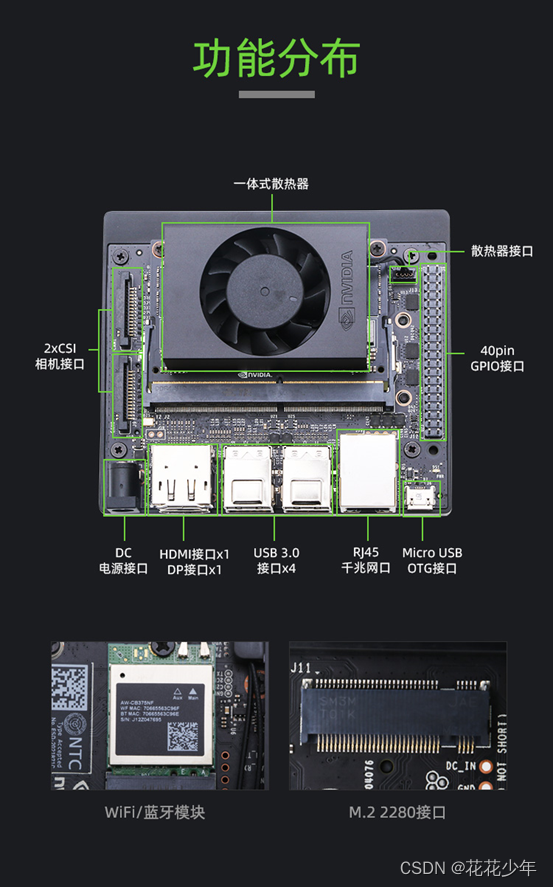
jetson-stats是一个开源软件包,用于监测和控制 Nvidia Jetson设备的运行状态。
Jetson-stats包含以下工具:
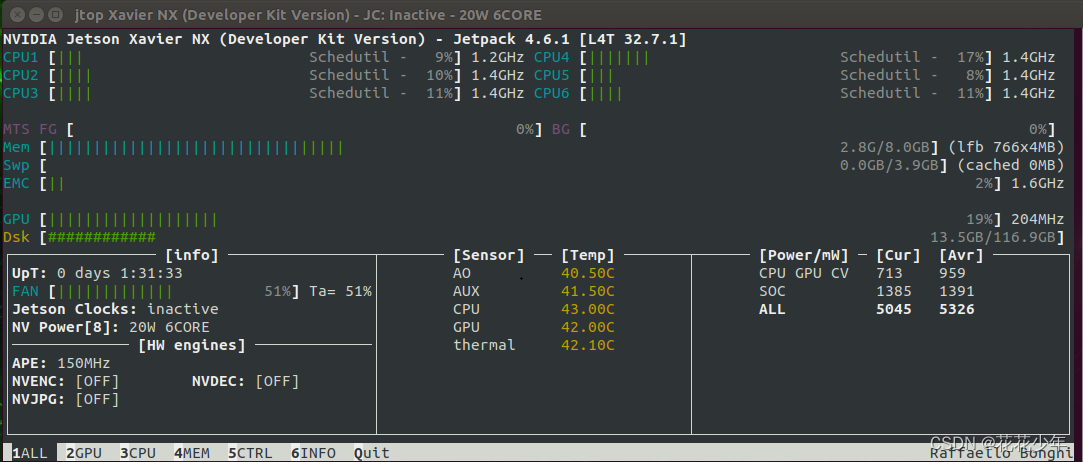
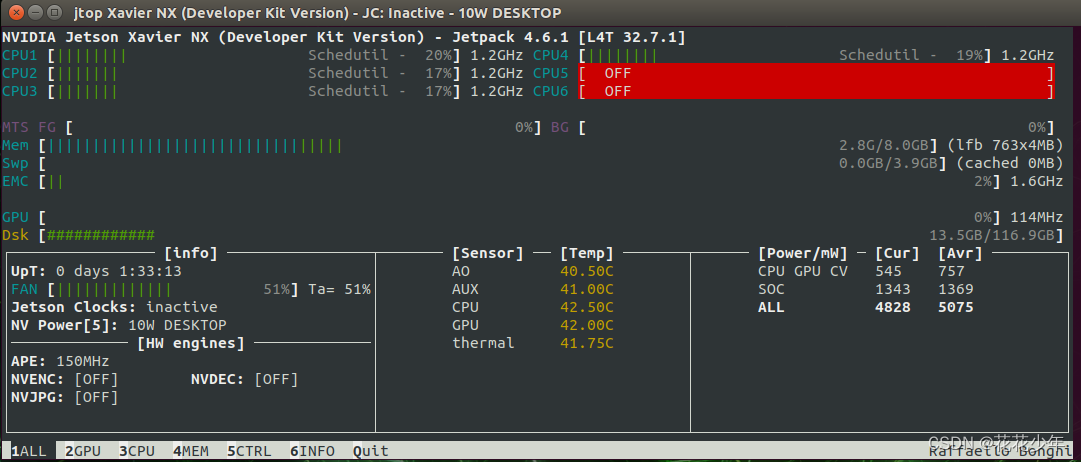
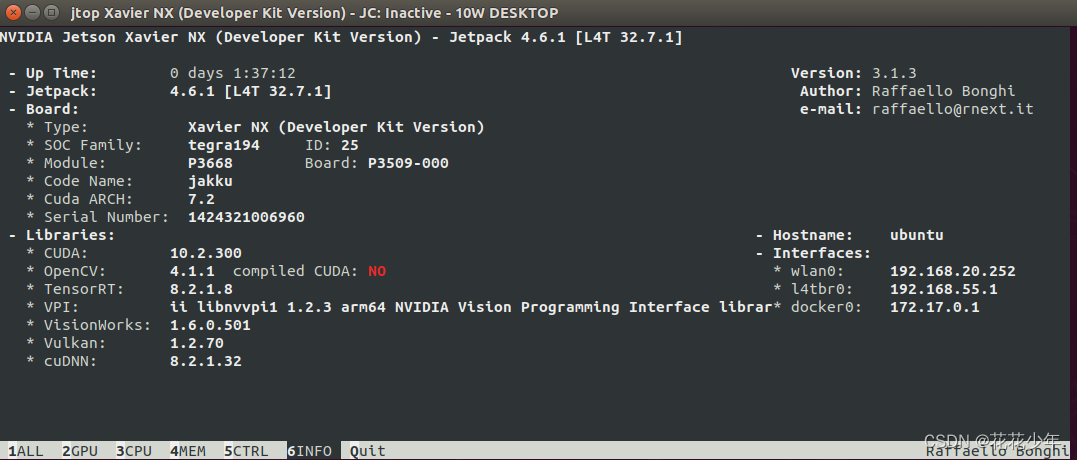
https://github.com/rbonghi/jetson_stats
sudo -H pip install -U jetson-stats

或者
sudo pip install -U jetson-stats
Jetson Xavier NX 烧写系统镜像
https://blog.csdn.net/qq_41990294/article/details/108967558
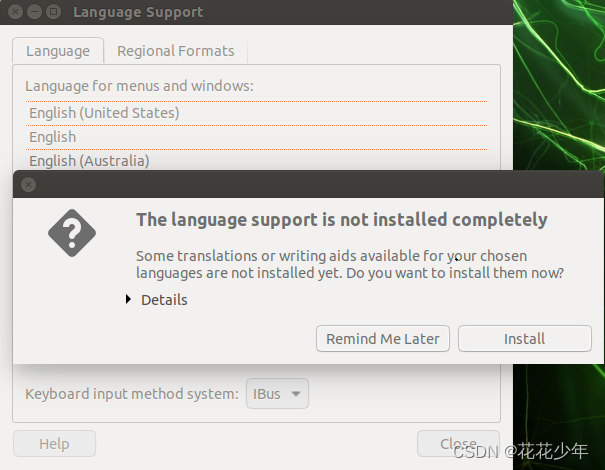
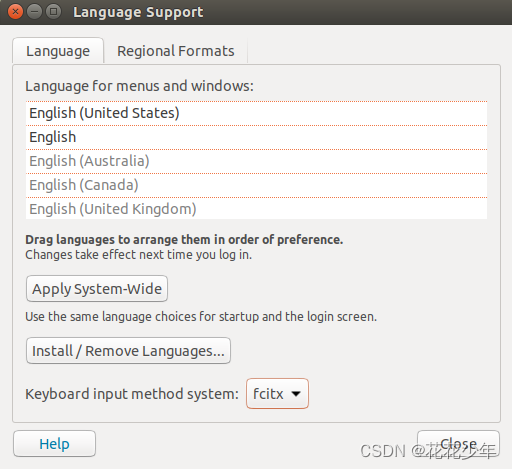
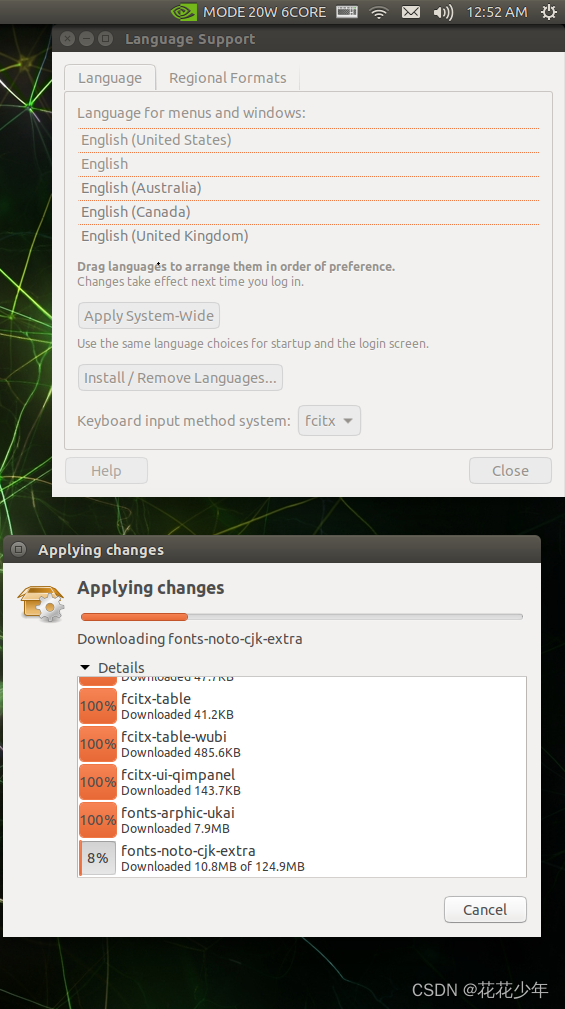
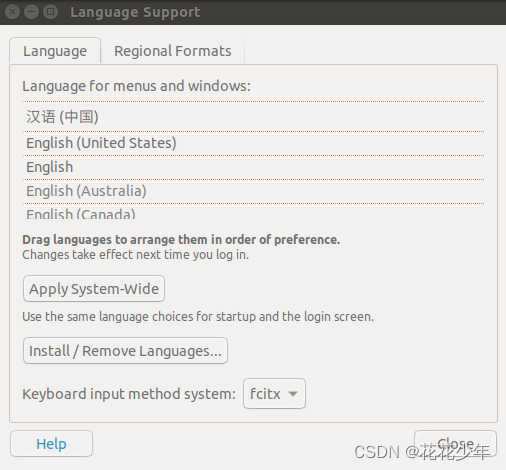
在Jetson Xavier NX安装中文输入法(googlepinyin中文输入法)
https://blog.csdn.net/weixin_41010198/article/details/111287391
Jetson Xavier NX安装中文输入法
https://blog.csdn.net/kids_budong_c/article/details/122071350
Jetson Xavier NX 是arm架构,而sougoupinyin只支持amd架构,不支持arm架构,因此可以使用采用googlepinyin。
sudo apt-get install fcitx-googlepinyin
E: Unable to locate package fcitx-googlepinyin
先执行: sudo apt install fcitx,然后再执行安装googlepinyin的命令。

sudo apt install fcitx
sudo apt install googlepinyin

wget https://bootstrap.pypa.io/pip/3.6/get-pip.py
python3 get-pip.py
https://blog.csdn.net/qq_43019451/article/details/109142807
Jetson NX和Nano上使用TensorRT部署YOLOv4模型速度测试
https://blog.csdn.net/qq_43019451/article/details/119409183
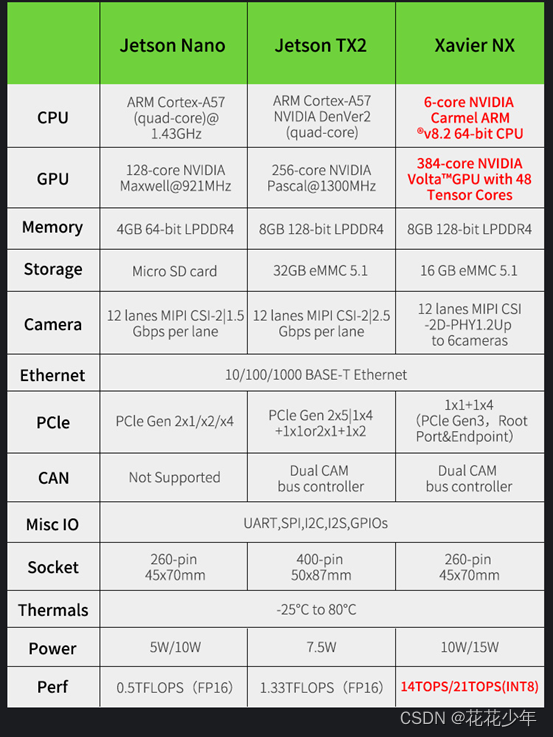
Jetson CUDA 算力表
| GPU | 浮点算力(FP16) | 整点算力(INT8) | Compute Capability |
|---|---|---|---|
| Jetson AGX Xavier | 11 TFLOPS | 32 TOPS | 7.2 |
| Jetson Xavier NX | 6 TFLOPS | 21 TOPS | 7.2 |
| Jetson TX2 | 1.3 TFLOPS | 不支持 | 6.2 |
| Jetson Nano | 0.5 TFLOPS | 不支持 | 5.3 |
目标检测推荐的模型:yolov5s。
NX性能果然非常强,轻松实现近百fps的性能。从数据可以看到,使用INT8精度和使用DLA都能提升推理性能。
以小目标检测数据集测试,实测IN8相比于FP16,精度下降了15-25%,影响相当大。
经过测试,NX的DLA即支持FP16精度,也支持INT8精度。不过DLA只支持Conv,Mul,MaxPool,Concat,Sigmoid等少量算子,并且需符合特定顺序,其余算子会Fallback到GPU,这会拖累性能提升幅度。
Xavier NX的风扇在系统内核中有一套自动控制温度和转速的算法,经过观察,大约在40度左右的时候会自动开启风扇进行散热,在核心温度大约低于39度时候会自动关闭散热风扇。
设置功率
Jetson 系列——jetson xavier nx和nano设置工作模式设置功率
https://blog.csdn.net/weixin_42264234/article/details/120276627
Jetson 系列——jetson nano制作SD卡备份镜像以及还原
https://blog.csdn.net/weixin_42264234/article/details/119977617
经验:
英伟达Xavier NX工业AI应用实战
Jetson 系列——基于yolov5对是否吸烟的检测,部属于jetson xavier nx,使用tensorrt、c++和int8加速,可用于边缘计算
https://blog.csdn.net/weixin_42264234/article/details/121325030
Jetson 系列——基于yolov5对反光衣和安全帽的检测,部属于jetson xavier nx,使用tensorrt、c++和int8加速,可用于边缘计算
https://blog.csdn.net/weixin_42264234/article/details/121321454
Jetson 系列——基于yolov5对工地头盔的检测,部属于jetson xavier nx,使用tensorrt、c++和int8加速,可用于边缘计算
https://blog.csdn.net/weixin_42264234/article/details/121241573
Jetson 系列——基于yolov5对是否带口罩的检测,部属于jetson xavier nx,使用tensorrt、c++和int8加速,可用于边缘计算
https://blog.csdn.net/weixin_42264234/article/details/121323704
Jetson 系列——基于yolov5对火源或者烟雾的检测,使用tensorrt、c++和int8加速
https://blog.csdn.net/weixin_42264234/article/details/121214079
Jetson 系列——基于deepsort的物体跟踪使用tensorrt和c++加速
https://blog.csdn.net/weixin_42264234/article/details/120254651
Jetson 系列——基于yolov5和deepsort的多目标头部识别,跟踪,使用tensorrt和c++加速
https://blog.csdn.net/weixin_42264234/article/details/120152117
Jetson 系列——nvidia jetson nano推流操作和 jetson xavier NX GStreamer 推流操作
https://blog.csdn.net/weixin_42264234/article/details/120364001
WARNING: The scripts pip, pip3 and pip3.6 are installed in '/home/yoyo/.local/bin' which is not on PATH.
  Consider adding this directory to PATH or, if you prefer to suppress this warning, use --no-warn-script-location.
yoyo@ubuntu:~/Downloads$ pip list
bash: pip: command not found
yoyo@ubuntu:~/Downloads$ pip3 list
bash: pip3: command not found
解决办法:
sudo gedit ~/.bashrc

export PATH=/home/yoyo/.local/bin:$PATH

source ~/.bashrc
【Linux】sudo pip 找不到命令解决方法
https://blog.csdn.net/guanmaoning/article/details/106464859
yoyo@ubuntu:~$ sudo -H pip install -U jetson-stats
sudo: pip:找不到命令
解决办法:
1. 编辑/etc/sudoers
sudo gedit /etc/sudoers

Defaults env_reset
修改为
Defaults !env_reset

2. 编辑配置文件~/.bashrc
sudo gedit ~/.bashrc

添加:
alias sudo='sudo env PATH=$PATH'

3. 使配置生效
source ~/.bashrc

免责声明:本文系网络转载或改编,未找到原创作者,版权归原作者所有。如涉及版权,请联系删
 技术文档
技术文档
 推荐好文
推荐好文






 155-2731-8020




