




软件

产品


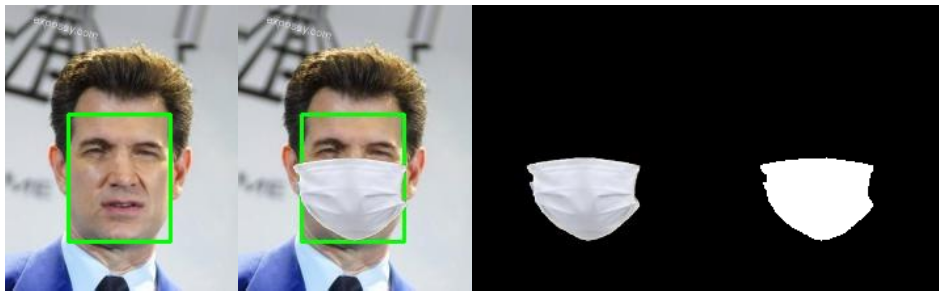
数据集来源:使用了开源数据集FaceMask_CelebA
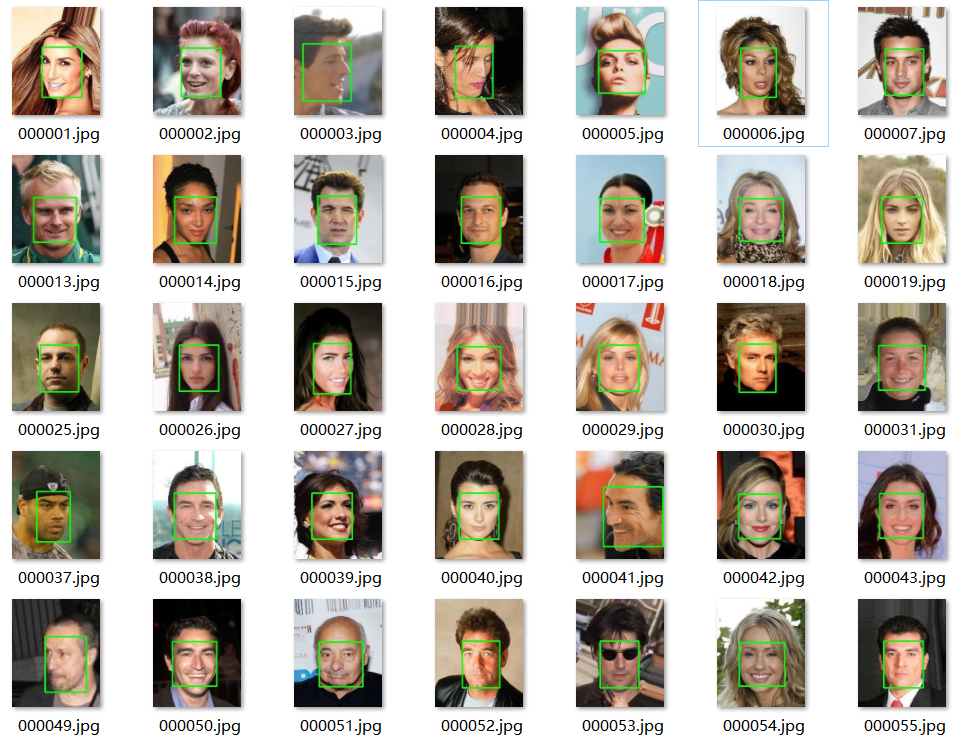
部分人脸数据集:
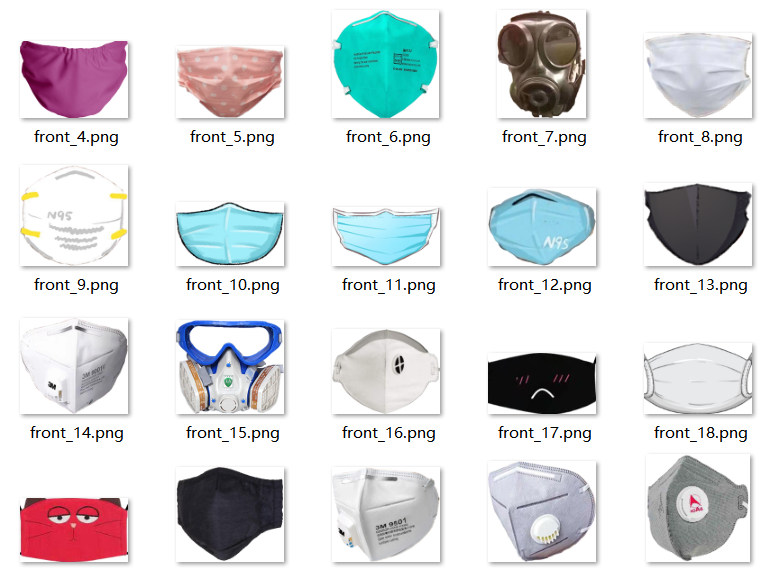
口罩样本数据集:
这部分有个库face_recognition需要安装,如果之前没有用过的小伙伴可能得费点功夫。
Face Recognition 库主要封装了dlib这一 C++ 图形库,通过 Python 语言将它封装为一个非常简单就可以实现人脸识别的 API 库, 屏蔽 了人脸识别的算法细节,大大降低了人脸识别功能的开发难度。
 #!/usr/bin/env python# -*- coding: utf-8 -*-# @Author : 2014Veeimport osimport numpy as npfrom PIL import Image, ImageFile __version__ = '0.3.0' IMAGE_DIR = os.path.dirname('E:/play/FaceMask_CelebA-master/facemask_image/')WHITE_IMAGE_PATH = os.path.join(IMAGE_DIR, 'front_14.png')BLUE_IMAGE_PATH = os.path.join(IMAGE_DIR, 'front_14.png')SAVE_PATH = os.path.dirname('E:/play/FaceMask_CelebA-master/save/synthesis/')SAVE_PATH2 = os.path.dirname('E:/play/FaceMask_CelebA-master/save/masks/')  class FaceMasker:    KEY_FACIAL_FEATURES = ('nose_bridge', 'chin')     def __init__(self, face_path, mask_path, white_mask_path, save_path, save_path2, model='hog'):        self.face_path = face_path        self.mask_path = mask_path        self.save_path = save_path        self.save_path2 = save_path2        self.white_mask_path = white_mask_path        self.model = model        self._face_img: ImageFile = None        self._black_face_img = None        self._mask_img: ImageFile = None        self._white_mask_img = None     def mask(self):        import face_recognition         face_image_np = face_recognition.load_image_file(self.face_path)        face_locations = face_recognition.face_locations(face_image_np, model=self.model)        face_landmarks = face_recognition.face_landmarks(face_image_np, face_locations)        self._face_img = I
免责声明:本文系网络转载或改编,未找到原创作者,版权归原作者所有。如涉及版权,请联系删
 技术文档
技术文档
 推荐好文
推荐好文






 155-2731-8020




