




软件

产品


在实际种,通常是多个fluent协同工作的,就如下图所示,每个k8s的宿主机都装有fluent,输出的日志信息都跑到一个fulent种,然后输出到文件或者kafka里面,给大数据进行消费处理。
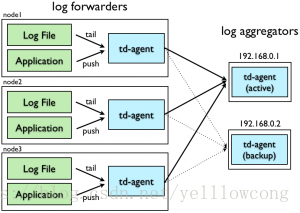
https://docs.fluentd.org/
# 客户端需要安装的插件
#用于路径中加入tag
/opt/td-agent/embedded/bin/fluent-gem install fluent-plugin-forest
#用于修改tag
/opt/td-agent/embedded/bin/fluent-gem install fluent-plugin-rewrite-tag-filter
#用于正则匹配日志内容,进行筛选
/opt/td-agent/embedded/bin/fluent-gem install fluent-plugin-grep
#用于修改record
/opt/td-agent/embedded/bin/fluent-gem install fluent-plugin-record-reformer

# 服务器端需要安装的插件
/opt/td-agent/embedded/bin/fluent-gem install fluent-plugin-forest
#输出文件到kafka的插件
/opt/td-agent/embedded/bin/fluent-gem install fluent-plugin-kafka

| 主机ip | 主机名 |
|---|---|
| 192.168.141.51 | master-01-k8s |
| 192.168.141.52 | master-02-k8s |
服务端,服务的端口为24224,match 匹配,根据不同的类型的tag,对文件进行不同的处理,type stdout 表示直接控制台输出,type file 表示存储为文件。
<source>
  type forward
  port 24224
  bind 0.0.0.0
</source>

<match docker.test*>
  type stdout
</match>

<match docker.temp*>
  type file
  path /home/lee/fluentd-log
</match>
/opt/td-agent/embedded/bin/fluentd -c docker_in03.conf
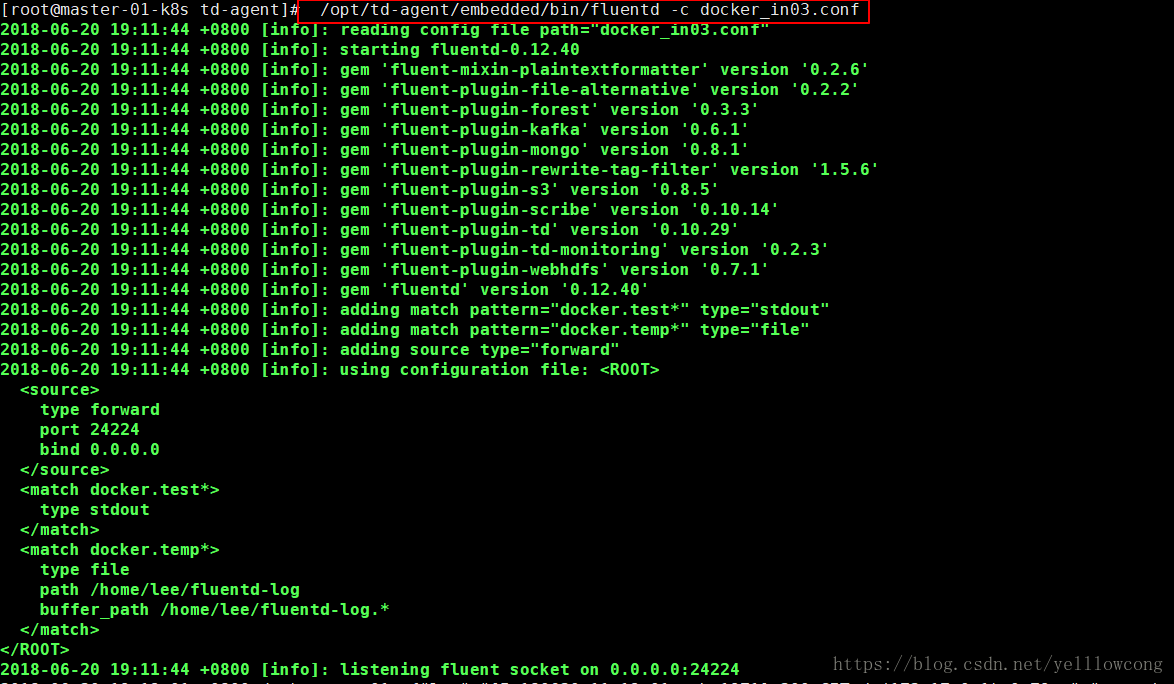
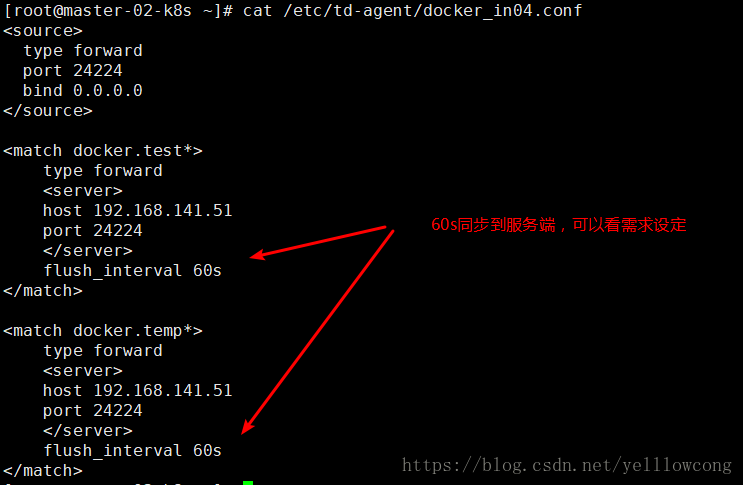
启动客户端机器,
<source>
  type forward
  port 24224
  bind 0.0.0.0
</source>

<match docker.test*>
    type forward
    <server>
    host 192.168.141.51
    port 24224
    </server>
    flush_interval 60s
</match>

<match docker.temp*>
    type forward
    <server>
    host 192.168.141.51
    port 24224
    </server>
    flush_interval 60s
</match>
./fluentd -c /etc/td-agent/docker_in04.conf
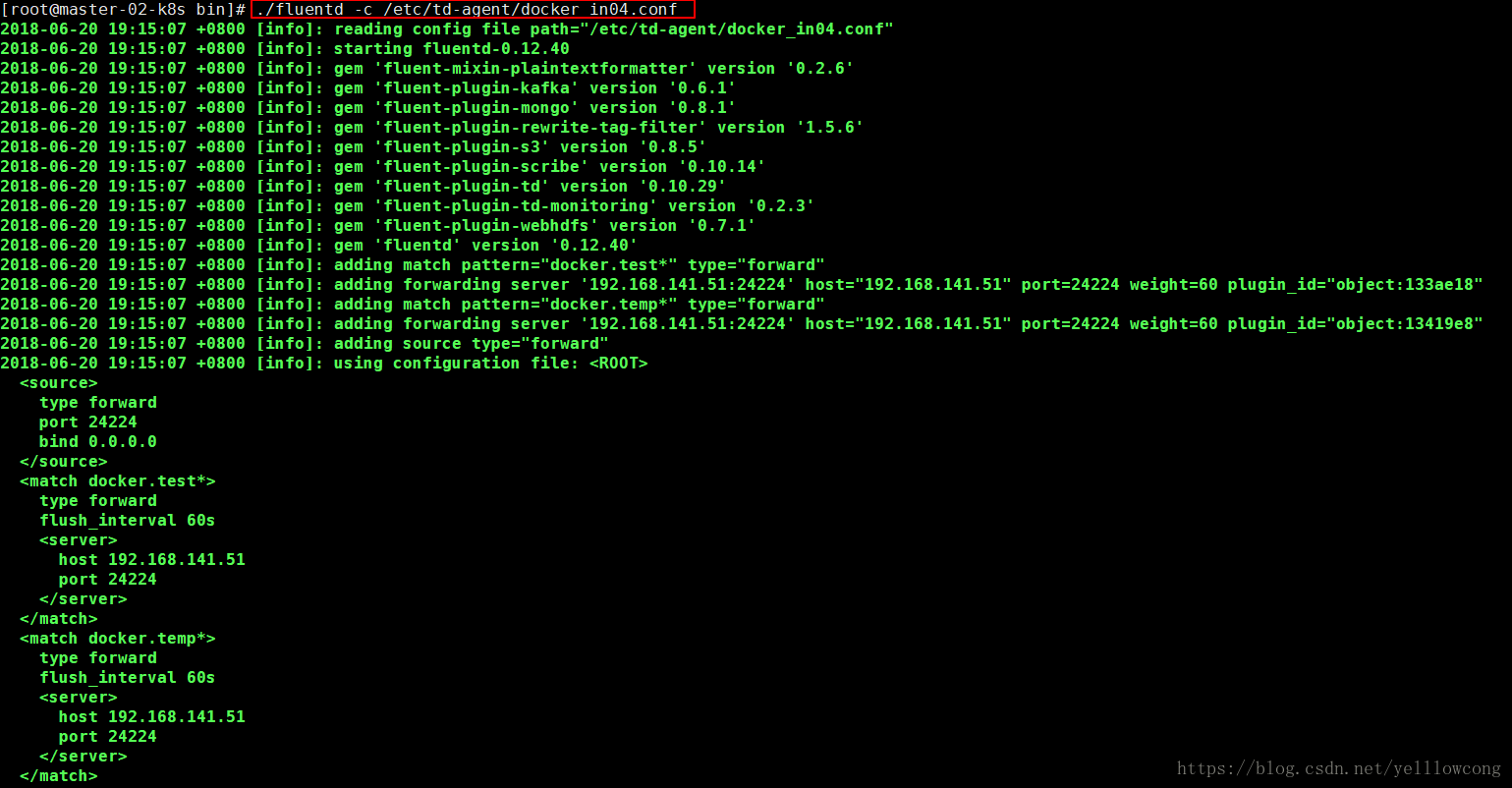
这个地方,通过–log-opt tag=“docker.{{.Name}}” ,来指定容器的tag,然后来根据这个tag来进行匹配(match),默认会根据容器的CONTAINER ID 来进行匹配。
#启动test01
docker run --name test01 --log-driver=fluentd --log-opt tag="docker.{{.Name}}"  --log-opt fluentd-async-connect=true -d -p 8001:8000 imekaku/simple-web python /work/simple.py

#启动temp01
docker run --name temp01  --log-driver=fluentd --log-opt tag="docker.{{.Name}}"  --log-opt fluentd-async-connect=true -d -p 8002:8000 imekaku/simple-web python /work/simple.py
提示:log tag支持如下,官网说明:
{{.ID}},{{.FullID}},{{.Name}},{{.ImageID}},{{.ImageFullID}},{{.ImageName}},{{.DaemonName}}
#多次curl访问,就会看到服务端有消息
curl 127.0.0.1:8081
curl 127.0.0.1:8082
这个是test01这个的输出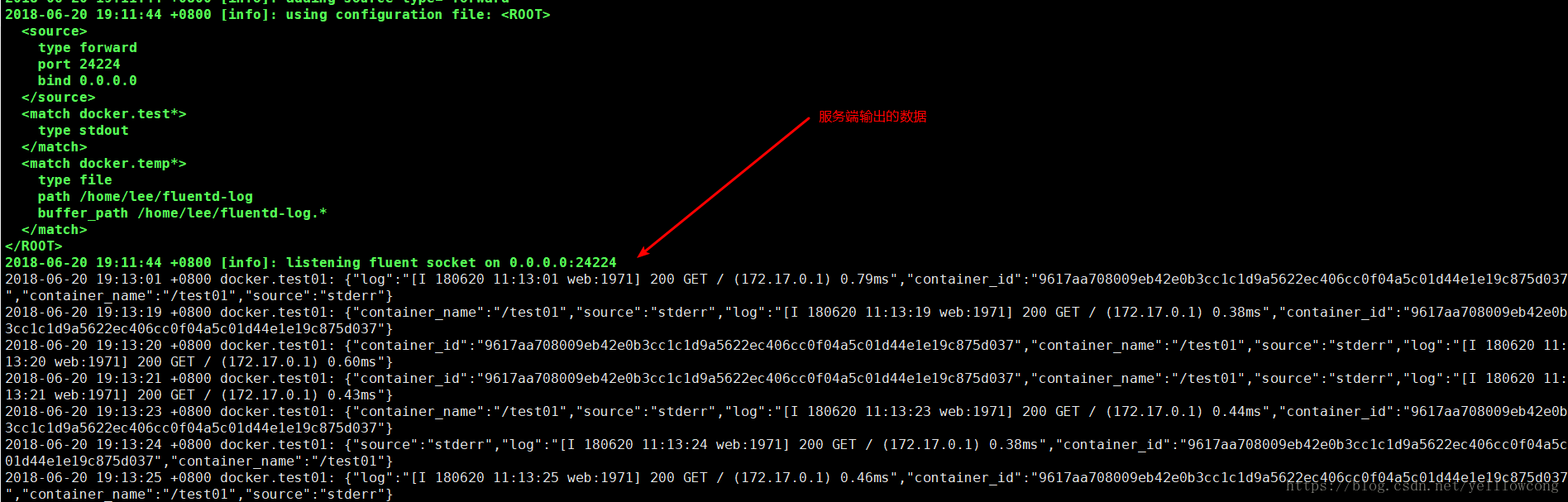
然后temp的还有日志信息,我们只指定了输出的前部分,后面就自动命名了一个配置文件。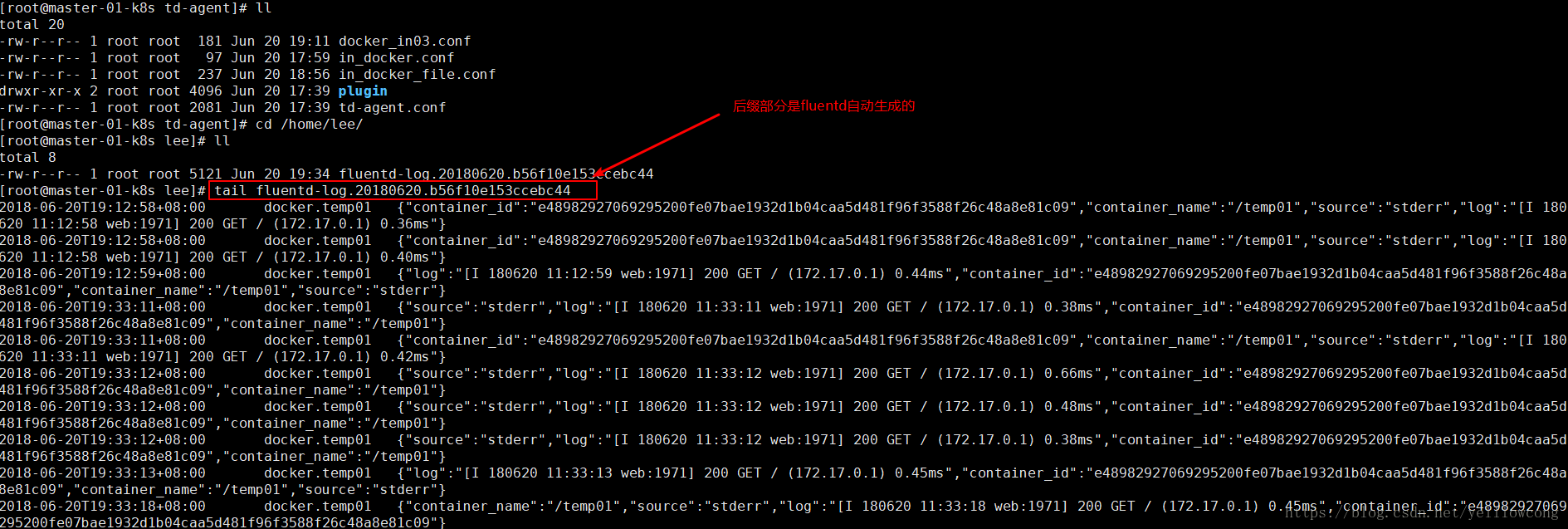
导致这个问题的原因是没有安装fluent-plugin-forest 插件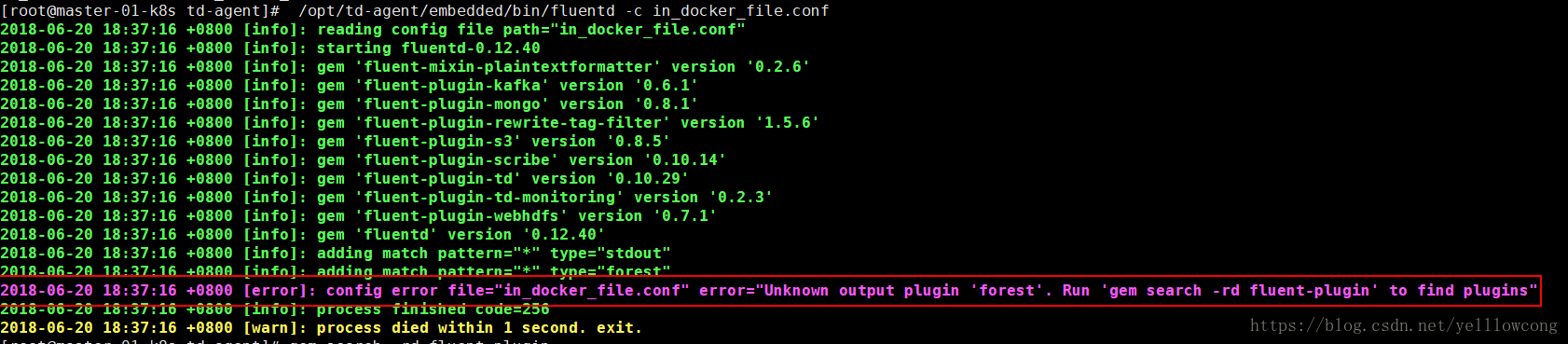
https://blog.csdn.net/jaysuper/article/details/8021878
http://www.imekaku.com/2016/09/14/fluentd-configure-client-server/
免责声明:本文系网络转载或改编,未找到原创作者,版权归原作者所有。如涉及版权,请联系删
 技术文档
技术文档
 推荐好文
推荐好文






 155-2731-8020




