




软件

产品


由下面代码生成
from chord import Chord matrix = [ [0, 5, 6, 4, 7, 4], [5, 0, 5, 4, 6, 5], [6, 5, 0, 4, 5, 5], [4, 4, 4, 0, 5, 5], [7, 6, 5, 5, 0, 4], [4, 5, 5, 5, 4, 0],] names = ["Action", "Adventure", "Comedy", "Drama", "Fantasy", "Thriller"] # 保存Chord(matrix, names).to_html("chord-diagram.html")图形表现力强悍!
Altair概述
Altair是一个用于Python的声明式统计可视化库,基于Vega和Vega-Lite。
Altair提供了一个强大而简洁的可视化语法,使你能够快速建立一个广泛的统计可视化。下面是一个使用Altair API的例子,通过一个交互式散点图快速实现数据集的可视化。
Github:
https://altair-viz.github.io/getting_started/overview.html
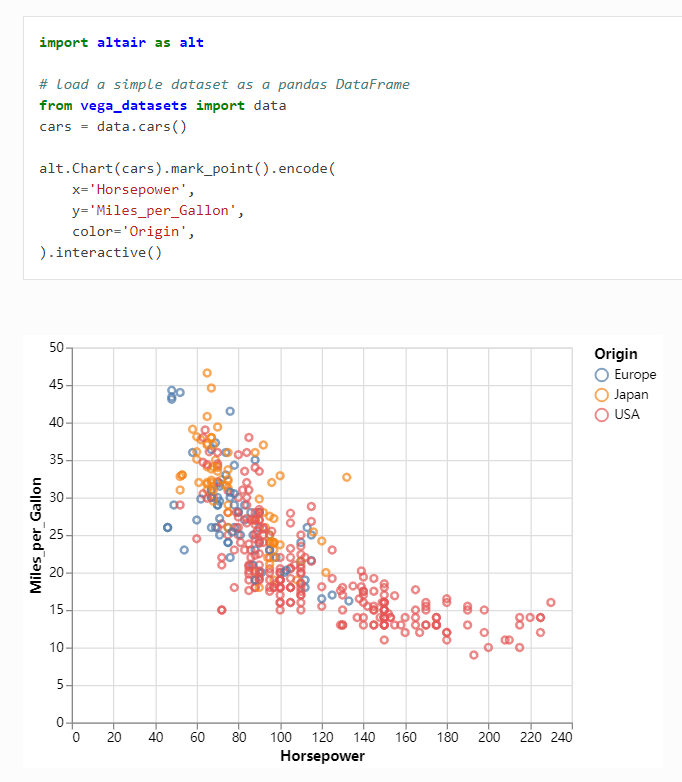
表现强悍
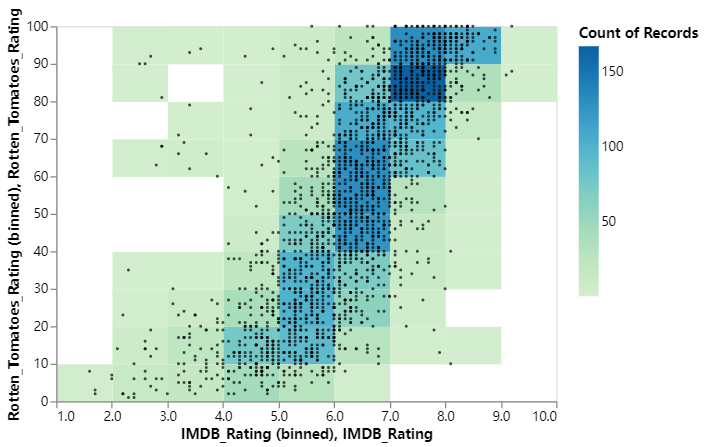
图形表现力强悍!
import matplotlib.pyplot as plt # 创建数据size_of_groups = [12, 11, 3, 30] # 生成饼图plt.pie(size_of_groups) # 在中心添加一个圆, 生成环形图my_circle = plt.Circle((0, 0), 0.7, color='white')p = plt.gcf()p.gca().add_artist(my_circle) plt.show()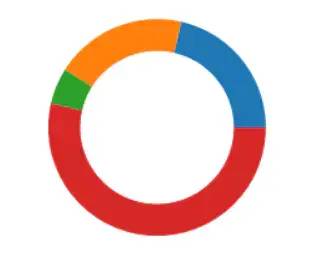
image.png
import matplotlib.pyplot as pltfrom matplotlib_venn import venn2 # 创建图表venn2(subsets=(10, 5, 2), set_labels=('Group A', 'Group B')) # 显示plt.show()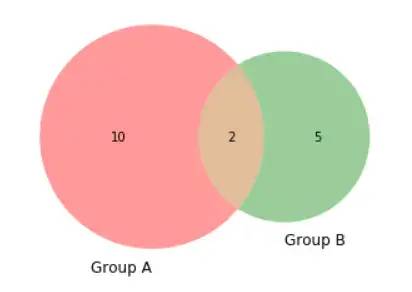
image.png
import circlifyimport matplotlib.pyplot as plt # 创建画布, 包含一个子图fig, ax = plt.subplots(figsize=(14, 14)) # 标题ax.set_title('Repartition of the world population') # 移除坐标轴ax.axis('off') # 人口数据data = [{'id': 'World', 'datum': 6964195249, 'children': [ {'id': "North America", 'datum': 450448697, 'children': [ {'id': "United States", 'datum': 308865000}, {'id': "Mexico", 'datum': 107550697}, {'id': "Canada", 'datum': 34033000} ]}, {'id': "South America", 'datum': 278095425, 'children': [ {'id': "Brazil", 'datum': 192612000}, {'id': "Colombia", 'datum': 45349000}, {'id': "Argentina", 'datum': 40134425} ]}, {'id': "Europe", 'datum': 209246682, 'children': [ {'id': "Germany", 'datum': 81757600}, {'id': "France", 'datum': 65447374}, {'id': "United Kingdom", 'datum': 62041708} ]}, {'id': "Africa", 'datum': 311929000, 'children': [ {'id': "Nigeria", 'datum': 154729000}, {'id': "Ethiopia", 'datum': 79221000}, {'id': "Egypt", 'datum': 77979000} ]}, {'id': "Asia", 'datum': 2745929500, 'children': [ {'id': "China", 'datum': 1336335000}, {'id': "India", 'datum': 1178225000}, {'id': "Indonesia", 'datum': 231369500} ]} ]}] # 使用circlify()计算, 获取圆的大小, 位置circles = circlify.circlify( data, show_enclosure=False, target_enclosure=circlify.Circle(x=0, y=0, r=1)) lim = max( max( abs(circle.x) + circle.r, abs(circle.y) + circle.r, ) for circle in circles)plt.xlim(-lim, lim)plt.ylim(-lim, lim) for circle in circles: if circle.level != 2: continue x, y, r = circle ax.add_patch(plt.Circle((x, y), r, alpha=0.5, linewidth=2, color="lightblue")) for circle in circles: if circle.level != 3: continue x, y, r = circle label = circle.ex["id"] ax.add_patch(plt.Circle((x, y), r, alpha=0.5, linewidth=2, color="#69b3a2")) plt.annotate(label, (x, y), ha='center', color="white") for circle in circles: if circle.level != 2: continue x, y, r = circle label = circle.ex["id"] plt.annotate(label, (x, y), va='center', ha='center', bbox=dict(facecolor='white', edgecolor='black', boxstyle='round', pad=.5)) plt.show()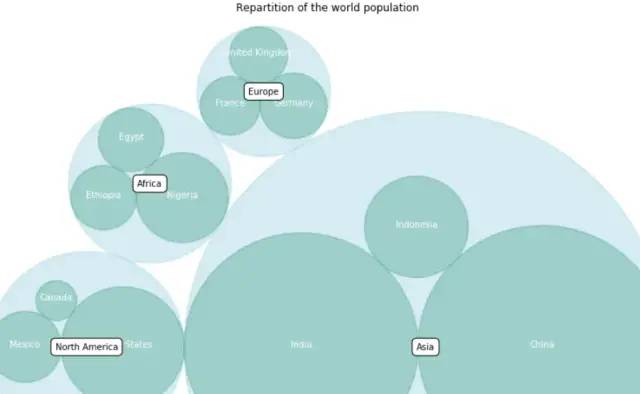
image.png
import foliumimport pandas as pd # 创建地图对象m = folium.Map(location=[20,0], tiles="OpenStreetMap", zoom_start=2) # 坐标点数据data = pd.DataFrame({ 'lon': [-58, 2, 145, 30.32, -4.03, -73.57, 36.82, -38.5], 'lat': [-34, 49, -38, 59.93, 5.33, 45.52, -1.29, -12.97], 'name': ['Buenos Aires', 'Paris', 'melbourne', 'St Petersbourg', 'Abidjan', 'Montreal', 'Nairobi', 'Salvador'], 'value': [10, 12, 40, 70, 23, 43, 100, 43]}, dtype=str) # 添加气泡for i in range(0, len(data)): folium.Circle( location=[data.iloc[i]['lat'], data.iloc[i]['lon']], popup=data.iloc[i]['name'], radius=float(data.iloc[i]['value'])*20000, color='crimson', fill=True, fill_color='crimson' ).add_to(m) # 保存m.save('bubble-map.html')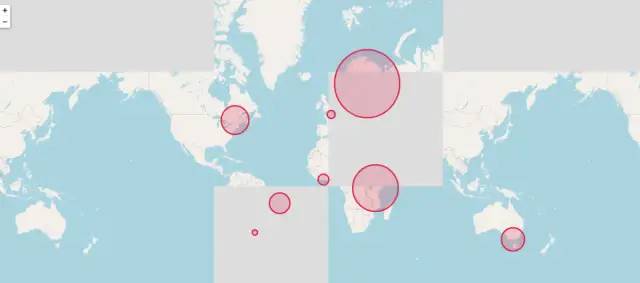
image.png
import altair as altfrom vega_datasets import data boroughs = alt.topo_feature(data.londonBoroughs.url, 'boroughs')tubelines = alt.topo_feature(data.londonTubeLines.url, 'line')centroids = data.londonCentroids.url background = alt.Chart(boroughs).mark_geoshape( stroke='white', strokeWidth=2).encode( color=alt.value('#eee'),).properties( width=700, height=500) labels = alt.Chart(centroids).mark_text().encode( longitude='cx:Q', latitude='cy:Q', text='bLabel:N', size=alt.value(8), opacity=alt.value(0.6)).transform_calculate( "bLabel", "indexof (datum.name,' ') > 0 ? substring(datum.name,0,indexof(datum.name, ' ')) : datum.name") line_scale = alt.Scale(domain=["Bakerloo", "Central", "Circle", "District", "DLR", "Hammersmith & City", "Jubilee", "Metropolitan", "Northern", "Piccadilly", "Victoria", "Waterloo & City"], range=["rgb(137,78,36)", "rgb(220,36,30)", "rgb(255,206,0)", "rgb(1,114,41)", "rgb(0,175,173)", "rgb(215,153,175)", "rgb(106,114,120)", "rgb(114,17,84)", "rgb(0,0,0)", "rgb(0,24,168)", "rgb(0,160,226)", "rgb(106,187,170)"]) lines = alt.Chart(tubelines).mark_geoshape( filled=False, strokeWidth=2).encode( alt.Color( 'id:N', legend=alt.Legend( title=None, orient='bottom-right', offset=0 ), scale=line_scale )) background + labels + lines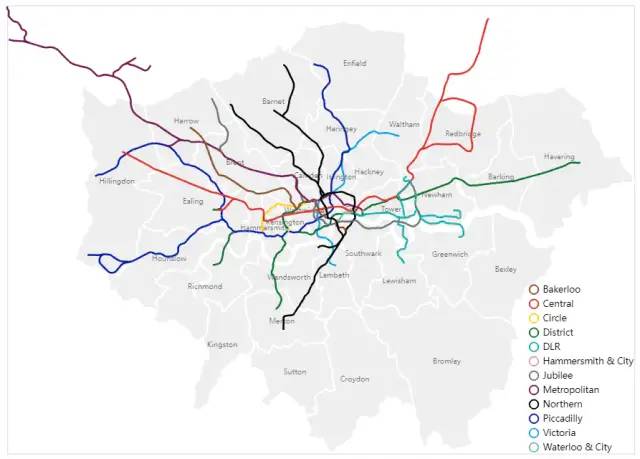
image.png
import altair as altfrom vega_datasets import data source = data.disasters.url alt.Chart(source).mark_circle( opacity=0.8, stroke='black', strokeWidth=1).encode( alt.X('Year:O', axis=alt.Axis(labelAngle=0)), alt.Y('Entity:N'), alt.Size('Deaths:Q', scale=alt.Scale(range=[0, 4000]), legend=alt.Legend(title='Annual Global Deaths') ), alt.Color('Entity:N', legend=None)).properties( width=450, height=320).transform_filter( alt.datum.Entity != 'All natural disasters')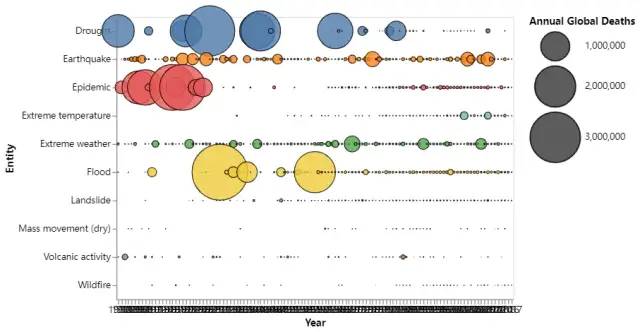
image.png
import altair as altimport pandas as pd source = pd.DataFrame([ {'country': 'Great Britain', 'animal': 'cattle'}, {'country': 'Great Britain', 'animal': 'cattle'}, {'country': 'Great Britain', 'animal': 'cattle'}, {'country': 'Great Britain', 'animal': 'pigs'}, {'country': 'Great Britain', 'animal': 'pigs'}, {'country': 'Great Britain', 'animal': 'sheep'}, {'country': 'Great Britain', 'animal': 'sheep'}, {'country': 'Great Britain', 'animal': 'sheep'}, {'country': 'Great Britain', 'animal': 'sheep'}, {'country': 'Great Britain', 'animal': 'sheep'}, {'country': 'Great Britain', 'animal': 'sheep'}, {'country': 'Great Britain', 'animal': 'sheep'}, {'country': 'Great Britain', 'animal': 'sheep'}, {'country': 'Great Britain', 'animal': 'sheep'}, {'country': 'Great Britain', 'animal': 'sheep'}, {'country': 'United States', 'animal': 'cattle'}, {'country': 'United States', 'animal': 'cattle'}, {'country': 'United States', 'animal': 'cattle'}, {'country': 'United States', 'animal': 'cattle'}, {'country': 'United States', 'animal': 'cattle'}, {'country': 'United States', 'animal': 'cattle'}, {'country': 'United States', 'animal': 'cattle'}, {'country': 'United States', 'animal': 'cattle'}, {'country': 'United States', 'animal': 'cattle'}, {'country': 'United States', 'animal': 'pigs'}, {'country': 'United States', 'animal': 'pigs'}, {'country': 'United States', 'animal': 'pigs'}, {'country': 'United States', 'animal': 'pigs'}, {'country': 'United States', 'animal': 'pigs'}, {'country': 'United States', 'animal': 'pigs'}, {'country': 'United States', 'animal': 'sheep'}, {'country': 'United States', 'animal': 'sheep'}, {'country': 'United States', 'animal': 'sheep'}, {'country': 'United States', 'animal': 'sheep'}, {'country': 'United States', 'animal': 'sheep'}, {'country': 'United States', 'animal': 'sheep'}, {'country': 'United States', 'animal': 'sheep'} ]) domains = ['person', 'cattle', 'pigs', 'sheep'] shape_scale = alt.Scale( domain=domains, range=[ 'M1.7 -1.7h-0.8c0.3 -0.2 0.6 -0.5 0.6 -0.9c0 -0.6 -0.4 -1 -1 -1c-0.6 0 -1 0.4 -1 1c0 0.4 0.2 0.7 0.6 0.9h-0.8c-0.4 0 -0.7 0.3 -0.7 0.6v1.9c0 0.3 0.3 0.6 0.6 0.6h0.2c0 0 0 0.1 0 0.1v1.9c0 0.3 0.2 0.6 0.3 0.6h1.3c0.2 0 0.3 -0.3 0.3 -0.6v-1.8c0 0 0 -0.1 0 -0.1h0.2c0.3 0 0.6 -0.3 0.6 -0.6v-2c0.2 -0.3 -0.1 -0.6 -0.4 -0.6z', 'M4 -2c0 0 0.9 -0.7 1.1 -0.8c0.1 -0.1 -0.1 0.5 -0.3 0.7c-0.2 0.2 1.1 1.1 1.1 1.2c0 0.2 -0.2 0.8 -0.4 0.7c-0.1 0 -0.8 -0.3 -1.3 -0.2c-0.5 0.1 -1.3 1.6 -1.5 2c-0.3 0.4 -0.6 0.4 -0.6 0.4c0 0.1 0.3 1.7 0.4 1.8c0.1 0.1 -0.4 0.1 -0.5 0c0 0 -0.6 -1.9 -0.6 -1.9c-0.1 0 -0.3 -0.1 -0.3 -0.1c0 0.1 -0.5 1.4 -0.4 1.6c0.1 0.2 0.1 0.3 0.1 0.3c0 0 -0.4 0 -0.4 0c0 0 -0.2 -0.1 -0.1 -0.3c0 -0.2 0.3 -1.7 0.3 -1.7c0 0 -2.8 -0.9 -2.9 -0.8c-0.2 0.1 -0.4 0.6 -0.4 1c0 0.4 0.5 1.9 0.5 1.9l-0.5 0l-0.6 -2l0 -0.6c0 0 -1 0.8 -1 1c0 0.2 -0.2 1.3 -0.2 1.3c0 0 0.3 0.3 0.2 0.3c0 0 -0.5 0 -0.5 0c0 0 -0.2 -0.2 -0.1 -0.4c0 -0.1 0.2 -1.6 0.2 -1.6c0 0 0.5 -0.4 0.5 -0.5c0 -0.1 0 -2.7 -0.2 -2.7c-0.1 0 -0.4 2 -0.4 2c0 0 0 0.2 -0.2 0.5c-0.1 0.4 -0.2 1.1 -0.2 1.1c0 0 -0.2 -0.1 -0.2 -0.2c0 -0.1 -0.1 -0.7 0 -0.7c0.1 -0.1 0.3 -0.8 0.4 -1.4c0 -0.6 0.2 -1.3 0.4 -1.5c0.1 -0.2 0.6 -0.4 0.6 -0.4z', 'M1.2 -2c0 0 0.7 0 1.2 0.5c0.5 0.5 0.4 0.6 0.5 0.6c0.1 0 0.7 0 0.8 0.1c0.1 0 0.2 0.2 0.2 0.2c0 0 -0.6 0.2 -0.6 0.3c0 0.1 0.4 0.9 0.6 0.9c0.1 0 0.6 0 0.6 0.1c0 0.1 0 0.7 -0.1 0.7c-0.1 0 -1.2 0.4 -1.5 0.5c-0.3 0.1 -1.1 0.5 -1.1 0.7c-0.1 0.2 0.4 1.2 0.4 1.2l-0.4 0c0 0 -0.4 -0.8 -0.4 -0.9c0 -0.1 -0.1 -0.3 -0.1 -0.3l-0.2 0l-0.5 1.3l-0.4 0c0 0 -0.1 -0.4 0 -0.6c0.1 -0.1 0.3 -0.6 0.3 -0.7c0 0 -0.8 0 -1.5 -0.1c-0.7 -0.1 -1.2 -0.3 -1.2 -0.2c0 0.1 -0.4 0.6 -0.5 0.6c0 0 0.3 0.9 0.3 0.9l-0.4 0c0 0 -0.4 -0.5 -0.4 -0.6c0 -0.1 -0.2 -0.6 -0.2 -0.5c0 0 -0.4 0.4 -0.6 0.4c-0.2 0.1 -0.4 0.1 -0.4 0.1c0 0 -0.1 0.6 -0.1 0.6l-0.5 0l0 -1c0 0 0.5 -0.4 0.5 -0.5c0 -0.1 -0.7 -1.2 -0.6 -1.4c0.1 -0.1 0.1 -1.1 0.1 -1.1c0 0 -0.2 0.1 -0.2 0.1c0 0 0 0.9 0 1c0 0.1 -0.2 0.3 -0.3 0.3c-0.1 0 0 -0.5 0 -0.9c0 -0.4 0 -0.4 0.2 -0.6c0.2 -0.2 0.6 -0.3 0.8 -0.8c0.3 -0.5 1 -0.6 1 -0.6z', 'M-4.1 -0.5c0.2 0 0.2 0.2 0.5 0.2c0.3 0 0.3 -0.2 0.5 -0.2c0.2 0 0.2 0.2 0.4 0.2c0.2 0 0.2 -0.2 0.5 -0.2c0.2 0 0.2 0.2 0.4 0.2c0.2 0 0.2 -0.2 0.4 -0.2c0.1 0 0.2 0.2 0.4 0.1c0.2 0 0.2 -0.2 0.4 -0.3c0.1 0 0.1 -0.1 0.4 0c0.3 0 0.3 -0.4 0.6 -0.4c0.3 0 0.6 -0.3 0.7 -0.2c0.1 0.1 1.4 1 1.3 1.4c-0.1 0.4 -0.3 0.3 -0.4 0.3c-0.1 0 -0.5 -0.4 -0.7 -0.2c-0.3 0.2 -0.1 0.4 -0.2 0.6c-0.1 0.1 -0.2 0.2 -0.3 0.4c0 0.2 0.1 0.3 0 0.5c-0.1 0.2 -0.3 0.2 -0.3 0.5c0 0.3 -0.2 0.3 -0.3 0.6c-0.1 0.2 0 0.3 -0.1 0.5c-0.1 0.2 -0.1 0.2 -0.2 0.3c-0.1 0.1 0.3 1.1 0.3 1.1l-0.3 0c0 0 -0.3 -0.9 -0.3 -1c0 -0.1 -0.1 -0.2 -0.3 -0.2c-0.2 0 -0.3 0.1 -0.4 0.4c0 0.3 -0.2 0.8 -0.2 0.8l-0.3 0l0.3 -1c0 0 0.1 -0.6 -0.2 -0.5c-0.3 0.1 -0.2 -0.1 -0.4 -0.1c-0.2 -0.1 -0.3 0.1 -0.4 0c-0.2 -0.1 -0.3 0.1 -0.5 0c-0.2 -0.1 -0.1 0 -0.3 0.3c-0.2 0.3 -0.4 0.3 -0.4 0.3l0.2 1.1l-0.3 0l-0.2 -1.1c0 0 -0.4 -0.6 -0.5 -0.4c-0.1 0.3 -0.1 0.4 -0.3 0.4c-0.1 -0.1 -0.2 1.1 -0.2 1.1l-0.3 0l0.2 -1.1c0 0 -0.3 -0.1 -0.3 -0.5c0 -0.3 0.1 -0.5 0.1 -0.7c0.1 -0.2 -0.1 -1 -0.2 -1.1c-0.1 -0.2 -0.2 -0.8 -0.2 -0.8c0 0 -0.1 -0.5 0.4 -0.8z' ]) color_scale = alt.Scale( domain=domains, range=['rgb(162,160,152)', 'rgb(194,81,64)', 'rgb(93,93,93)', 'rgb(91,131,149)']) alt.Chart(source).mark_point(filled=True, opacity=1, size=100).encode( alt.X('x:O', axis=None), alt.Y('animal:O', axis=None), alt.Row('country:N', header=alt.Header(title='')), alt.Shape('animal:N', legend=None, scale=shape_scale), alt.Color('animal:N', legend=None, scale=color_scale),).transform_window( x='rank()', groupby=['country', 'animal']).properties(width=550, height=140)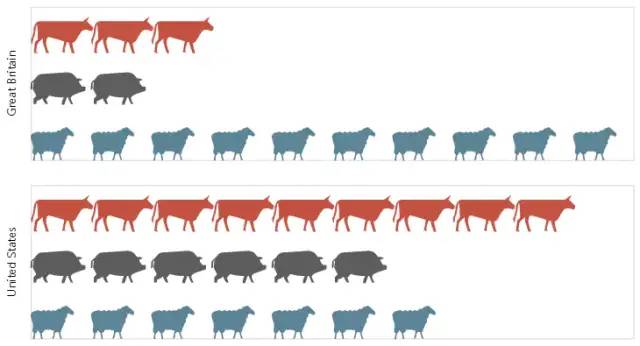
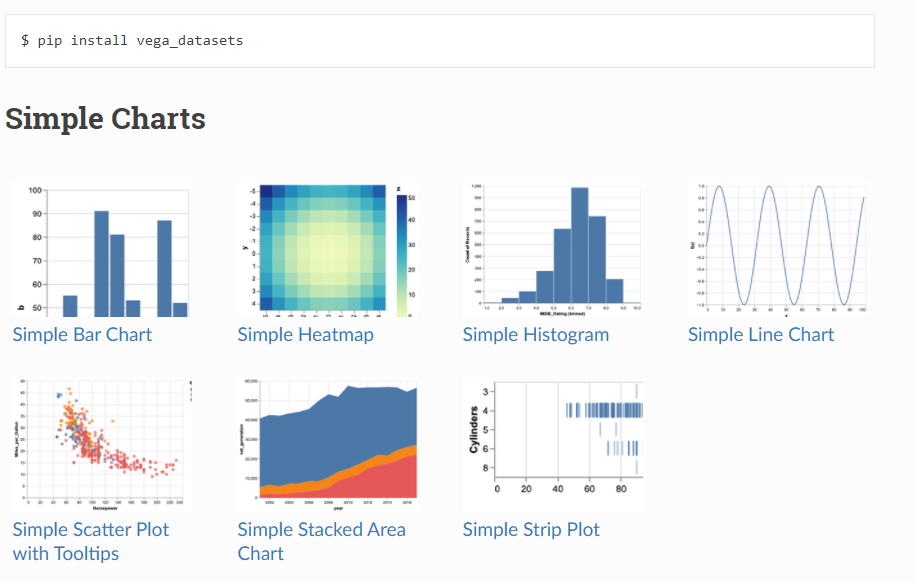
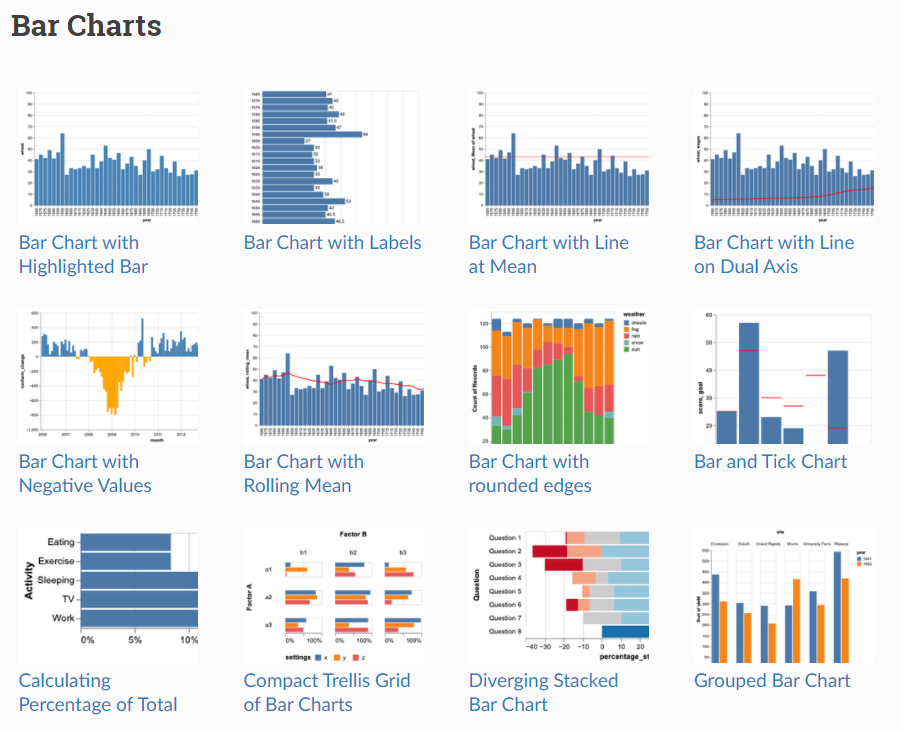
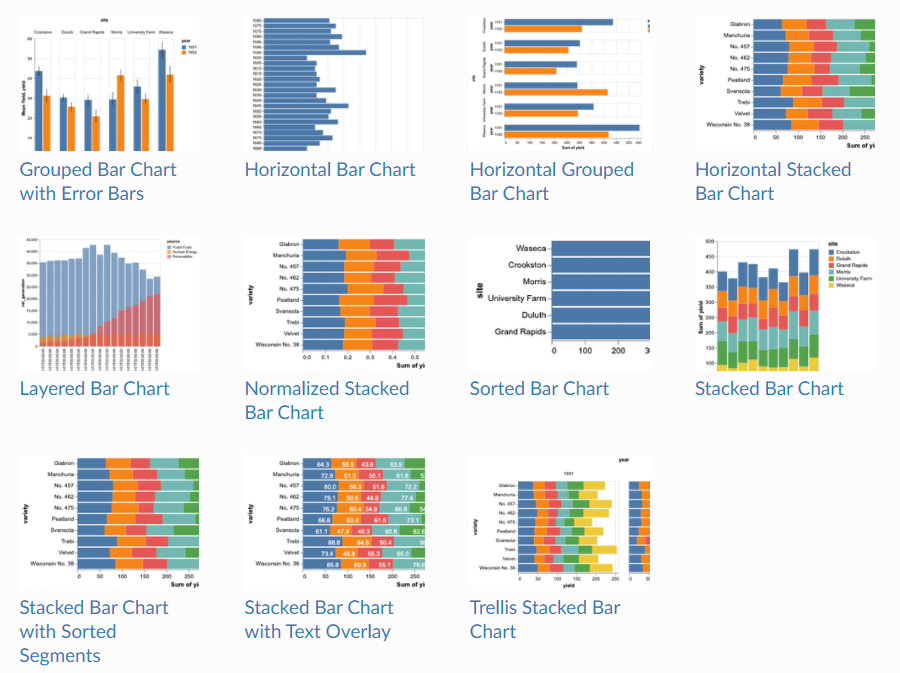
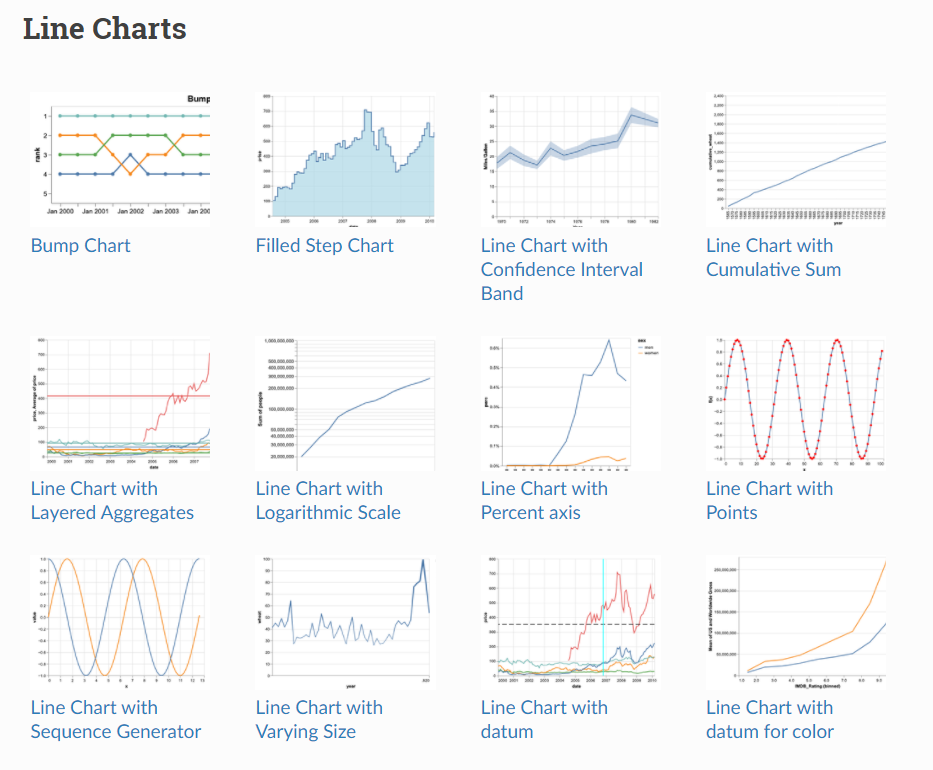
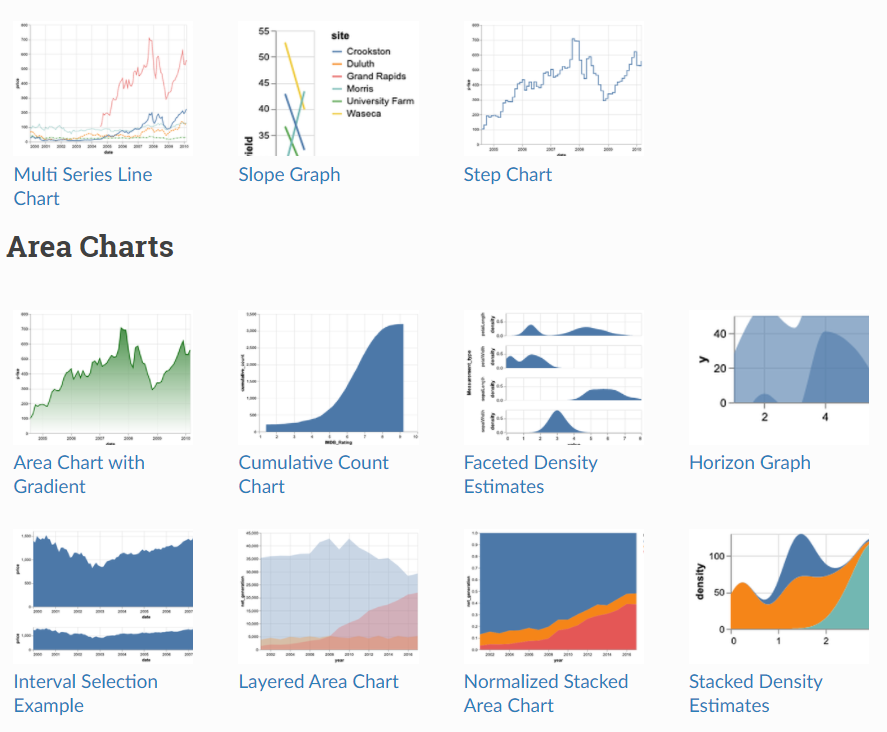
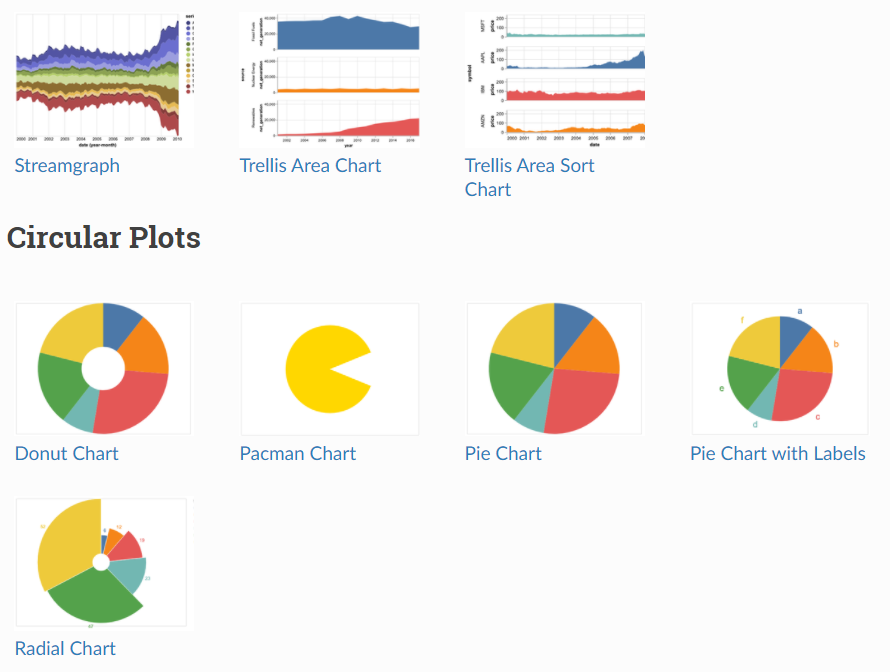
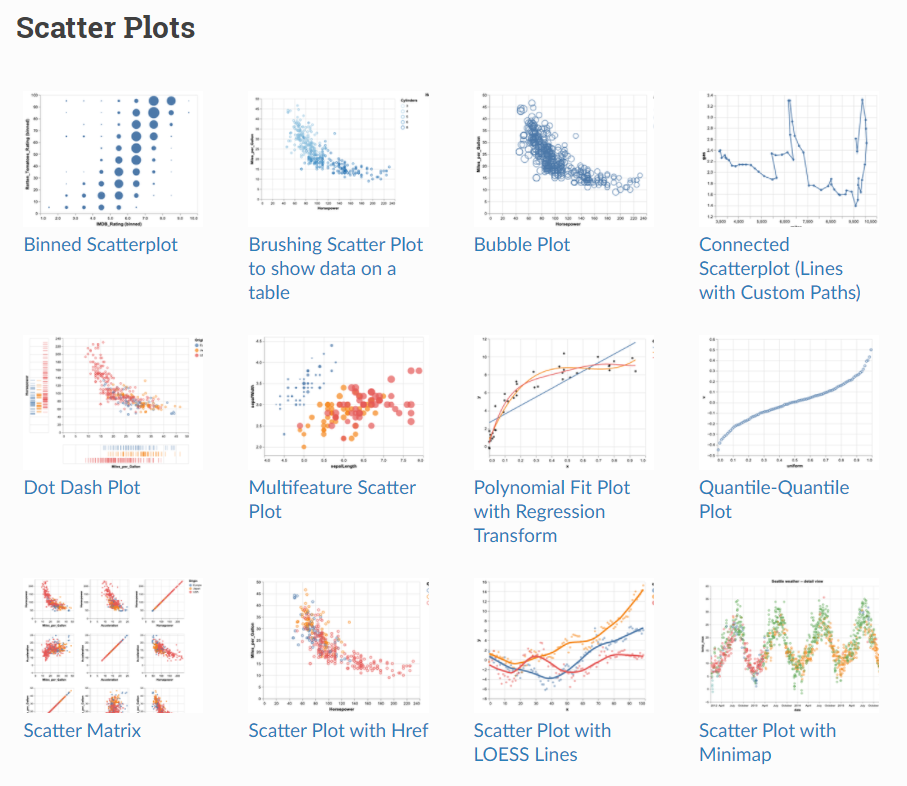
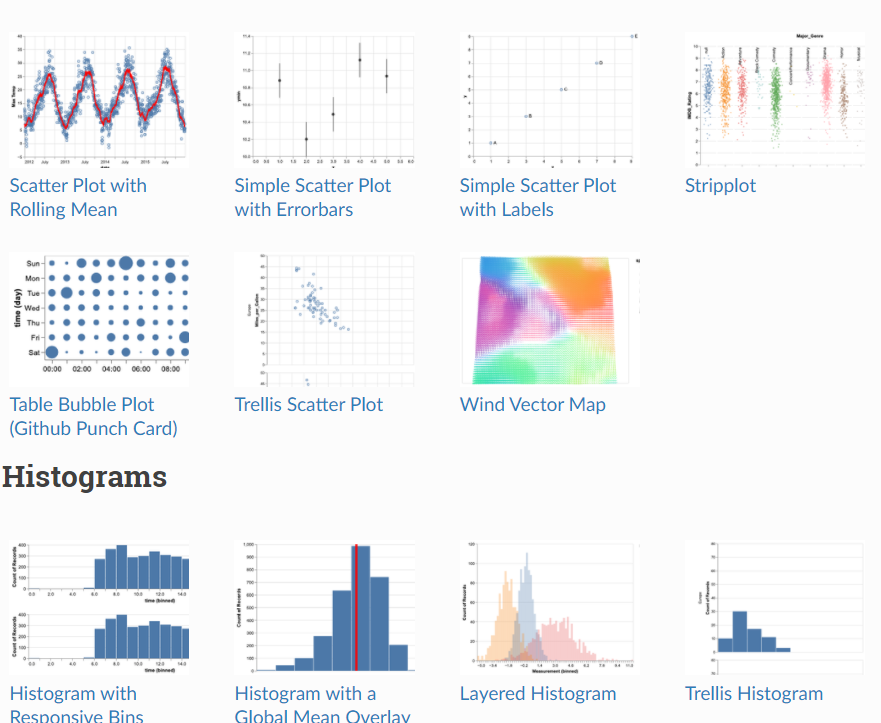
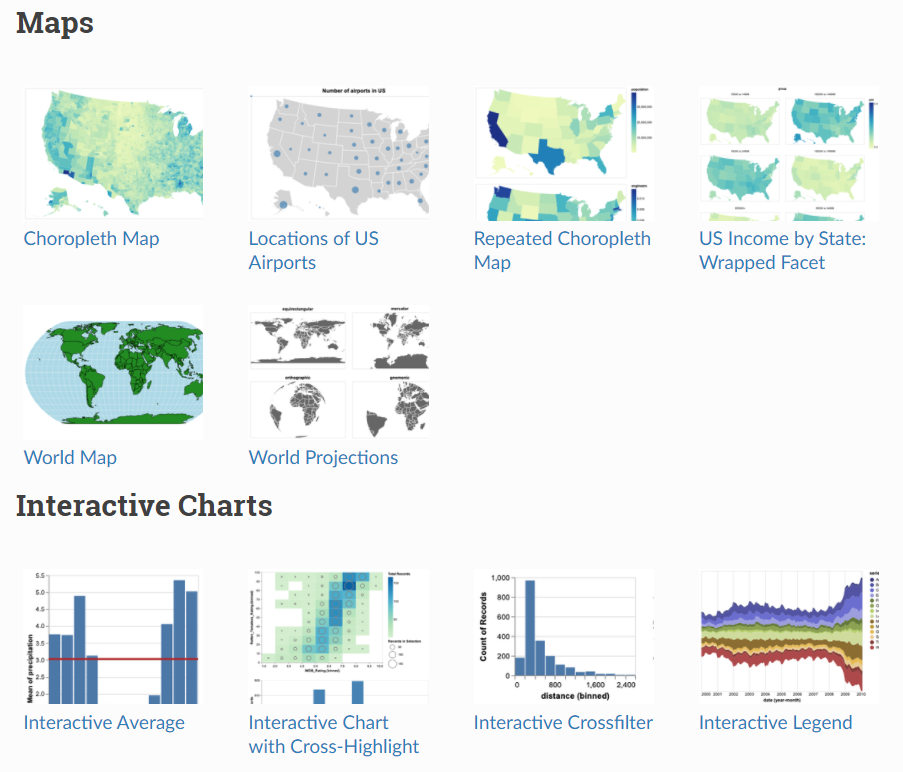
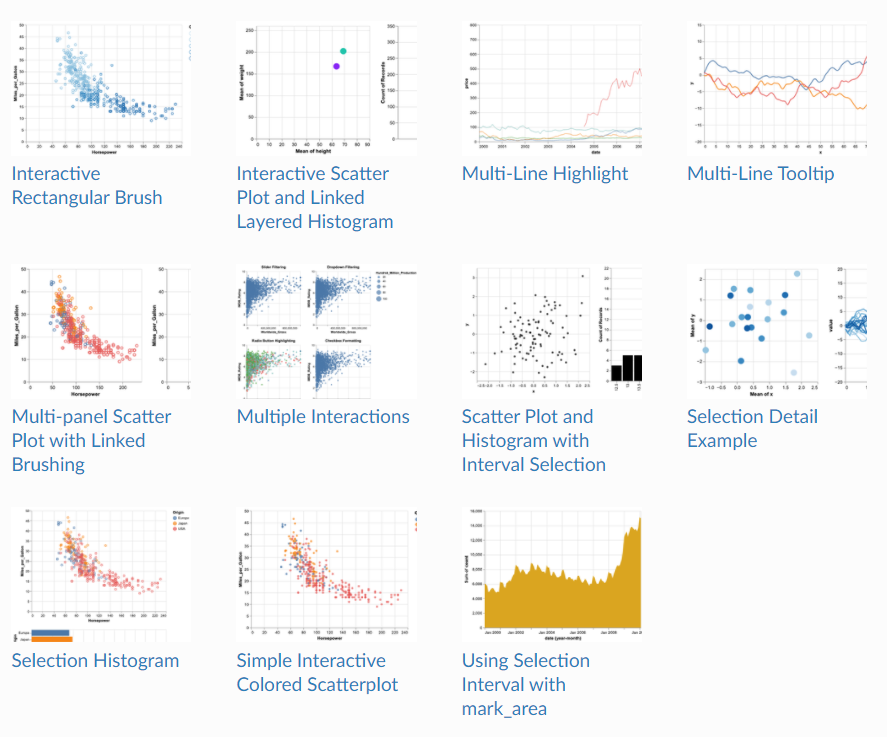
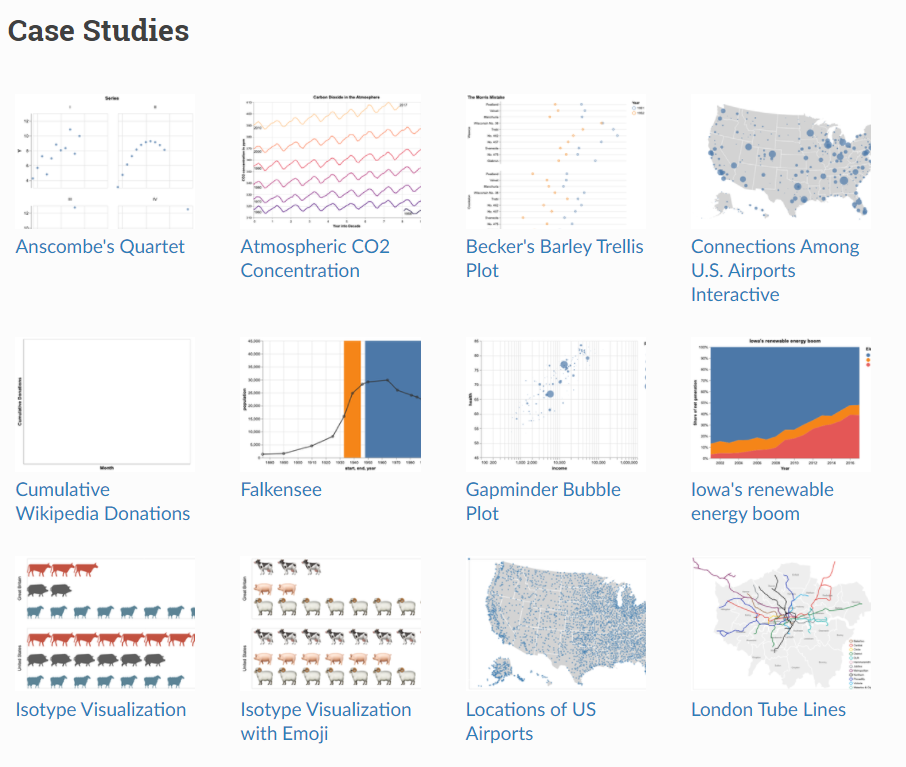
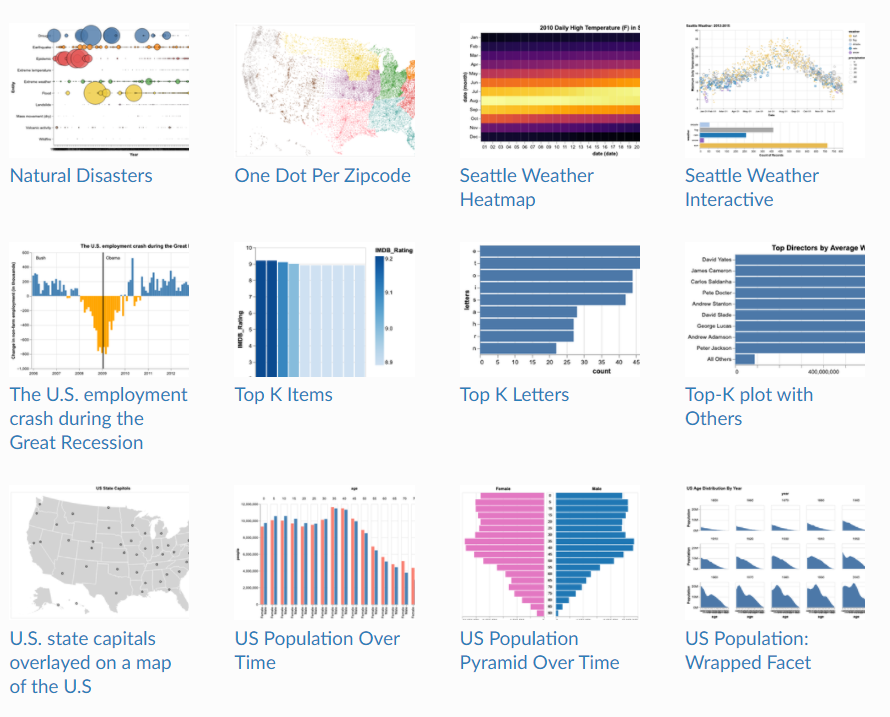
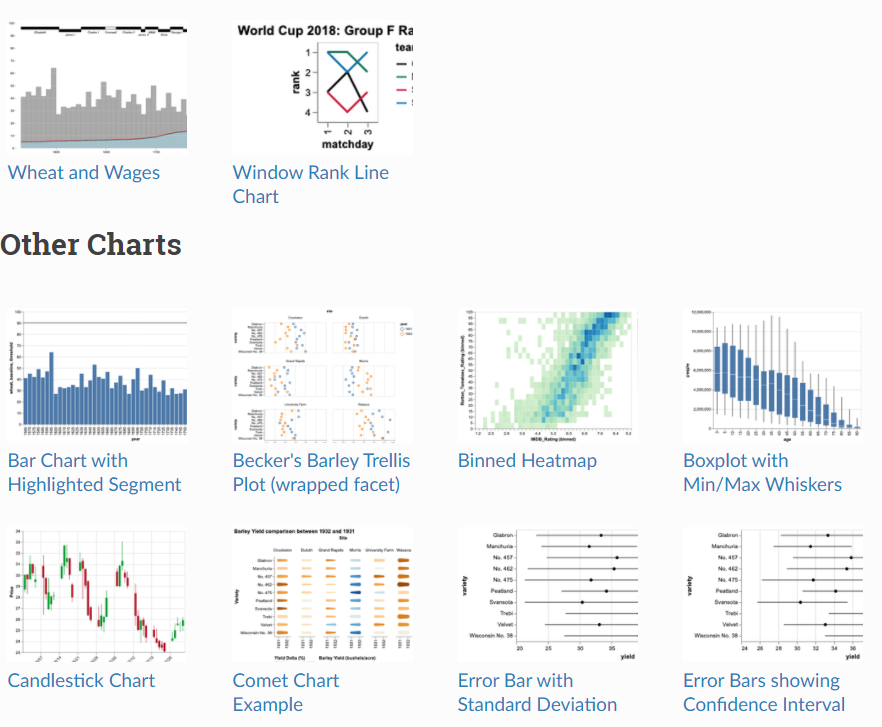
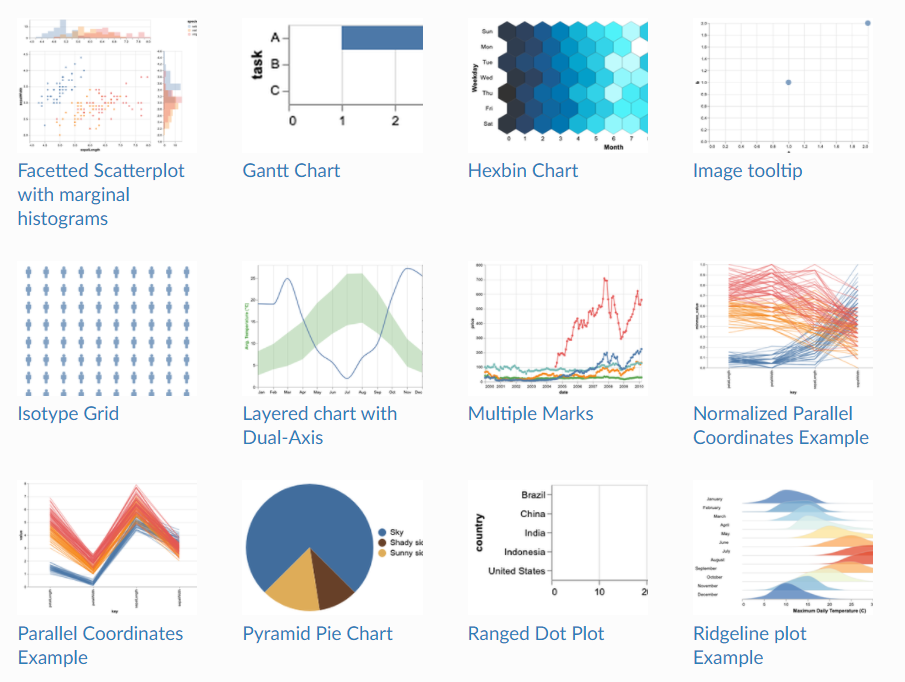
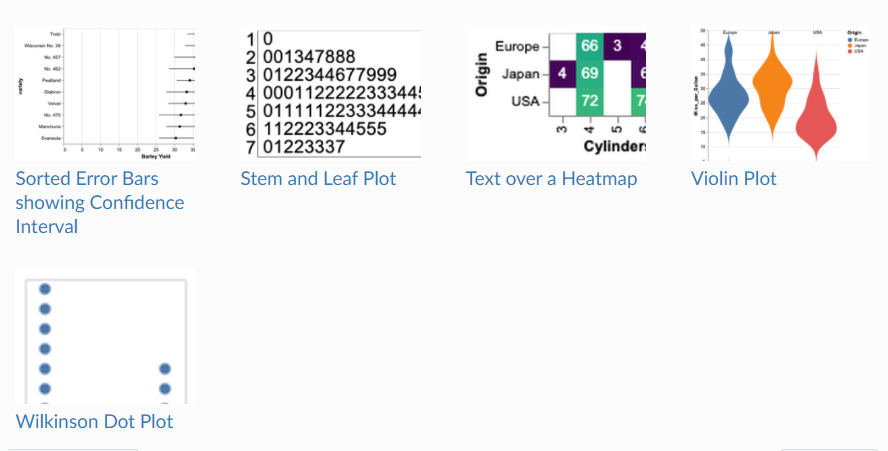
提供丰富的图形代码
免责声明:本文系网络转载或改编,未找到原创作者,版权归原作者所有。如涉及版权,请联系删
 技术文档
技术文档
 推荐好文
推荐好文






 155-2731-8020




