




软件

产品


Unity 3D模型展示框架篇之项目整理
Unity 3D模型展示框架篇之框架运用
Unity 3D模型展示框架篇之自由观察(Cinemachine)
Unity 3D模型展示框架篇之资源打包、加载、热更(Addressable Asset System | 简称AA)
Unity 3D模型展示框架篇之资源打包、加载、热更(二)
Unity 3D模型展示框架篇之ILRuntime快速入门
本项目将整合之前Unity程序基础小框架专栏在Unity
3D模型展示项目基础上进行整合,并记录了集成过程中对原脚本的调整过程。增加了Asset Bundle+ILRuntime热更新技术流程。
本文章主要介绍如何与ILRuntime项目整合的过程与使用实例。
HotFix.cs提供三个方法公Unity工程调用。
using System; using System.Collections.Generic; using System.Linq; using System.Text; using System.Threading.Tasks; namespace HotFix_Project { public class HotFix { void Awake() { UnityEngine.Debug.Log("Awake"); } public static void HelloWorld(string name,int age) { UnityEngine.Debug.Log("HelloWorld "+name+" "+ age); } public string Hello(string name) { return "hello " + name; } } }csharp运行
创建ILRuntime场景,创建ILRuntimeFramework 脚本文件 夹,增加脚本HotFixMgr.cs、HotFixMonoBehaviourAdapter.cs、DemoHelloWorld.cs脚本。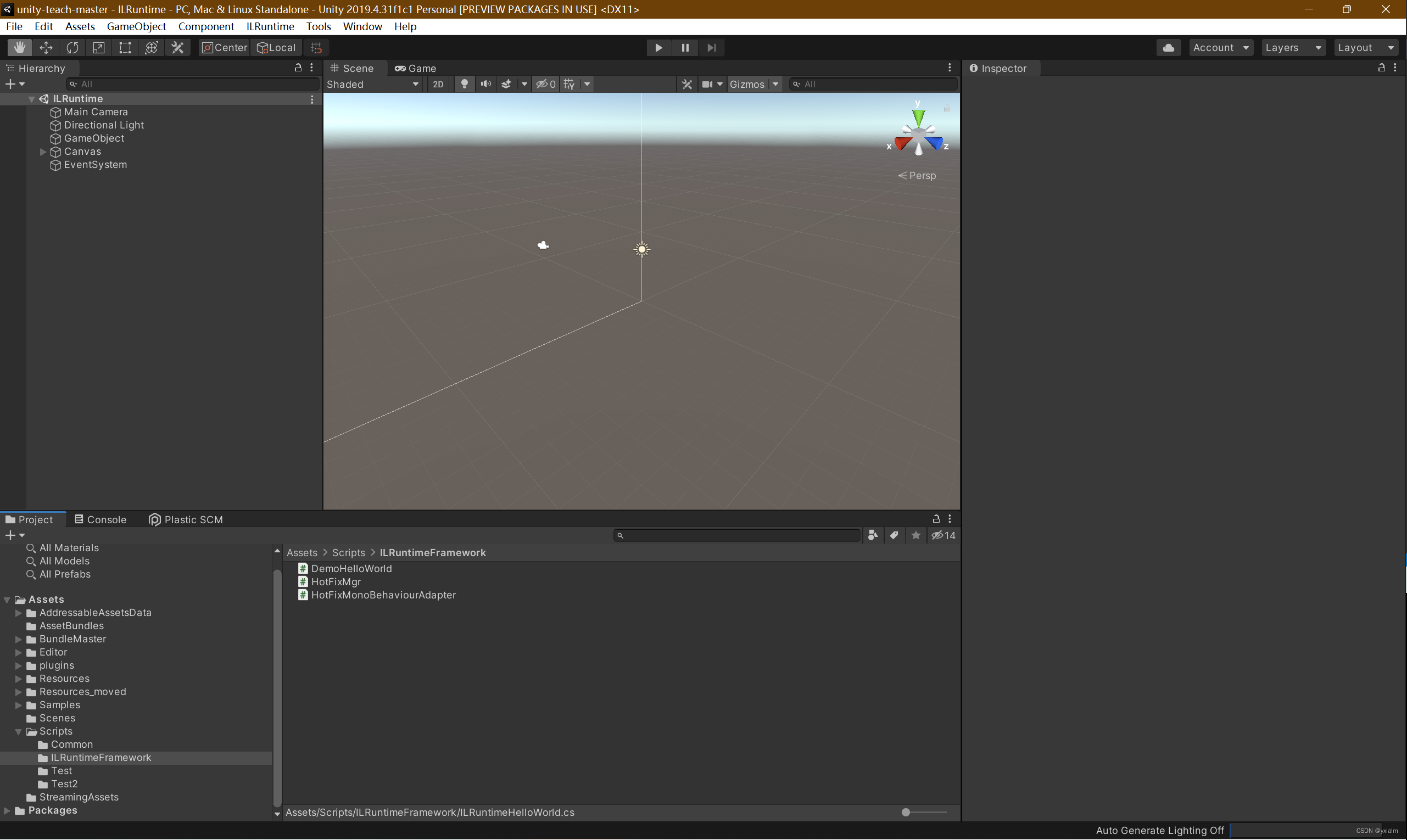
HotFixMgr.cs:AppDomain是ILRuntime的入口,最好是在一个单例类中保存,整个游戏全局就一个,这里为了示例方便,每个例子里面都单独做了一个。代码如下
using System.Collections; using System.Collections.Generic; using System.IO; using UnityEngine; public class HotFixMgr : MonoBehaviour { public static HotFixMgr instance; public ILRuntime.Runtime.Enviorment.AppDomain appdomain; public static HotFixMgr Instance { get { if (instance==null) { instance=new GameObject("HotFixMgr").AddComponent<HotFixMgr>(); instance.LoadHotFixAssembly(); } return instance; } } // Start is called before the first frame update void Start() { } void LoadHotFixAssembly() { appdomain = new ILRuntime.Runtime.Enviorment.AppDomain(); #if UNITY_ANDROID WWW www = new WWW(Application.streamingAssetsPath + "/Hotfix.dll"); #else WWW www = new WWW("file:///" + Application.streamingAssetsPath + "/HotFix_Project.dll"); #endif while (!www.isDone) //yield return null; System.Threading.Thread.Sleep(100); if (!string.IsNullOrEmpty(www.error)) Debug.LogError(www.error); byte[] dll = www.bytes; www.Dispose(); #if UNITY_ANDROID www = new WWW(Application.streamingAssetsPath + "/Hotfix.pdb"); #else www = new WWW("file:///" + Application.streamingAssetsPath + "/HotFix_Project.pdb"); #endif while (!www.isDone) System.Threading.Thread.Sleep(100); if (!string.IsNullOrEmpty(www.error)) Debug.LogError(www.error); byte[] pdb = www.bytes; System.IO.MemoryStream fs = new MemoryStream(dll); System.IO.MemoryStream p = new MemoryStream(pdb); appdomain.LoadAssembly(fs, p, new ILRuntime.Mono.Cecil.Pdb.PdbReaderProvider()); OnILRuntimeInitialized(); } void OnILRuntimeInitialized() { //appdomain.Invoke("Hotfix.Game", "Initialize", null, null); #if DEBUG && (UNITY_EDITOR || UNITY_ANDROID || UNITY_IPHONE) //由于Unity的Profiler接口只允许在主线程使用,为了避免出异常,需要告诉ILRuntime主线程的线程ID才能正确将函数运行耗时报告给Profiler appdomain.UnityMainThreadID = System.Threading.Thread.CurrentThread.ManagedThreadId; #endif //下面再举一个这个Demo中没有用到,但是UGUI经常遇到的一个委托,例如UnityAction<float> appdomain.DelegateManager.RegisterDelegateConvertor<UnityEngine.Events.UnityAction>((action) => { return new UnityEngine.Events.UnityAction(() => { ((System.Action)action)(); }); }); } // Update is called once per frame void Update() { } }csharp运行
HotFixMonoBehaviourAdapter.cs:热更工程与Unity的MonoBehaviour适配进行调用。代码如下
using ILRuntime.CLR.Method; using ILRuntime.CLR.TypeSystem; using ILRuntime.Runtime.Intepreter; using System.Collections; using System.Collections.Generic; using UnityEngine; public class HotFixMonoBehaviourAdapter : MonoBehaviour { // Start is called before the first frame update public string bindClass; private IType classType; private ILTypeInstance instance; IMethod update_method; private IMethod start_method; private IMethod OnDestroy_method; private void Awake() { classType = HotFixMgr.Instance.appdomain.LoadedTypes[bindClass]; instance = (classType as ILType).Instantiate(); IMethod awake_method = classType.GetMethod("Awake", 0); update_method = classType.GetMethod("Update", 0); start_method = classType.GetMethod("Start", 0); OnDestroy_method = classType.GetMethod("OnDestroy", 0); if (awake_method != null) { HotFixMgr.instance.appdomain.Invoke(awake_method, instance); } } void Start() { if (start_method != null) { HotFixMgr.instance.appdomain.Invoke(start_method, instance); } } // Update is called once per frame void Update() { if (update_method != null) { HotFixMgr.instance.appdomain.Invoke(update_method, instance); } } private void OnDestroy() { if (OnDestroy_method != null) { HotFixMgr.instance.appdomain.Invoke(OnDestroy_method, instance); } } }csharp运行
DemoHelloWorld.cs:测试调用热更工程中的方法。代码如下
using ILRuntime.CLR.Method; using ILRuntime.CLR.TypeSystem; using System.Collections; using System.Collections.Generic; using UnityEngine; public class DemoHelloWorld : MonoBehaviour { // Start is called before the first frame update void Start() { string className = "HotFix_Project.HotFix"; string funName = "HelloWorld"; //// 获取类型 IType type = HotFixMgr.Instance.appdomain.LoadedTypes[className]; //静态调用 HotFixMgr.Instance.appdomain.Invoke(className, funName, null, "yxl", 30); // 创建实例 object instance = (type as ILType).Instantiate(); object res = HotFixMgr.Instance.appdomain.Invoke(className, "Hello", instance, "yxl"); Debug.Log("实例化返回值" + res.ToString()); } // Update is called once per frame void Update() { } }csharp运行
修改完热更工程一定要重新生成解决方案修改完热更工程一定要重新生成解决方案修改完热更工程一定要重新生成解决方案
Unity项目中挂在脚本,并设置BindClass变量值,运行结果如下: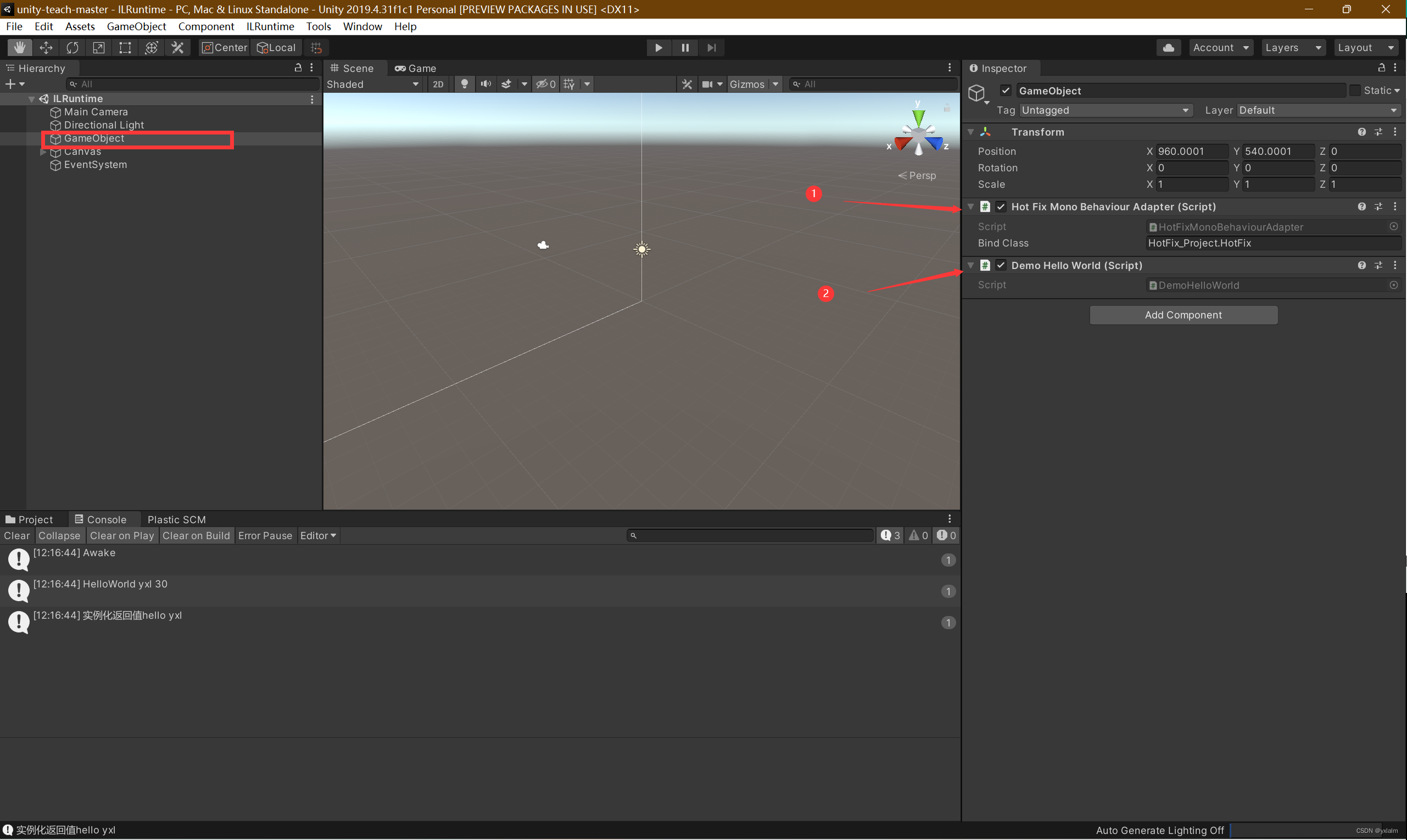
以上就是今天要讲的内容,本文仅仅简单整合了ILRuntime在Unity工程中如何调用热更工程的方法,介绍了如何在单例类中创建ILRuntime的入口AppDomain。在Unity工程里为了完整实现MonoBehaviour的所有特性,我们创建了Adapter适配器类,实现了Awake、Start、OnDestroy和Update。最后演示了如何调用热更工程中的静态方法、实例化方法、带有参数的方法。而ILRuntime提供了大量热更的案例能使我们快速便捷地掌握大家可以自行阅读了解,下篇介绍在项目怎么将热更工程的DLL(AA不能直接打包DLL哟)进行更新,以及如何进行AA+ILRuntime整合与应用。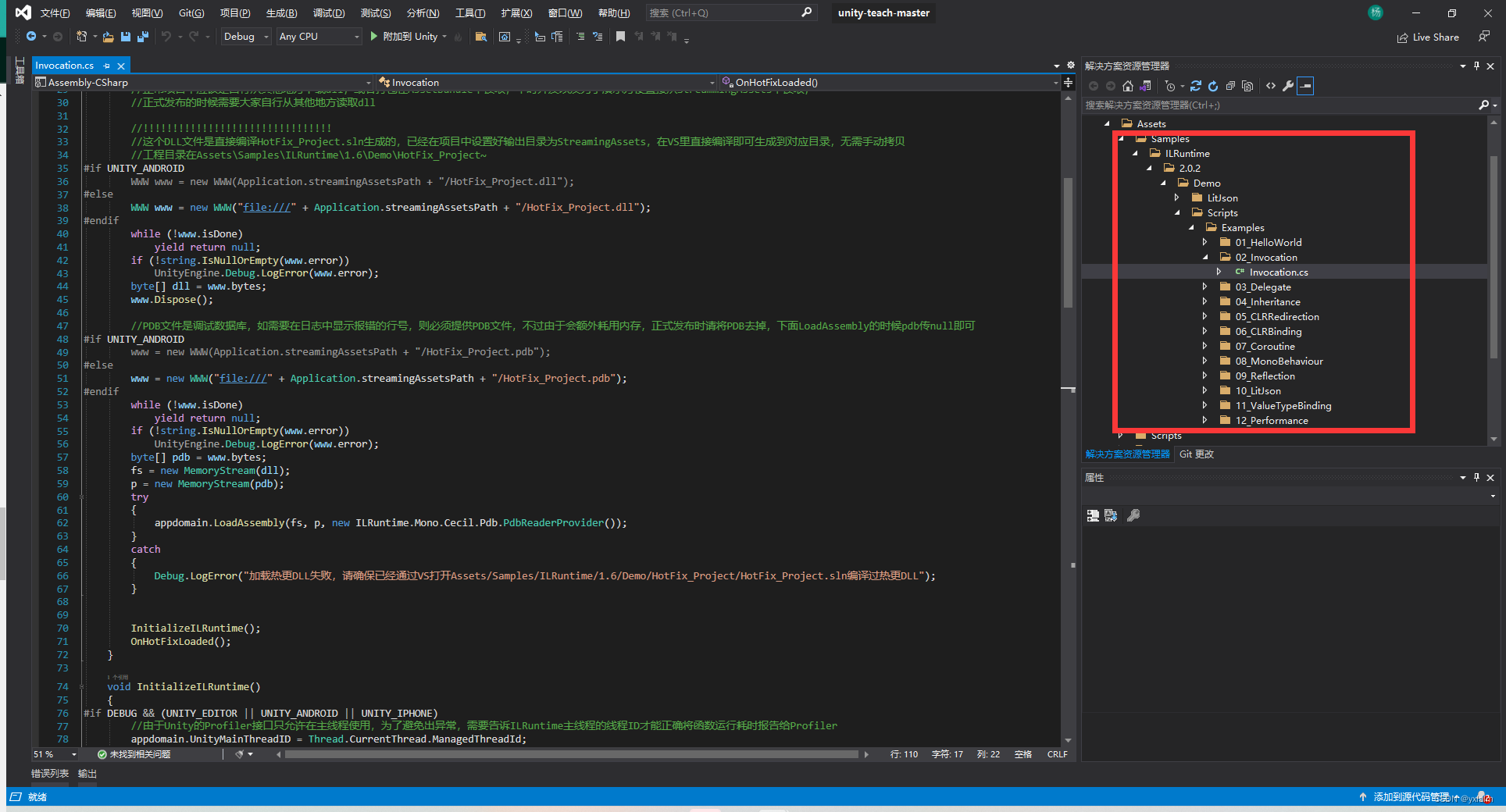
武汉格发信息技术有限公司,格发许可优化管理系统可以帮你评估贵公司软件许可的真实需求,再低成本合规性管理软件许可,帮助贵司提高软件投资回报率,为软件采购、使用提供科学决策依据。支持的软件有: CAD,CAE,PDM,PLM,Catia,Ugnx, AutoCAD, Pro/E, Solidworks 等。
 技术文档
技术文档
 推荐好文
推荐好文






 155-2731-8020




