




软件

产品


1、以一个简单的加法为例,编写.m文件运行无误并保存。
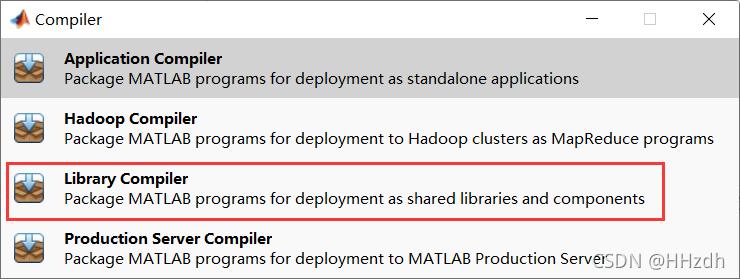
function res = add(x,y)res = x+y;end2、在命令行输入deploytool命令,打开Compiler,选择Library Compiler选项。
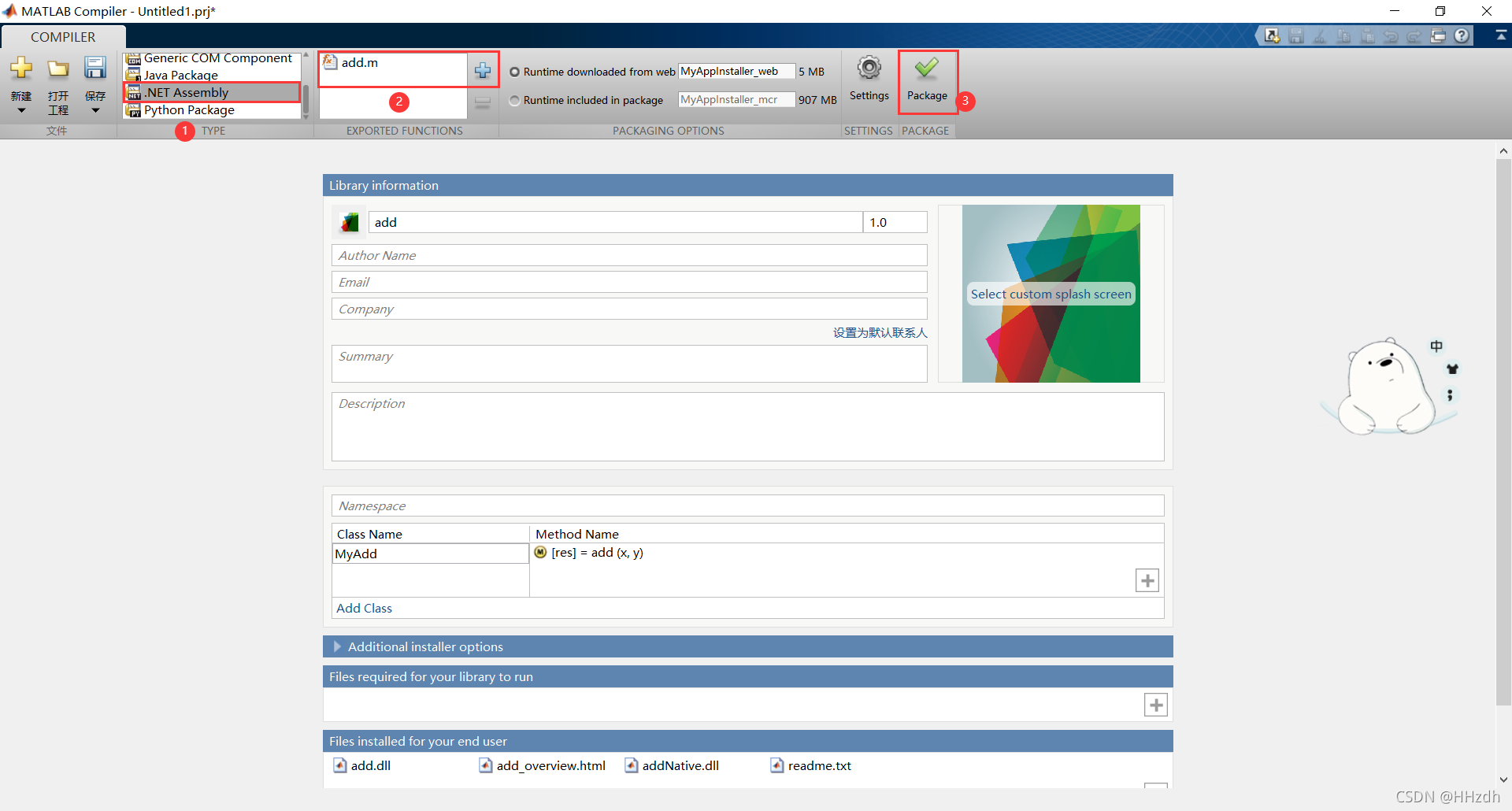
3、打包生成.dll文件
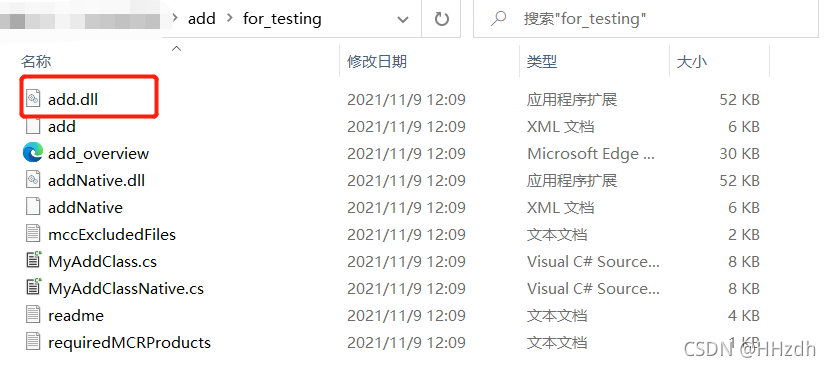
4、得到.dll文件
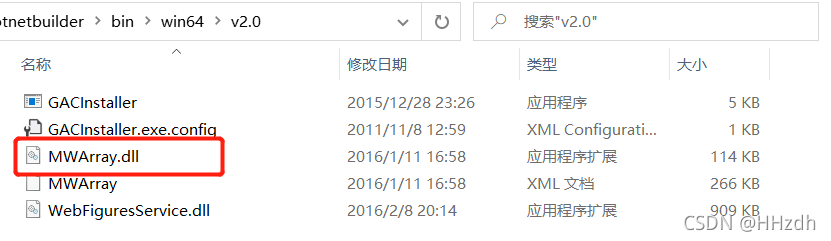
在生成的add文件夹的for_testing子文件夹中有个add.dll文件,以及在Matlab安装位置https://www.gofarlic.com\Software\Matlab2016\toolbox\dotnetbuilder\bin\win64\v2.0中有个MWArray.dll文件,后续需要用到。
1、新建WindowsFormsApp1工程
2、将上述add.dll和MWArray.dll文件拖放到该工程文件夹下,并包含引用
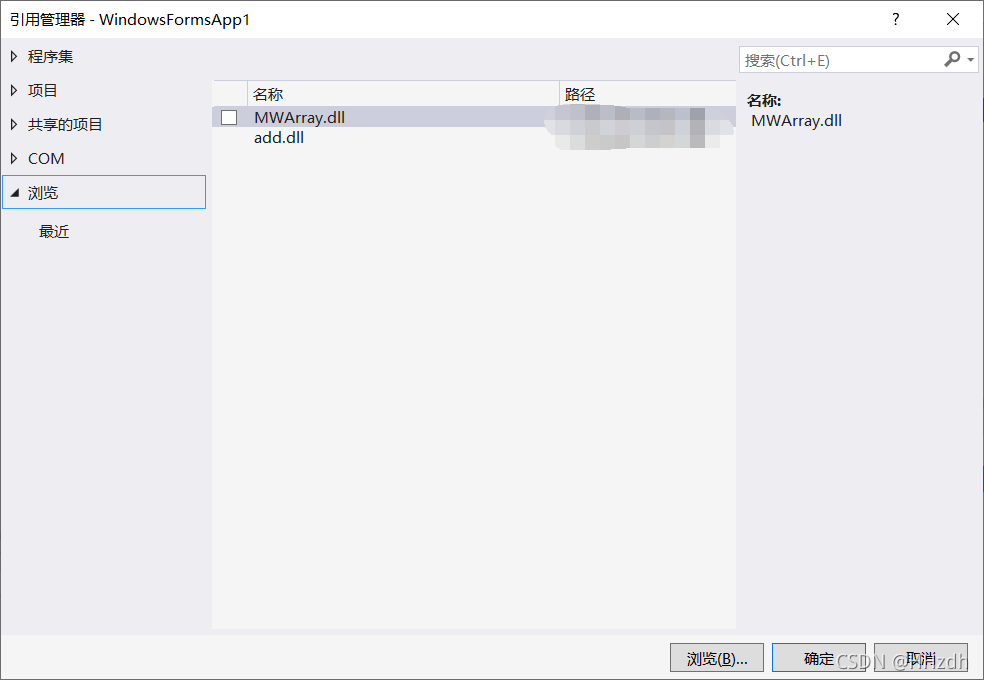
3、编写代码
注意引用:
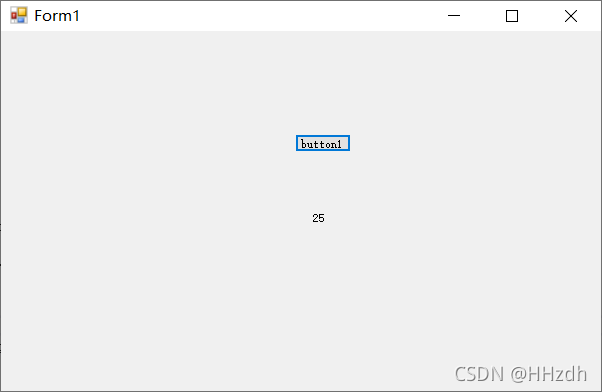
using MathWorks.MATLAB.NET.Arrays;using add;demo效果:按下button1后,label1输出求和结果。
using System;using System.Collections.Generic;using System.ComponentModel;using System.Data;using System.Drawing;using System.Linq;using System.Text;using System.Windows.Forms;using MathWorks.MATLAB.NET.Arrays;using add; namespace WindowsFormsApp1{ public partial class Form1 : Form { public Form1() { InitializeComponent(); } private void button1_Click(object sender, EventArgs e) { MessageBox.Show("开始"); MWArray add_x = (MWArray)15;//c#和matlab的数据传送必须用MWArray类型 MWArray add_y = (MWArray)10; MyAddClass temp_obj = new MyAddClass(); string str = temp_obj.add(add_x, add_y).ToString(); label1.Text = str; } }}4、结果
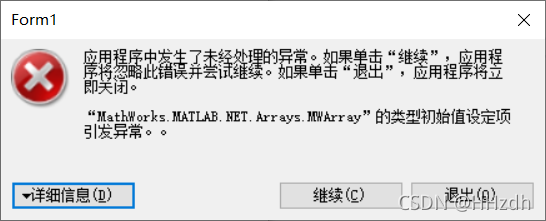
遇到“MathWorks.MATLAB.HET.Arrays.MWArray”的类型初始值设定项引发异常的问题,查阅资料后大致了解是版本差异的原因,即我装的Matlab这边生成的dll和MWArray.dll是x64文件(因为我装的是64位matlab),而我的C#生成的时候选择的平台目标默认首选32位(即x86),导致不匹配。
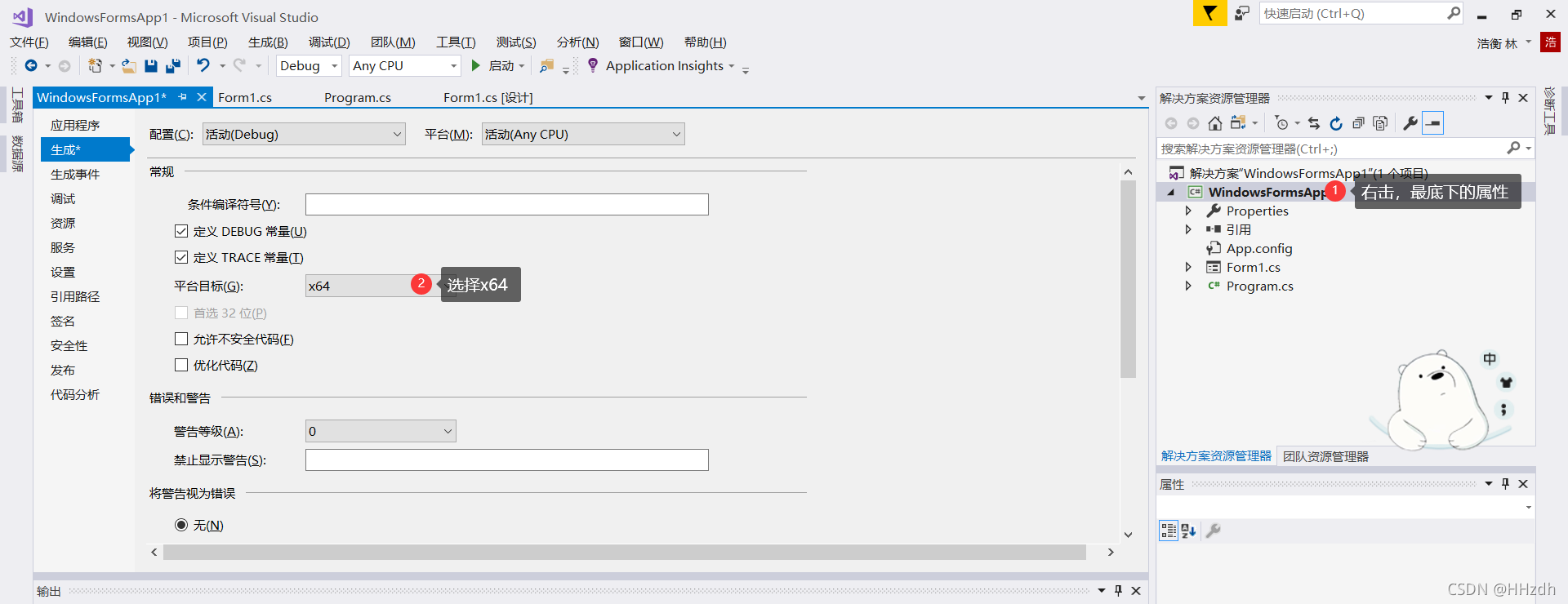
解决方法:在VS2017项目中修改属性,生成时的平台目标选择x64。 问题解决。
免责声明:本文系网络转载或改编,未找到原创作者,版权归原作者所有。如涉及版权,请联系删
 技术文档
技术文档
 推荐好文
推荐好文






 155-2731-8020




