




软件

产品


1.全局 配置 ,使用fluentd驱动收集节点容器日志
[root@localhost logs]# cat /etc/docker/daemon.json
{
  "registry-mirrors": ["https://kmzfwpoy.mirror.aliyuncs.com","https://ytji6dx6.mirror.aliyuncs.com"],
  "log-driver": "fluentd",  #定义驱动类型为fluentd
  "log-opts": {
    "fluentd-address": "127.0.0.1:24224",  #绑定fluentd节点
    "tag": "{{.Name}}"  #这里指定容器名称为日志名
  }
}
systemctl daemon_reload
systemctl restart docker
fluentd的配置文件
<source>
  @type   forward
</source>

<match *>

  @type              file

  path               /fluentd/log/${tag}
  append             true
  <format>
    @type            single_value
    message_key      log
  </format>
  <buffer tag,time>
    @type             file
    timekey           1d
    timekey_wait      10m
    flush_mode        interval
    flush_interval    30s
  </buffer>
</match>
新建目录fluentd,子文件夹logs,和配置文件fluentd.conf(内容如上)
给logs添加权限
chmod 777 logs
docker run -it \
  -d \
  -p 24224:24224 \
  -v /home/fluentd/fluent.conf:/fluentd/etc/fluent.conf \
  -v /home/fluentd/logs:/fluentd/log \
  fluent/fluentd:v1.3

启动一个容器试试
docker run --name nginx -p 8080:80 nginx:latest
浏览器访问ip:8080,观察访问记录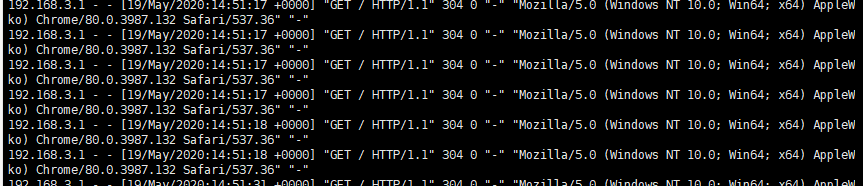
同时到logs目录下,会有一个 容器名.时间戳.log 的日志文件

免责声明:本文系网络转载或改编,未找到原创作者,版权归原作者所有。如涉及版权,请联系删
 技术文档
技术文档
 推荐好文
推荐好文






 155-2731-8020




