




软件

产品


IMarkerElement pMarkerElement = new MarkerElementClass();
pMarkerElement.Symbol.Color = TransColorToAEColor(geoColor);
var pElement = pMarkerElement as IElement;
pElement.Geometry = pubGeometry;
var g = mapcontrol.ActiveView.GraphicsContainer;
g.AddElement(pElement, 0);
mapcontrol.ActiveView.PartialRefresh(esriViewDrawPhase.esriViewGraphics, null, null);
ISimpleLineSymbol pSimpleLineSymbol = new SimpleLineSymbolClass();
pSimpleLineSymbol.Color = TransColorToAEColor(geoColor);
pSimpleLineSymbol.Width = 2;
var pLineElement = new LineElementClass();
pLineElement.Symbol = pSimpleLineSymbol;
var element = pLineElement as IElement;
IRubberBand pRubberBand;
pRubberBand = new RubberLineClass();
element.Geometry = pubGeometry;
var g = mapcontrol.ActiveView.GraphicsContainer;
g.AddElement(element, 0);
mapcontrol.ActiveView.PartialRefresh(esriViewDrawPhase.esriViewGraphics, null, null);
在地图上绘制多边形 代码 如下:
 //简单填充样式和颜色
 ISimpleFillSymbol pFillSymbol = new SimpleFillSymbol();
 pFillSymbol.Style = esriSimpleFillStyle.esriSFSSolid;
 pFillSymbol.Color = TransColorToAEColor(Color.LightGray);
 pFillSymbol.Style = esriSimpleFillStyle.esriSFSBackwardDiagonal;
 //设置填充要素
 IFillShapeElement pPolygonEle = new PolygonElementClass();
 pPolygonEle.Symbol = pFillSymbol;
 //确定Geometry属性
 IElement pEle = pPolygonEle as IElement;
 pEle.Geometry = polygon;
 var g = mapcontrol.ActiveView.GraphicsContainer;
 g.AddElement(pEle, 0);
 mapcontrol.ActiveView.PartialRefresh(esriViewDrawPhase.esriViewGraphics, null, null);
Envelop矩形绘制如下:
ISimpleFillSymbol simpleFillsymbol = new SimpleFillSymbolClass();
IRgbColor color = new RgbColorClass();
color.RGB=0;
simpleFillsymbol.Outline.Color = color;
simpleFillsymbol.Outline.Width = 1;
simpleFillsymbol.Style = esriSimpleFillStyle.esriSFSHollow;
IFillShapeElement rectElemnt = new RectangleElementClass();
rectElemnt.Symbol = simpleFillsymbol;
var element = rectElemnt as IElement;
element.Geometry = env;
g.AddElement(element, 0);
(默认填充方式)
Solid fill.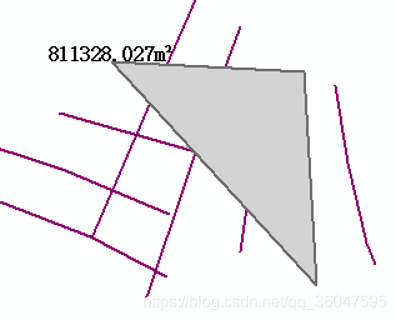
Empty fill.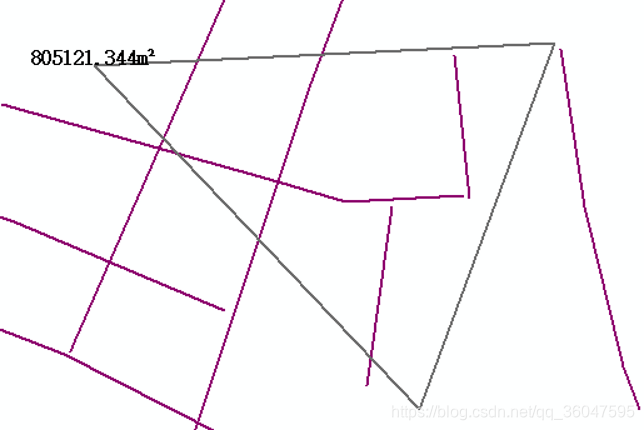
Hollow fill (same as esriSFSNull).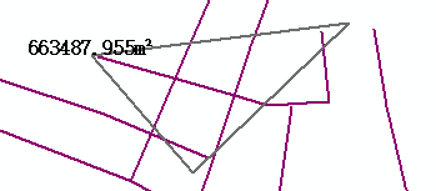
Horizontal hatch fill ------.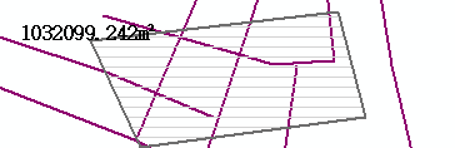
Vertical hatch fill ||||||.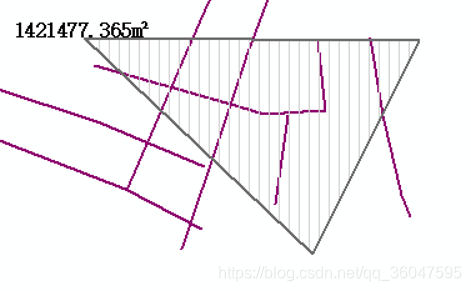
45-degree downward, left-to-right hatch fill \.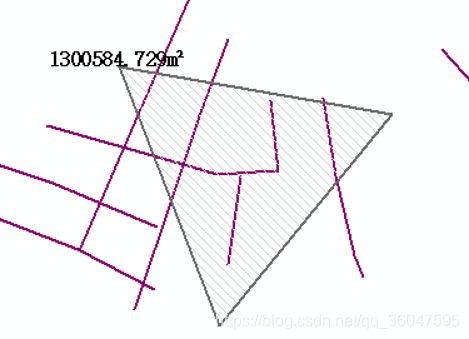
45-degree upward, left-to-right hatch fill //////.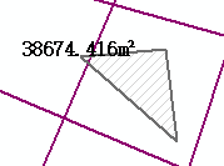
Horizontal and vertical crosshatch ++++++.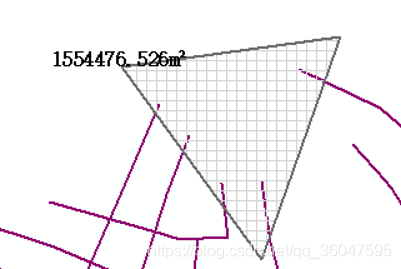
45-degree crosshatch xxxxxx.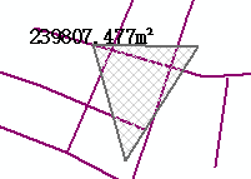
var pTextElement = new TextElementClass();
var pFont = (IFontDisp)new StdFont();
pFont.Bold = true;
pFont.Name = "宋体";
pFont.Size = 10;
var pColor = new RgbColorClass();
pColor.RGB = 0;
var pTextSymbol = new TextSymbolClass();
pTextSymbol.Color = pColor;
pTextSymbol.Font = pFont;
pTextElement.Text = text;
pTextElement.Symbol = pTextSymbol;
var pElement = (IElement)pTextElement;
pElement.Geometry = point;
var g = mapcontrol.ActiveView.GraphicsContainer;
g.AddElement(pElement, 0);
 mapcontrol.ActiveView.PartialRefresh(esriViewDrawPhase.esriViewGraphics, null, null);

免责声明:本文系网络转载或改编,未找到原创作者,版权归原作者所有。如涉及版权,请联系删
 技术文档
技术文档
 推荐好文
推荐好文






 155-2731-8020




