




软件

产品


• Transient Setup
– This workshop discusses basic setup details of 2D Magnetic Transient solver
–本研讨会讨论2D电磁瞬态求解器的基本设置细节
– The transient setup is described with two different excitation methods
–用两种不同的激励方法描述了瞬态设置
Example 1: Transient With Sources
– This example shows setup of 2D Transient solver with time varying excitation applied through datasets and equation.
– Final assigned excitation is evaluated based on combined output of both methods
–此示例显示了2D瞬态求解器的设置,其中通过数据集和方程式应用了随时间变化的激励。
–基于两种方法的组合输出评估最终分配的激励
【Step01 建立设计文档】
• Create Design
– Select the menu item Project Insert Maxwell 2D Design, – Change the name of the Design to BE_Trans_Sources
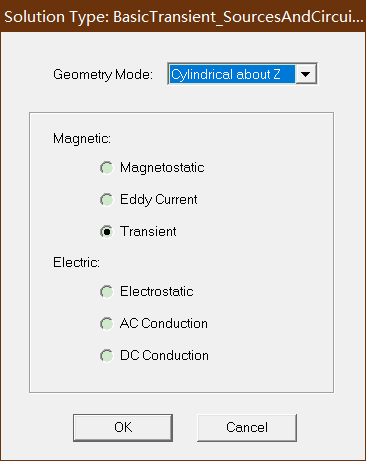
• Set the Solution Type:
– Select the menu item Maxwell 2D Solution Type
– Solution Type Window:
1. Geometry Mode: Cylindrical about Z
2. Choose Magnetic > Transient
3. Click the OK button
【Step02:Create Model 建立模型】
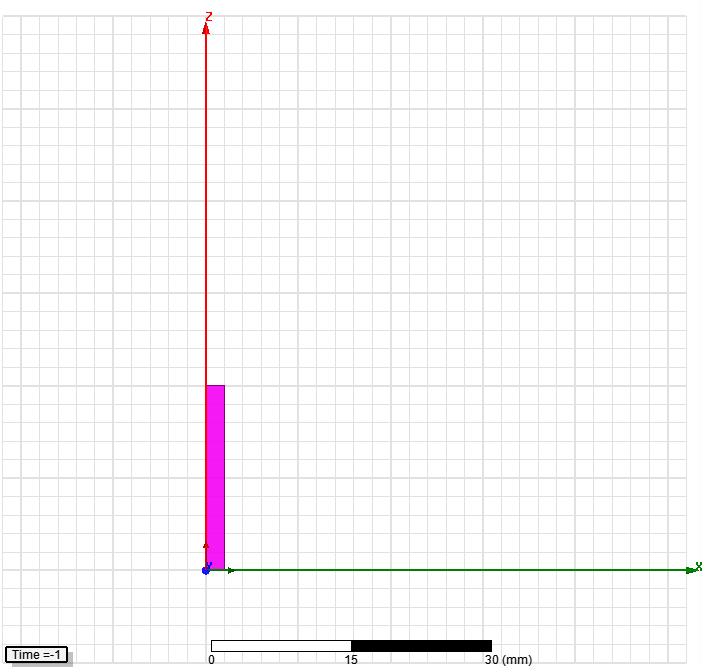
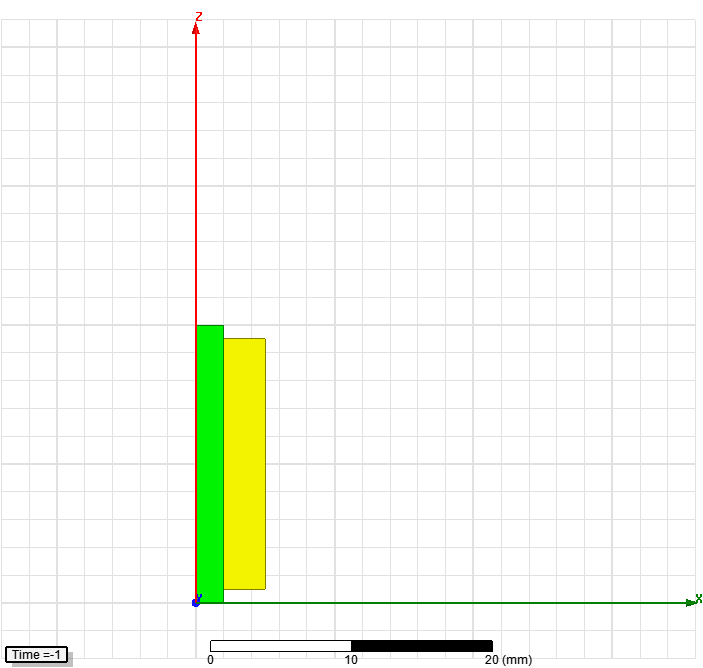
• Create Core
– Select the menu item Draw Rectangle
1. Using the coordinate entry fields, enter the position of rectangle
– X: 0, Y: 0, Z: 0, Press the Enter key
2. Using the coordinate entry fields, enter the opposite corner
– dX: 2, dY: 0, dZ: 20, Press the Enter key
– Change the name of resulting sheet to Core and color to green
– Change the material of the sheet to Ferrite
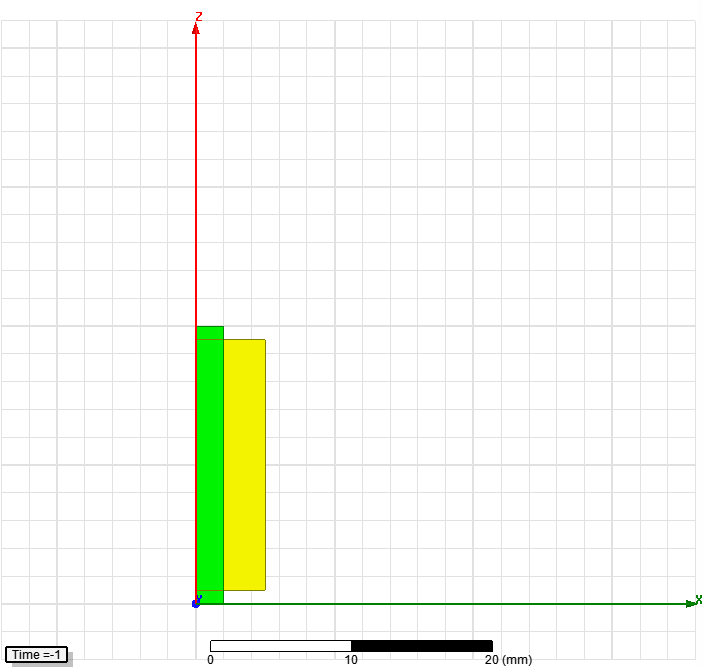
• Create Coil
– Select the menu item Draw Rectangle
1. Using the coordinate entry fields, enter the position of rectangle
– X: 0, Y: 0, Z: 1, Press the Enter key
2. Using the coordinate entry fields, enter the opposite corner
– dX: 5, dY: 0, dZ: 18, Press the Enter key
– Change the name of resulting sheet to Coil and color to Yellow
– Change the material of the sheet to Copper
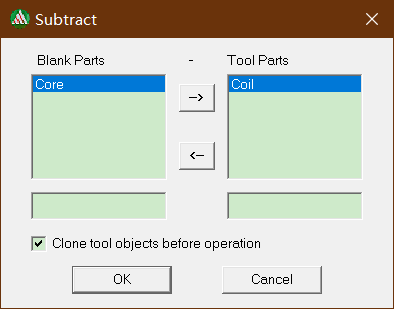
• Subtract Sheets
– Press Ctrl and select the sheets Core and Coil
– Select the menu item Modeler Boolean Subtract
• Blank Part: Coil
• Tool Part: Core
• Clone tool objects before subtracting: checked
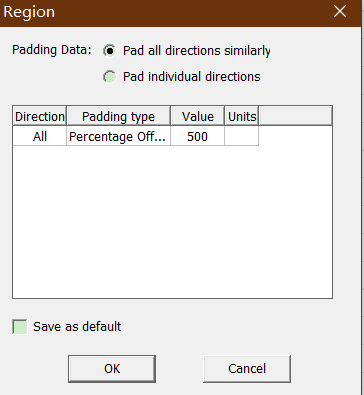
• Create Simulation Region
– Select the menu item Draw Region
– In Region window,
1. Pad all directions similarly: Checked
2. Padding Type: Percentage Offset
3. Value: 500
4. Press OK
免责声明:本文系网络转载或改编,未找到原创作者,版权归原作者所有。如涉及版权,请联系删
 技术文档
技术文档
 推荐好文
推荐好文






 155-2731-8020




