




软件

产品


这个例子实现鼠标在屏幕上画线,通过LineRenderer来实现,这个效果也可以通过GL来实现,这个后面在写。
首先来看看效果图:
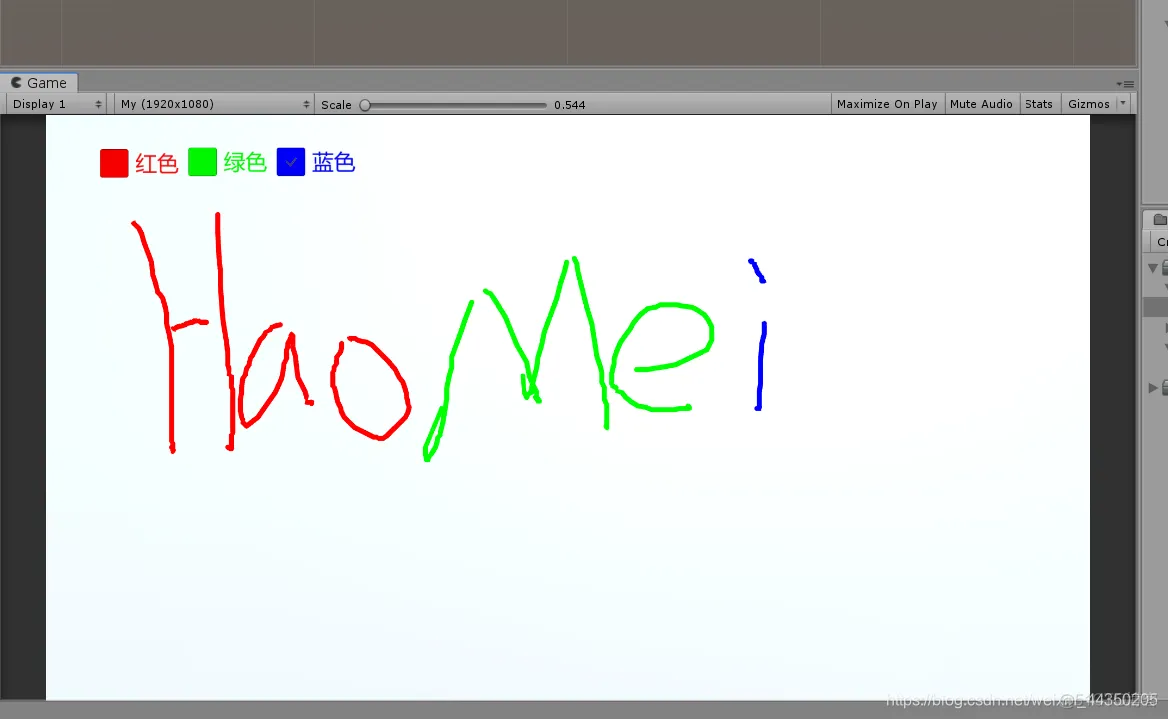
下面是实现代码:
using System.Collections;
using System.Collections.Generic;
using UnityEngine;

public class Paint : MonoBehaviour
{
    //画笔颜色
    private Color paintColor = Color.red;
    //画笔材质(材质为Sprite/Default这个shader)
    public Material materialLine;
    //保存LineRenderer
    private LineRenderer currentLine;
    //点集合
    private List<Vector3> pointList = new List<Vector3>();
    //鼠标是否按下
    private bool isMouseDown;

    private void Update()
    {
         //开始画
        if(Input.GetMouseButtonDown(0))
        {
            GameObject go = new GameObject();
            go.transform.SetParent(this.transform);
            currentLine = go.AddComponent<LineRenderer>();
            //下面是设置LineRenderer组件材质、颜色、宽度等。
            currentLine.material = materialLine;
            currentLine.startColor = paintColor;
            currentLine.endColor = paintColor;
            currentLine.startWidth = 0.1f;
            currentLine.endWidth = 0.1f;
            currentLine.numCornerVertices = 5;
            currentLine.numCapVertices = 5;
            //添加点
            AddPosition();
            isMouseDown = true;
        }
        //画的过程
        if(isMouseDown)
        {
            AddPosition();
        }
         //画完
        if(Input.GetMouseButtonUp(0))
        {
            currentLine = null;
            pointList.Clear();
            isMouseDown = false;
        }
    }
     //得到点
    Vector3 GetMousePoint()
    {
        Ray ray= Camera.main.ScreenPointToRay(Input.mousePosition);
        RaycastHit hit;
        if(Physics.Raycast(ray,out hit))
        {
            //返回射线和物体碰撞的点
            return hit.point;
        }
        return Vector3.zero;
    }
    //添加点
    void AddPosition()
    {
        Vector3 position = GetMousePoint();
        position.z -= 0.01f;
        pointList.Add(position);
        currentLine.positionCount = pointList.Count;
        currentLine.SetPositions(pointList.ToArray());
    }

    //下面3个函数主要是设置画笔颜色,这个通过Toogle实现
    public void RedChange(bool isOn)
    {
        if (isOn)
        {
            paintColor = Color.red;
        }
    }
    public void GreenChange(bool isOn)
    {
        if (isOn)
        {
            paintColor = Color.green;
        }
    }
    public void BlueChange(bool isOn)
    {
        if (isOn)
        {
            paintColor = Color.blue;
        }
    }
}
免责声明:本文系网络转载或改编,未找到原创作者,版权归原作者所有。如涉及版权,请联系删
武汉格发信息技术有限公司,格发许可优化管理系统可以帮你评估贵公司软件许可的真实需求,再低成本合规性管理软件许可,帮助贵司提高软件投资回报率,为软件采购、使用提供科学决策依据。支持的软件有: CAD,CAE,PDM,PLM,Catia,Ugnx, AutoCAD, Pro/E, Solidworks 等。
 技术文档
技术文档
 推荐好文
推荐好文






 155-2731-8020




