




软件

产品

=== Overview
NOTE: 2002 年 Delphi 7 Enterprise 发布,往后的路就好走了,都是下坡。时下背景正是微软产品线从 COM/COM+/DCOM 全面转型到 .Net 公共语言运行平台,安德斯·海尔斯 (Anders Hejlsberg) 作为 Delphi 和 Turbo Pascal 主要开发者,曾为 Borland 公司开发 Turbo Pascal编译器,也在 1996 年加入微软,领导 Visual J++ 的开发,并在.NET框架的设计中扮演关键角色。
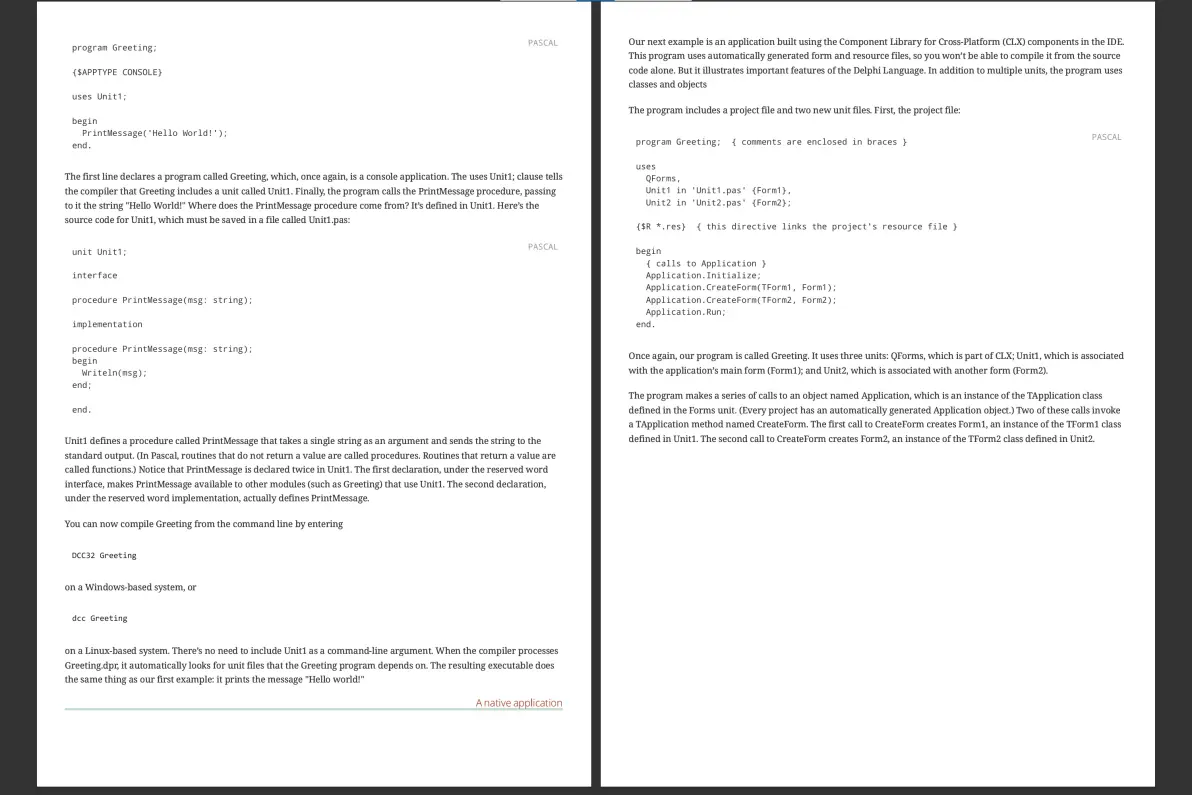
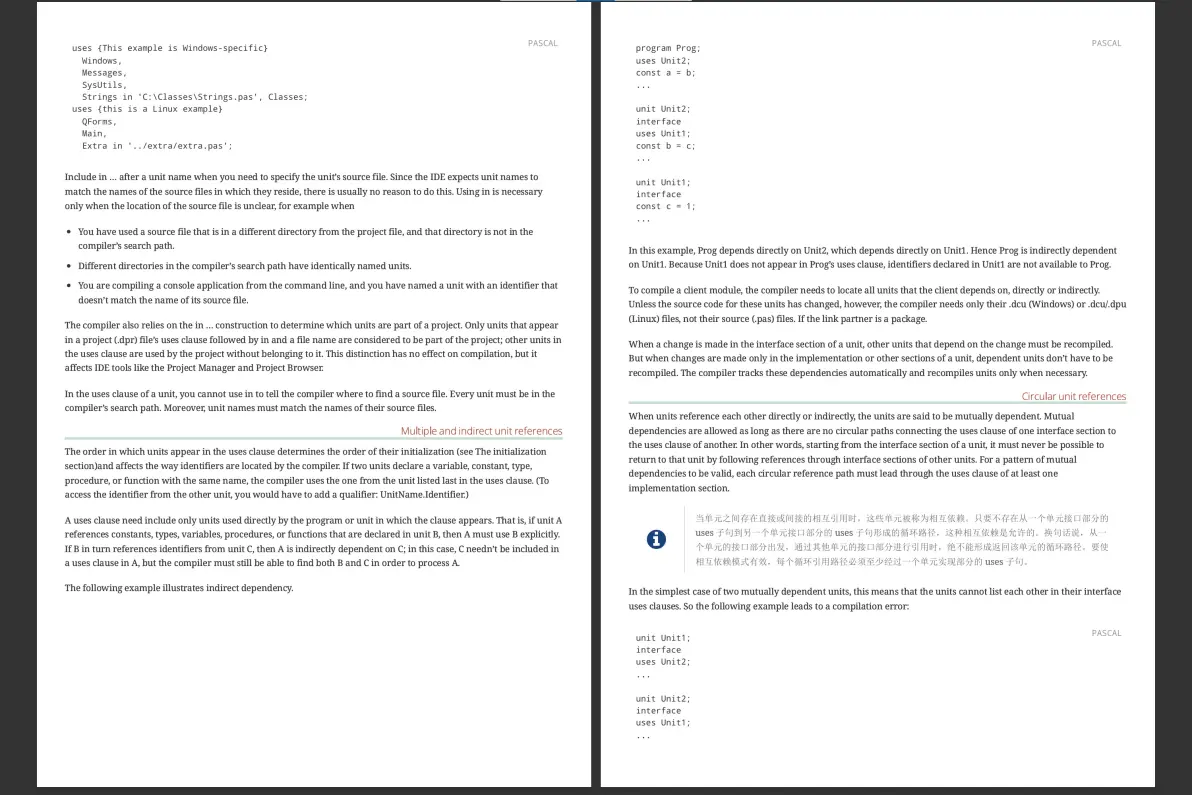
==== Using the Delphi language Delphi is a high-level, compiled, strongly typed language that supports structured and object-oriented design. Based on Object Pascal, its benefits include easy-to-read code, quick compilation, and the use of multiple unit files for modular programming. Delphi has special features that support Borland's component framework and RAD environment. For the most part, descriptions and examples in this language guide assume that you are using Borland development tools. Most developers using Borland software development tools write and compile their code in the integrated development environment (IDE). Borland development tools handle many details of setting up projects and source files, such as maintenance of dependency information among units. The product also places constraints on program organization that are not, strictly speaking, part of the Object Pascal language specification. For example, Borland development tools enforce certain file- and program-naming conventions that you can avoid if you write your programs outside of the IDE and compile them from the command prompt. These Help topics generally assume that you are working in the IDE and that you are building applications that use the Borland Component Library (CLX). Occasionally, however, Delphi-specific rules are distinguished from rules that apply to all Object Pascal programming. ==== Program organization Programs are usually divided into source-code modules called units. Most programs begin with a heading, which specifies a name for the program. The heading is followed by an optional uses clause, then a block of declarations and statements. The uses clause lists units that are linked into the program; these units, which can be shared by different programs, often have uses clauses of their own. The uses clause provides the compiler with information about dependencies among modules. Because this information is stored in the modules themselves, most Delphi language programs do not require makefiles, header files, or preprocessor "include" directives. (The Project Manager generates a makefile each time a project is loaded in the IDE, but saves these files only for project groups that include more than one project.) For further discussion of program structure and dependencies, see Programs and units. ===== Delphi source files The compiler expects to find Delphi source code in files of three kinds: • unit source files (which end with the .pas extension) • project files (which end with the .dpr extension) • package source files (which end with the .dpk extension) Unit source files typically contain most of the code in an application. Each application has a single project file and several unit files; the project file -- which corresponds to the "main" program file in traditional Pascal -- organizes the unit files into an application. Borland development tools automatically maintain a project file for each application. If you are compiling a program from the command line, you can put all your source code into unit (.pas) files. If you use the IDE to build your application, it will produce a project (.dpr) file. Package source files are similar to project files, but they are used to construct special dynamically linkable libraries called packages. For more information about packages, see Dynamic-link libraries and packages. ===== Other files used to build applications In addition to source-code modules, Borland products use several non-Pascal files to build applications. These files are maintained automatically and include • form files, which end with the .dfm (Windows-specific) or .xfm (Cross-platform) extension, • resource files, which end with the .res extension, and • project options files, which end with .dof (Windows) or .kof (Linux) extension. A form file contains the description of the properties of the form and the components it owns. This description may be present in text form (a format very suitable for version control) or in a compressed binary format. Each form file represents a single form, which usually corresponds to a window or dialog box in an application. The IDE allows you to view and edit form files as text, and to save form files as either text or binary. Although the default behavior is to save form files as text, they are usually not edited manually; it is more common to use Borland's visual design tools for this purpose. Each project has at least one form, and each form has an associated unit (.pas) file that, by default, has the same name as the form file. In addition to form files, each project uses a resource (.res) file to hold the bitmap for the application's icon. By default, this file has the same name as the project (.dpr) file. To change an application's icon, use the Project Options dialog. A project options (.dof or .kof) file contains compiler and linker settings, search path information, version information, and so forth. Each project has an associated project options file with the same name as the project (.dpr) file. Usually, the options in this file are set from Project Options dialog. Various tools in the IDE store data in files of other types. Desktop settings (.dsk or .desk) files contain information about the arrangement of windows and other configuration options; desktop settings can be project-specific or environment-wide. These files have no direct effect on compilation. ===== Compiler-generated files The first time you build an application or a dynamically linkable library, the compiler produces a compiled unit (.dcu on Windows, and .dcu or .dpu on Linux) file for each new unit used in your project; all the .dcu/.dpu files in your project are then linked to create a single executable or shared library file. The first time you build a package, the compiler produces a file for each new unit contained in the package, and then creates both a .dcp and a package file. (For more information about libraries and packages, see Libraries and packages.) If you use the -GD switch, the linker generates a map file and a .drc file; the .drc file, which contains string resources, can be compiled into a resource file. When you build a project, individual units are not recompiled unless their source (.pas) files have changed since the last compilation, their .dcu/.dpu files cannot be found, you explicitly tell the compiler to reprocess them, or the interface of the unit depends on another unit which has been changed. In fact, it is not necessary for a unit's source file to be present at all, as long as the compiler can find the compiled unit file and that unit has no dependencies on other units that have changed.
占位链接:https://vscode.dev/github/Jeangowhy/opendocs/blob/main/Delphi7.adoc
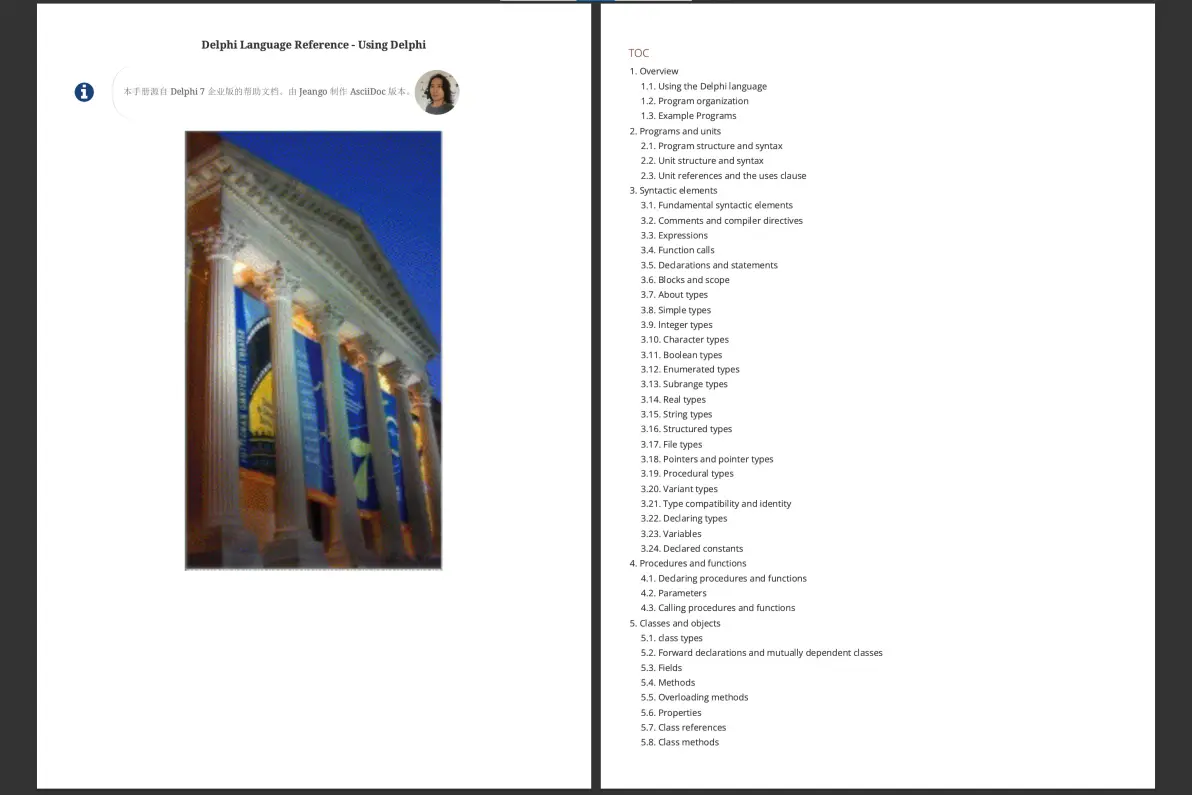
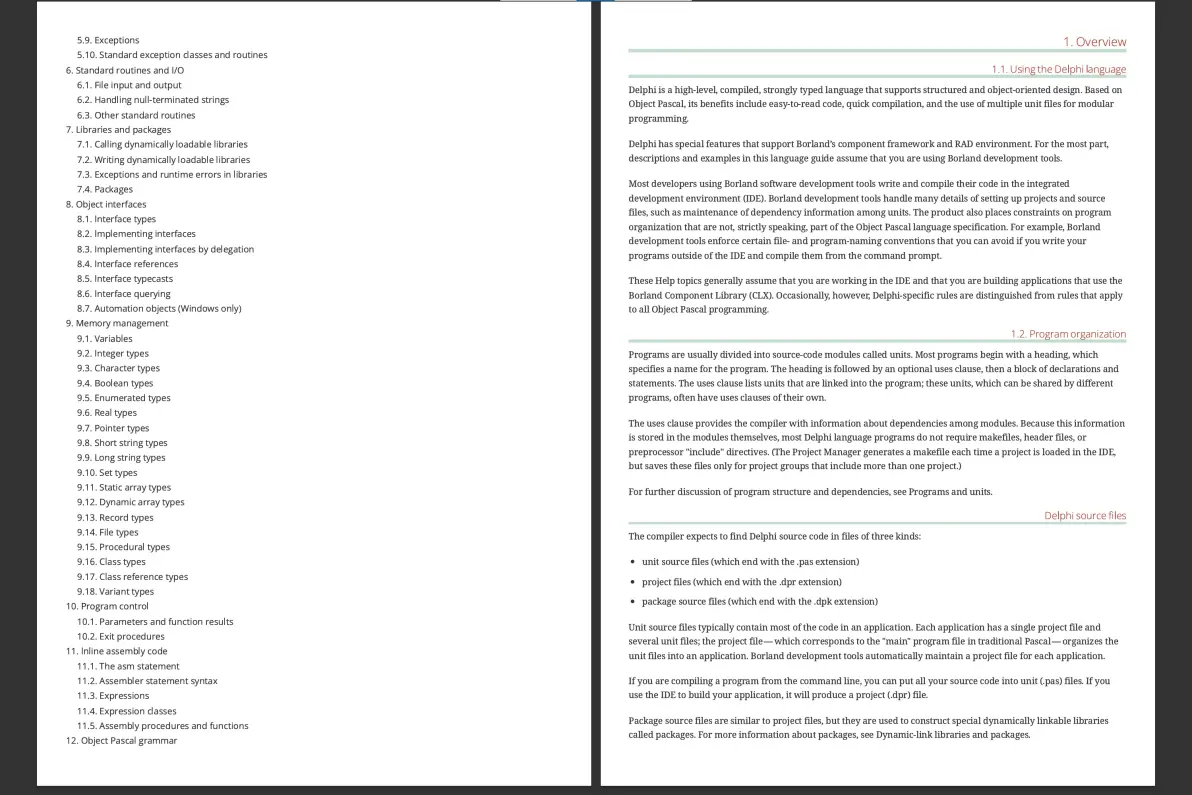
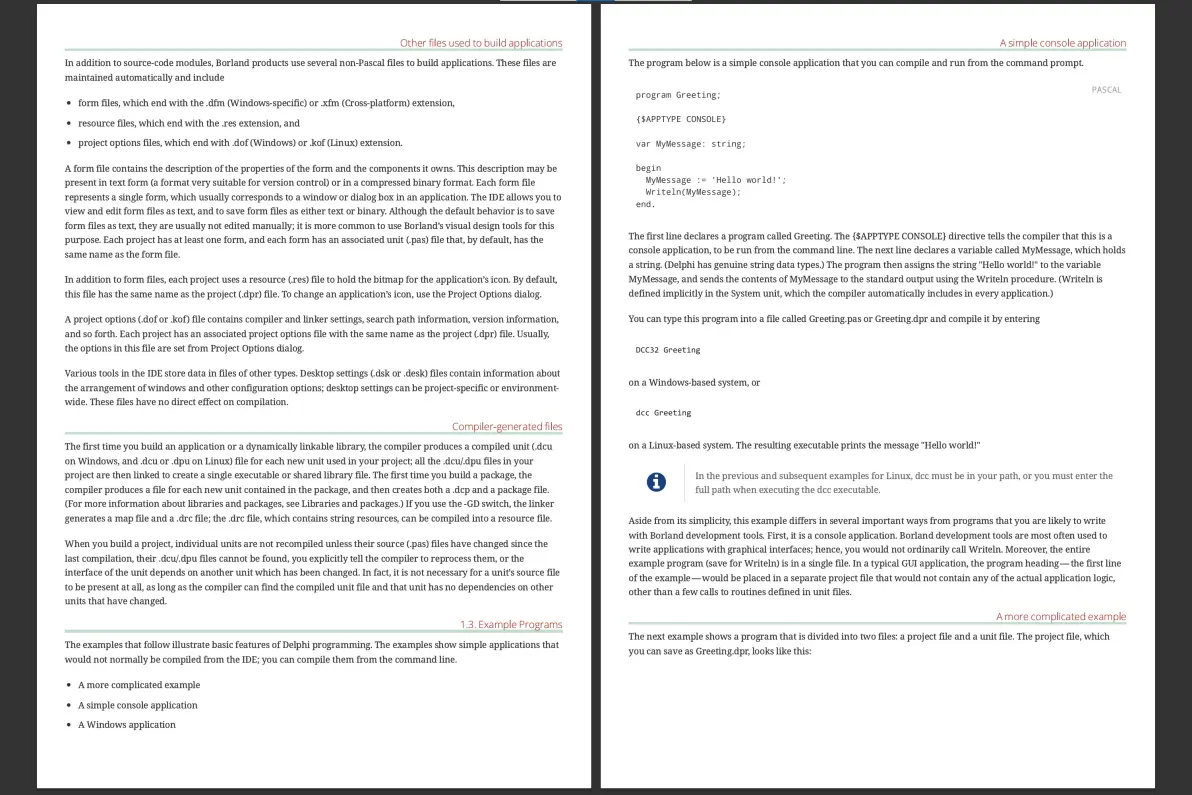
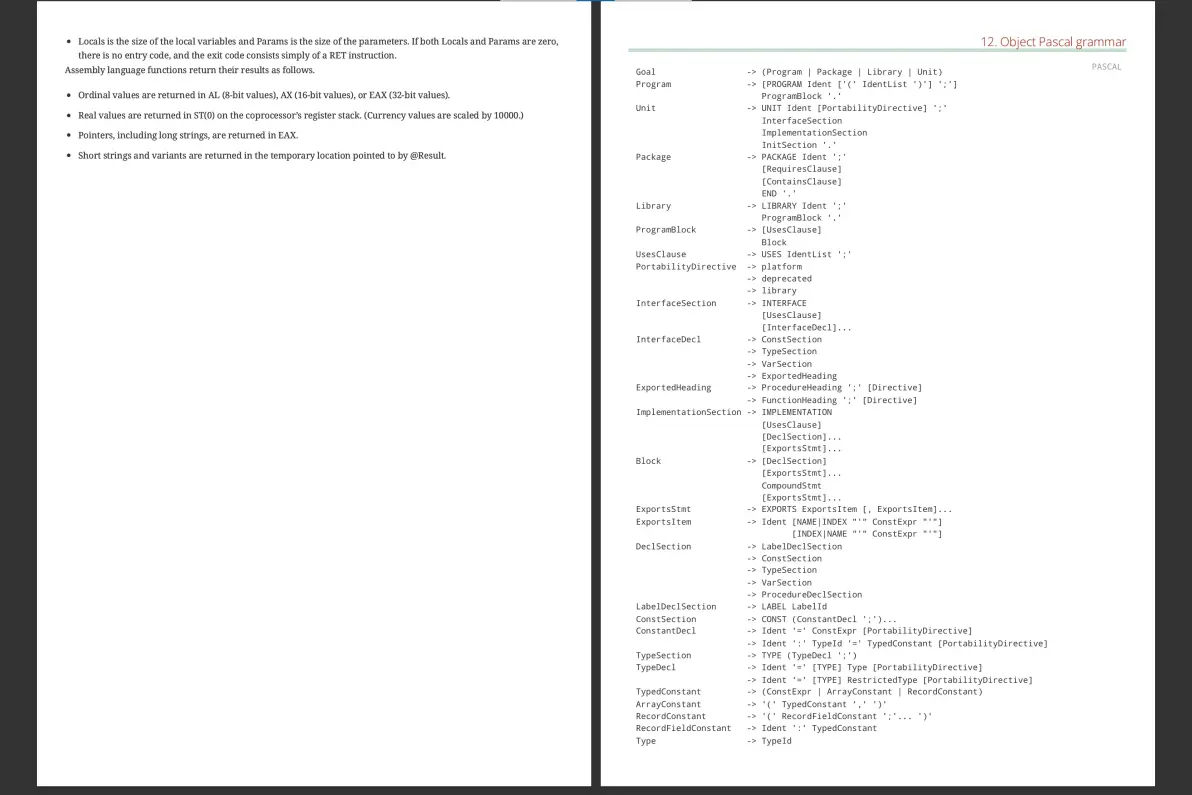
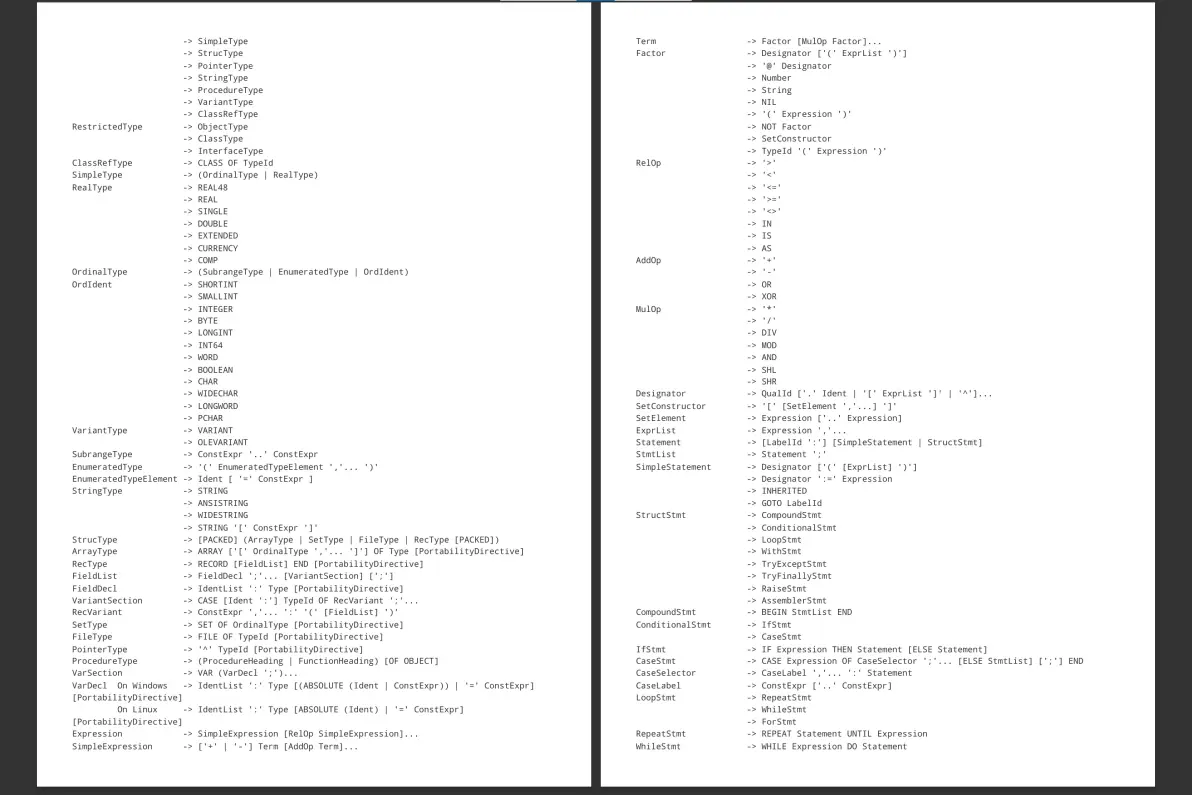
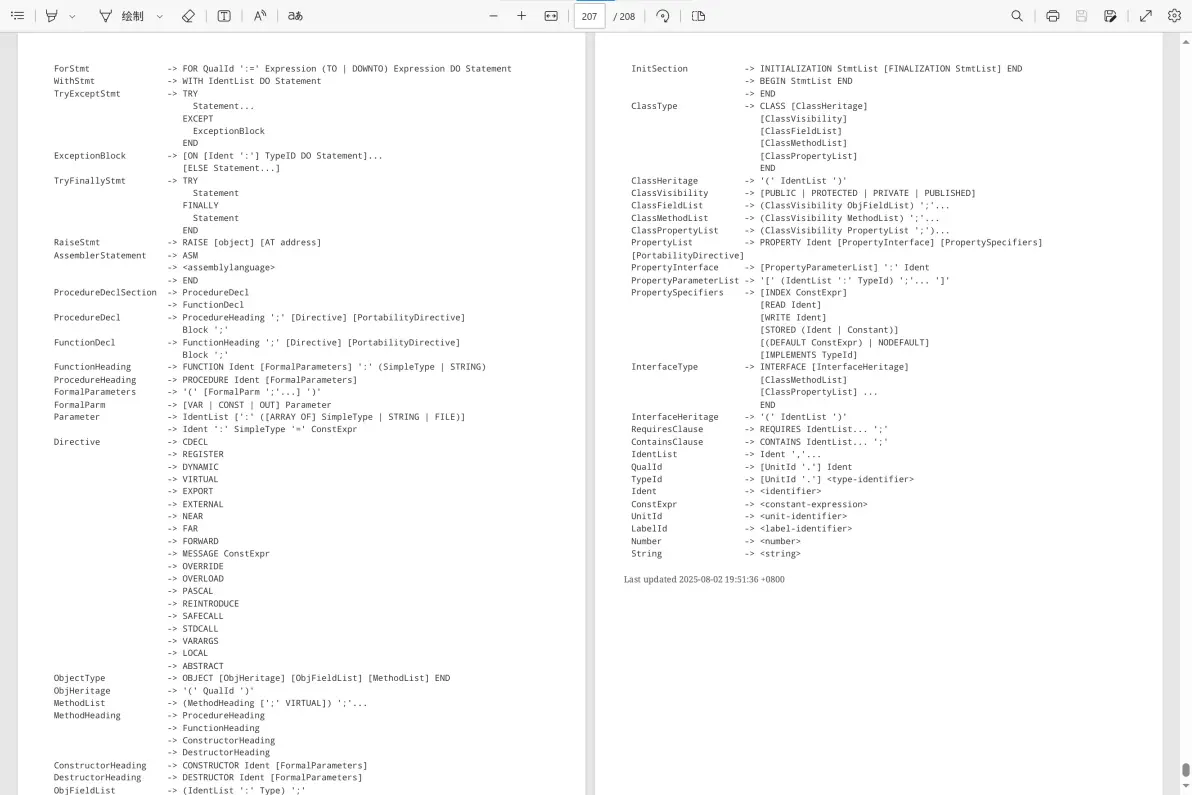
Delphi 7 Object Pascal 语言形式文法结构定义
免责声明:本文系网络转载或改编,未找到原创作者,版权归原作者所有。如涉及版权,请联系删
 技术文档
技术文档
 推荐好文
推荐好文






 155-2731-8020