




软件

产品


ArcGIS Pro SDK中的弹出式右键菜单非常多,在地图视图、布局视图、地理处理、文件目录等地方,随便右键点击某个文件、要素,一般都会弹出一个右键菜单。这些菜单实际上都有一个专有ID进行 控制 ,总数量估计得有数百个?。
目前,我也只接触了几个常用的,在这里列出来,方便以后查阅。后面用多了,就在这个帖子里慢慢补充。
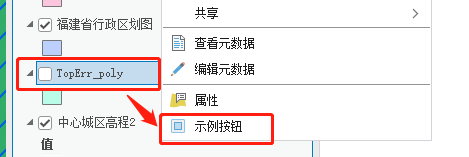
右键点击【要素图层】会弹出的菜单。
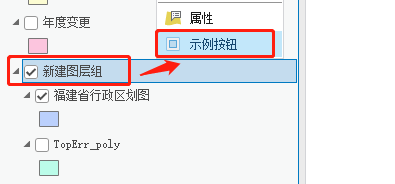
右键点击【图层组】会弹出的菜单。
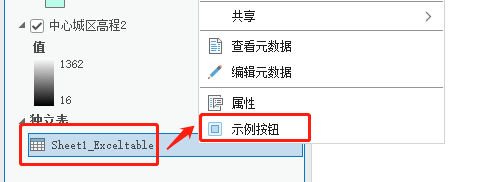
右键点击【独立表】会弹出的菜单。
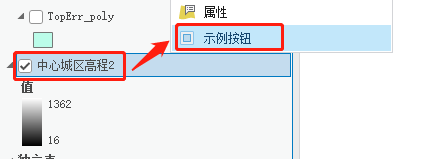
右键点击【栅格图层】会弹出的菜单。
右键点击【地图内容目录】会弹出的菜单。
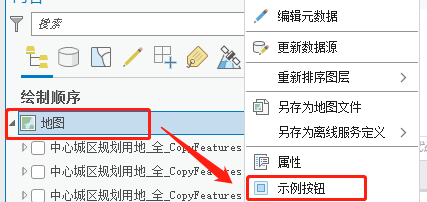
【在地图视图框内选择要素】并右键点击会弹出的菜单。
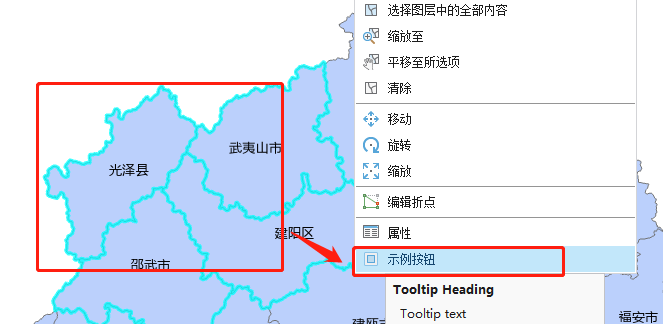
上面列举的6个常用右键菜单,都是以【esri_mapping】为前缀的,也就是都在【esri_mapping】模块下。
在Config.daml文件中的</insertModule>下方,输入<updateModule>模块,代码如下:
………………………… <controls> <button id="MenuList_TestButton" caption="示例按钮" className="TestButton3" loadOnClick="true" smallImage="pack://application:,,,/ArcGIS.Desktop.Resources;component/Images/GenericButtonBlue16.png" largeImage="pack://application:,,,/ArcGIS.Desktop.Resources;component/Images/GenericButtonBlue32.png"> <tooltip heading="Tooltip Heading">Tooltip text<disabledText /></tooltip> </button> </controls> </insertModule> <!--更新系统自带的工具菜单、工具栏等--> <updateModule refID="esri_mapping"> <menus> <!--图层的右键菜单--> <updateMenu refID="esri_mapping_layerContextMenu"> <insertButton refID="MenuList_TestButton" /> </updateMenu> <!--图层组的右键菜单--> <updateMenu refID="esri_mapping_groupLayerContextMenu"> <insertButton refID="MenuList_TestButton" /> </updateMenu> <!--独立表的右键菜单--> <updateMenu refID="esri_mapping_standaloneTableContextMenu"> <insertButton refID="MenuList_TestButton" /> </updateMenu> <!--栅格图层的右键菜单--> <updateMenu refID="esri_mapping_rasterLayerContextMenu"> <insertButton refID="MenuList_TestButton" /> </updateMenu> <!--地图列表的右键菜单--> <updateMenu refID="esri_mapping_mapContextMenu"> <insertButton refID="MenuList_TestButton" /> </updateMenu> <!--地图视图内的右键菜单--> <updateMenu refID="esri_mapping_selection2DContextMenu"> <insertButton refID="MenuList_TestButton" /> </updateMenu> </menus> </updateModule>这里需要注意的是,菜单ID比较长,又不能自动补充,手输容易出错,尽量用 复制的 。
目前这6个菜单都在【<updateModule refID="esri_mapping">】下。但有更多的菜单并不在这里面。具体参考官方的这个文档:
arcgis-pro-sdk/DAML at 1e9cd2f1b45e8f2565a0d3383e32130c6385de7b · Esri/arcgis-pro-sdk · GitHub
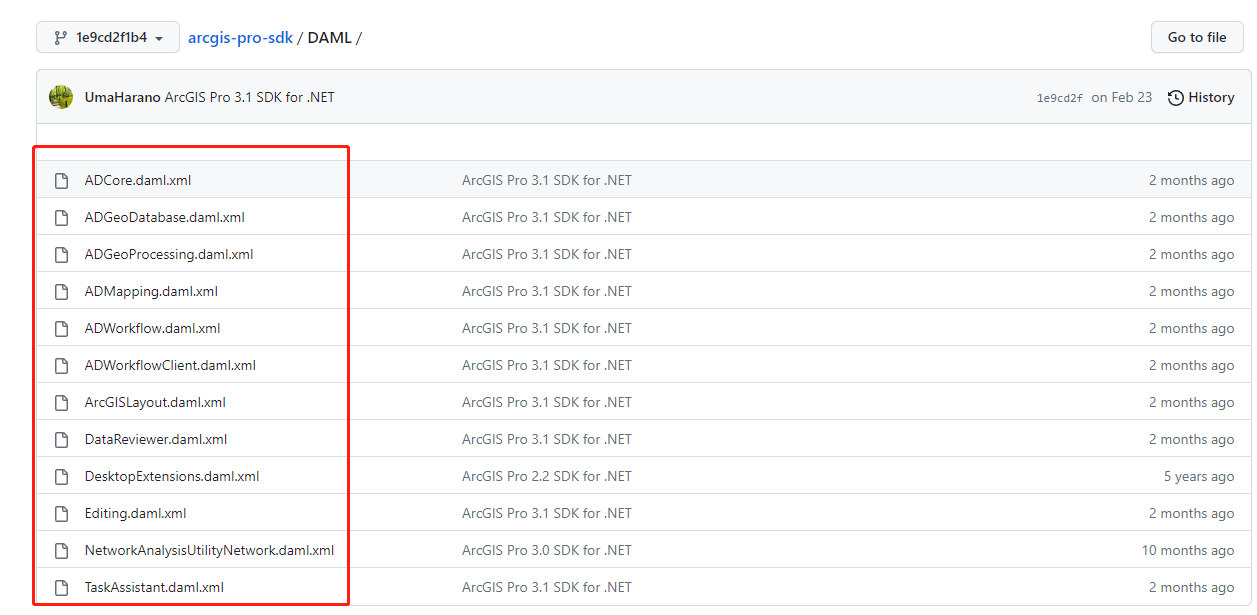
量比较大,也实在记录不过来,以后用到的再慢慢补吧。
最后,放上工程文件的 链接 :
MenuListhttps://pan.baidu.com/s/1z4xlh6P7WSuhzKA8zVW3XQ?pwd=f2g2
PS:可以直接点击...bin\Debug\net6.0- windows \下的.esriAddinX文件直接安装。
 技术文档
技术文档
 推荐好文
推荐好文






 155-2731-8020




