




软件

产品


查找SPICE模型的最佳位置是浏览供应商或制造商的网站,以下是部分常用的网址。
1、ADI
https://www.analog.com/en/design-center/simulation- models /spice-models.html#
2、TI
http://www.ti.com/design- resources /design-tools-simulation/models-simulators/spice-library.html?keyMatch=SPICE&tisearch=Search-EN-everything
3、Maxim
https://www.maximintegrated.com/cn/design/design- tools /modeling-simulation/spice.html
4、ST
https://www.st.com/ content /st_com/en/search.html#q=spice-t=resources-page=1
5、Intusoft
http://www.intusoft.com/models.htm
6、Earthlink
http://www.home.earthlink.net/~wksands/model_f.htm
7、Onsemi
https://www.onsemi.cn/support/design-resources/models
8、NXP
https://www.nxp.com.cn/search?keyword=spice%20models
9、https://www.spicemodel.com/

IBS 文件,下载的IBIS 模型
OLB 文件,生成的带引脚的图
LIB 文件,生成的用于仿真的文件
1:打开PSpice Model Editor 
2:默认PSpice A/D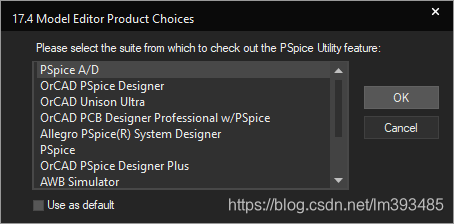
3:选择Capture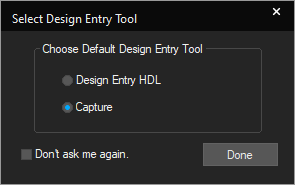
4:打开IBIS Translator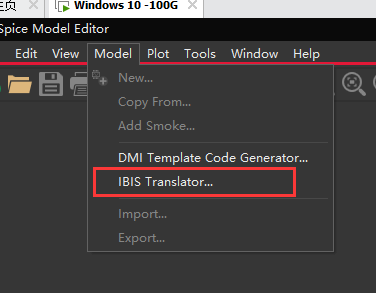
5:初始显示界面如下: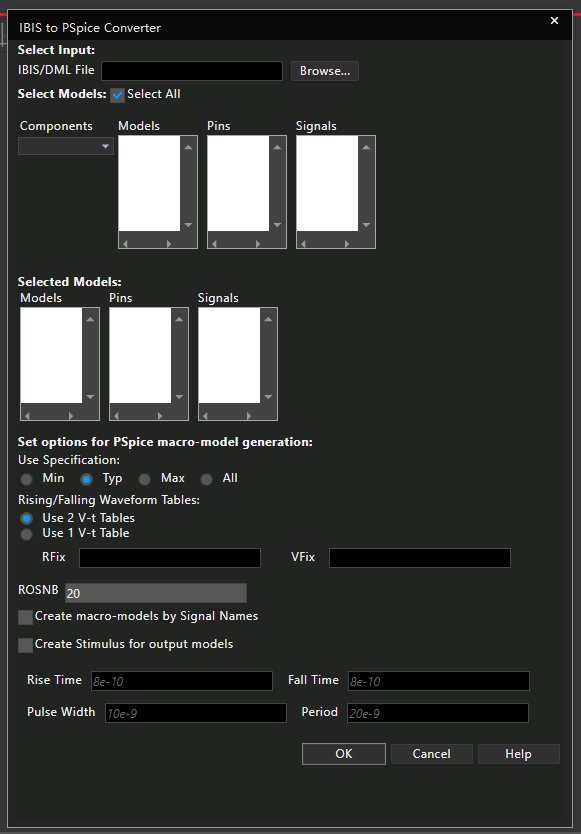
6:选择模型文件
7:打开IBIS模型文件,默认选择即可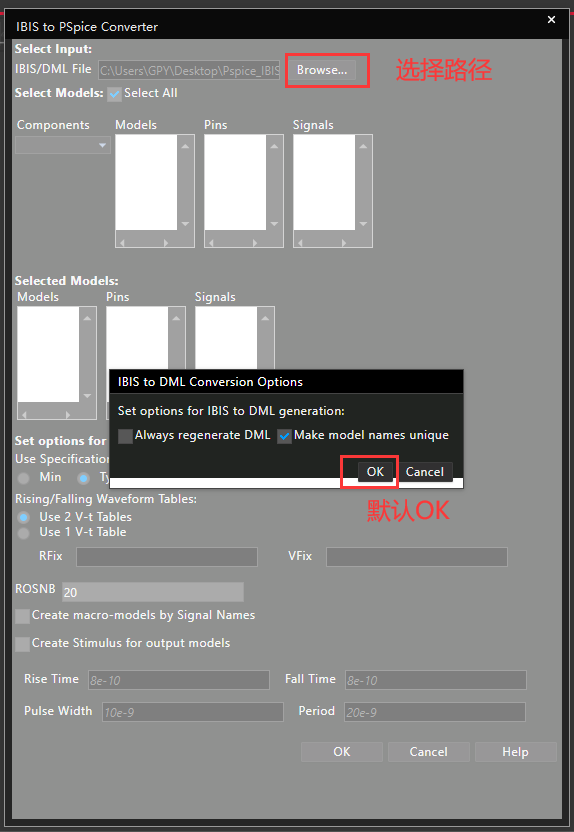
8:打开后,显示IBIS模型信息,点击OK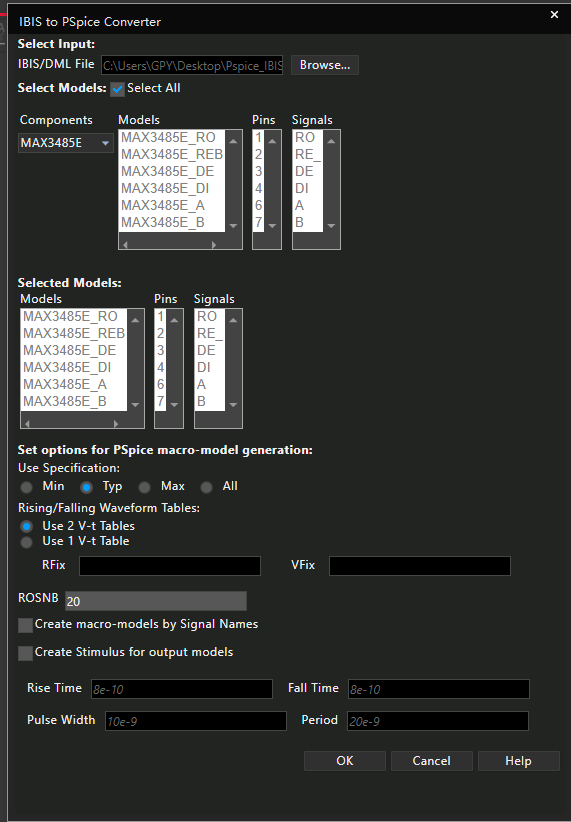
选中这个之后会把引脚大类拆开,也就是引脚会多一些
9:查看生成的lib文件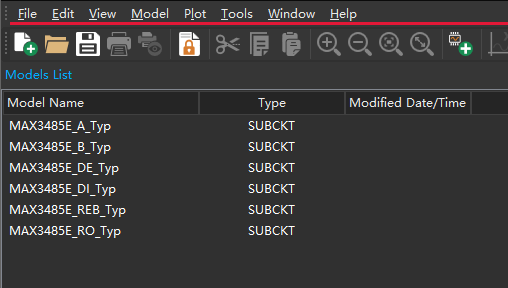
10:导出为Capture库文件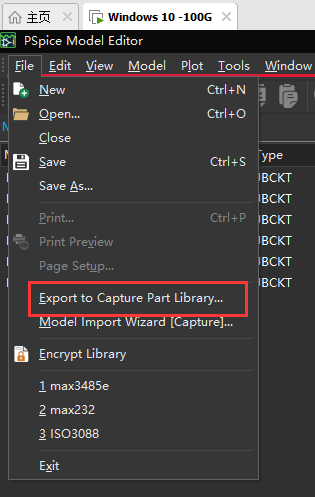
11:选择输入和输出路径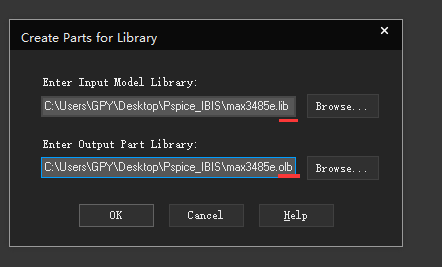
12:导出完毕,显示err信息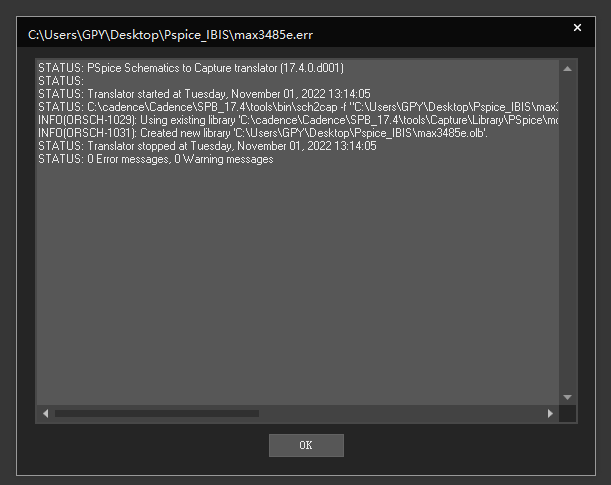
13:生成的文件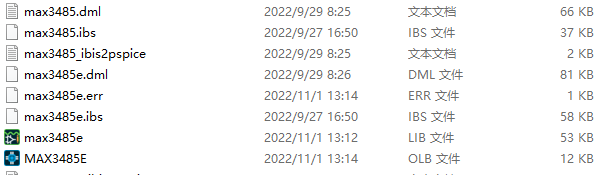
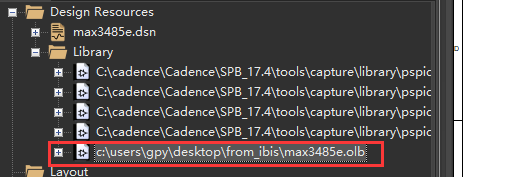
1、新建工程后在工程 Library 右键增加 OLB 文件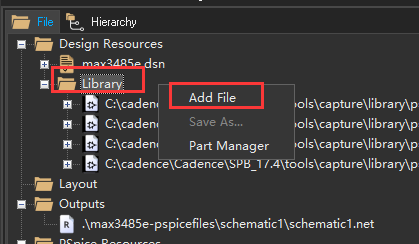
2、选择器件部分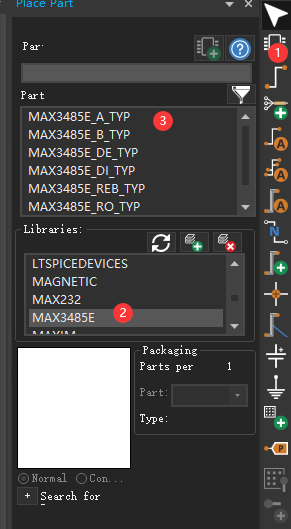
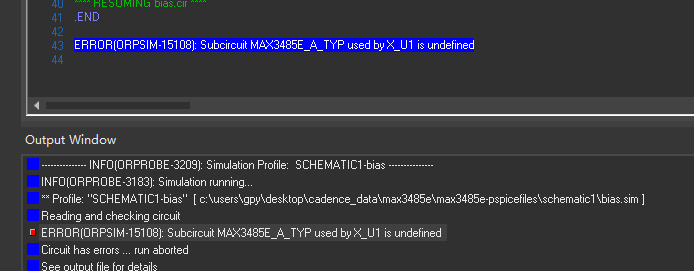
此时仿真会提示
ERROR(ORPSIM-15108): Subcircuit MAX3485E_A_TYP used by X_U1 is undefined
需要为软件添加LIB文件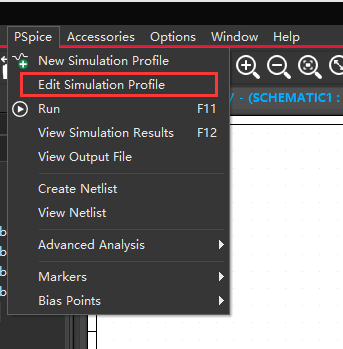
默认界面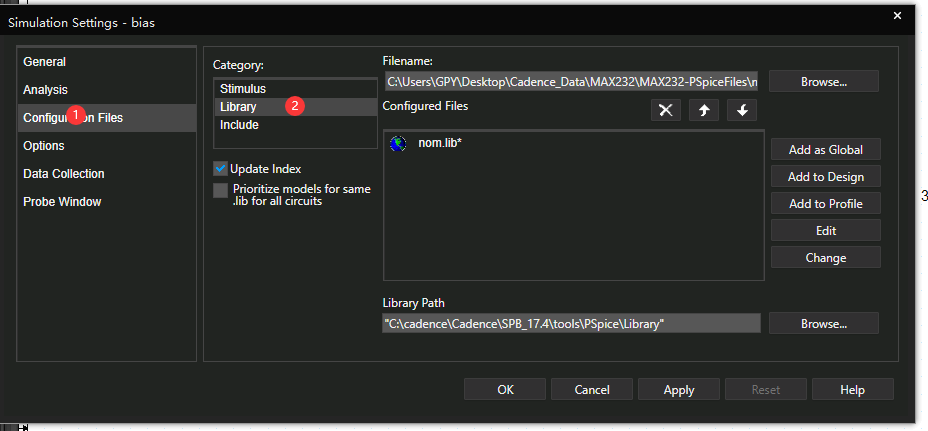
选择文件 1
设为全局,这样其他工程不用再次添加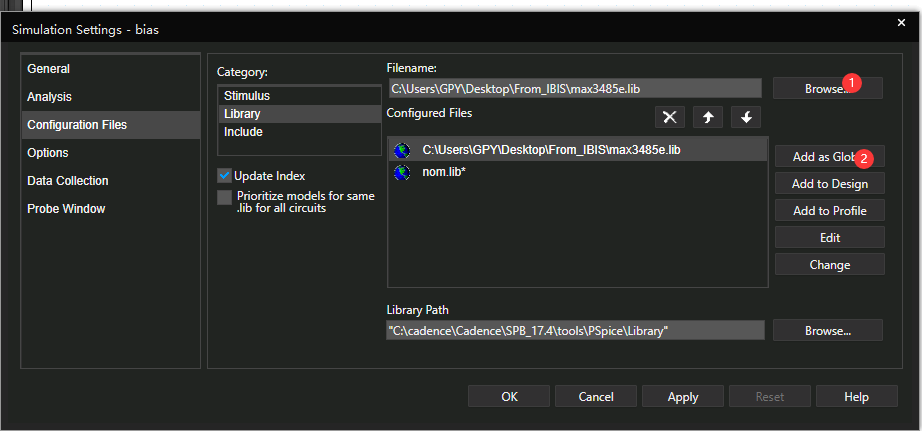
点击OK
再次仿真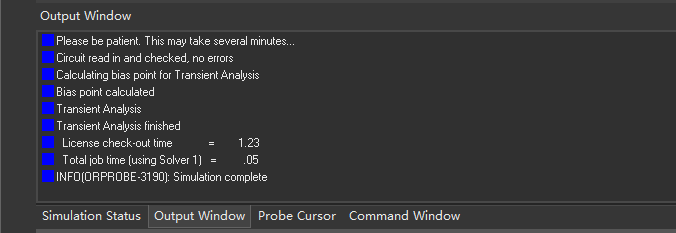
具体各个IBIS模型的应用电路就需要根据需要弄了
免责声明:本文系网络转载或改编,未找到原创作者,版权归原作者所有。如涉及版权,请联系删
 技术文档
技术文档
 推荐好文
推荐好文






 155-2731-8020




