




软件

产品


https://www.ptc.com/en/products/plm/plm-products/creo-view/extension-express
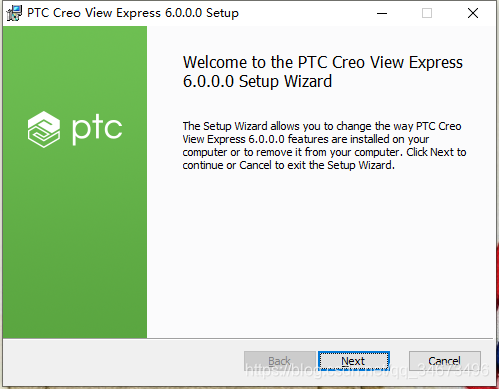
因为可能存在预览各种不同版本creo绘制的模型,下载官方最新版本creoview,执行安装
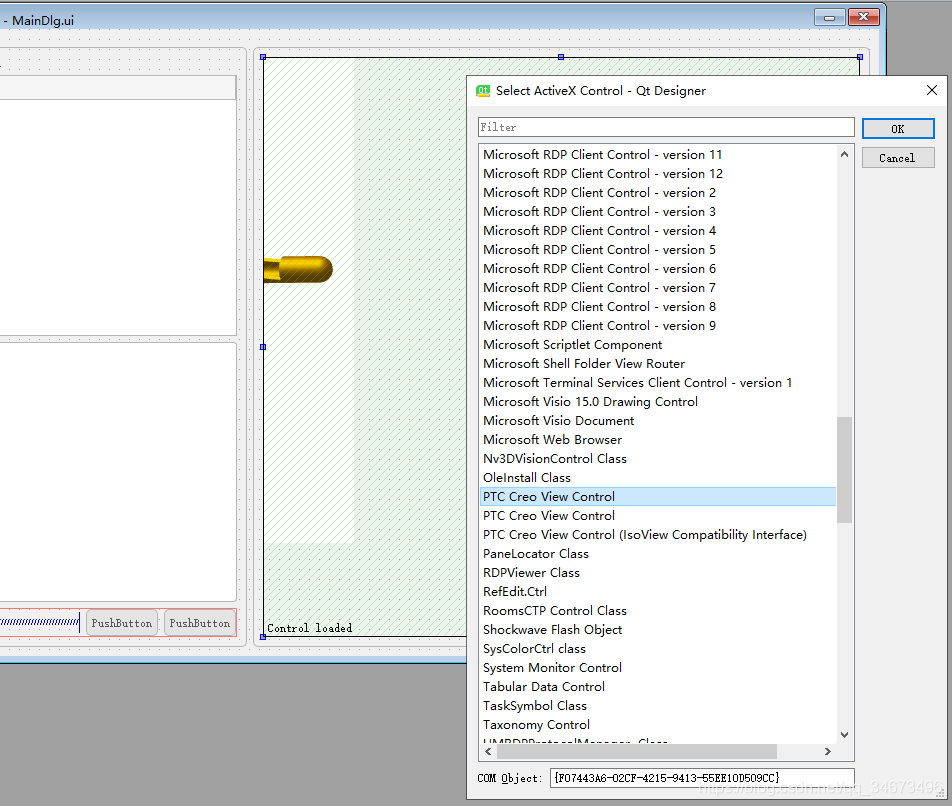
在VS中新建Qt项目,进入QtDesigner,在左侧 控件 列表中选择QAxWidget拖动到对话框窗口内,双击该控件在ActiveX列表内发现并选择PTC Creo View Control
inline void setThumbnailView(const QString& value); inline void setRenderatstartup(const QString& value);inline void setSourceUrl(const QString& value);inline void SetViewLocation(const QString& location);3.1.1.将CreoView插件加入到.ui文件
3.2.2.对该控件进行属性设置(设置控件内将只显示预览模型而不显示creoview其他功能菜单及界面命令)
设置ThumbnailView值为true,设置Renderstartup值为true
3.3.3.调用接口setSourceUrl(const QString& value),以预览文件的全路径作为参数值,即可实现预览功能
3.3.4.调整视图方向等在此模式下尝试无效,可能为个人操作方式错误
3.2.1.打开命令行,以{F07443A6-02CF-4215-9413-55EE10D509CC}作为参数,运行Qt自带的dumpcpp.exe

导出的源码文件位于当前目录,在当前目录下找到源码文件,将源代码添加到自己的项目中
3.2.2.自行设计.ui
注意:如果使用Group控件,应在Group控件前加入creoview否则会造成插件无法加载, MFC /Qt测试均发现有此情况
3.2.3.代码
.h
#ifndef QTVIEW_H#define QTVIEW_H #include <QtWidgets/QMainWindow>#include "ui_qtview.h"#include "pviewlib.h"#include <QtWidgets/QLabel>#include <qaxwidget.h> class QtView : public QMainWindow{ Q_OBJECT public: QtView(QWidget *parent = 0); ~QtView(); private slots: void OnOrientChanged(const QString& orient); private: Ui::QtViewClass ui; pviewLib::pview* p_view; std::map<QString, QString> m_location_map;}; #endif // QTVIEW_H.cpp
#include "qtview.h" QtView::QtView(QWidget *parent) : QMainWindow(parent){ ui.setupUi(this); ui.textEdit->setEnabled(false); ui.textEdit->setReadOnly(true); p_view = new pviewLib::pview; ui.verticalLayout->addWidget(p_view); p_view->setThumbnailView("true"); p_view->setRenderatstartup("true"); p_view->setSourceUrl("https://www.gofarlic.com\\tmp\\1.pvz"); ui.comboBox->clear(); m_location_map.clear(); QStringList orientations; orientations.append("default"); m_location_map.insert(std::make_pair("default", "0.921061 -0.305042 -0.242066 0 2.25925e-07 0.62161 -0.783327 0 0.389418 0.721492 0.572541 0 0.0173 0.00169626 -4.19918e-19 1")); orientations.append("top"); m_location_map.insert(std::make_pair("top", "1 0 0 0 0 0 -1 0 0 1 0 0 0.0173 0.00169626 -4.19918e-19 1")); orientations.append("front"); m_location_map.insert(std::make_pair("front", "1 0 0 0 0 1 0 0 0 0 1 0 0.0173 0.00169626 1.37629e-20 1")); orientations.append("bottom"); m_location_map.insert(std::make_pair("bottom", "-1 1.22465e-16 0 0 0 0 -1 0 -1.22465e-16 -1 0 0 0.0173 0.00169626 -4.19918e-19 1")); orientations.append("back"); m_location_map.insert(std::make_pair("back", "-1 1.22465e-16 -1.22465e-16 0 1.22465e-16 1 1.22465e-16 0 1.22465e-16 1.22465e-16 -1 0 0.0173 0.00169626 1.37625e-20 1")); orientations.append("left"); m_location_map.insert(std::make_pair("left", "0 0 1 0 0 1 0 0 -1 0 0 0 0.0173 0.00169626 -4.19918e-19 1")); orientations.append("right"); m_location_map.insert(std::make_pair("right", "0 0 -1 0 0 1 0 0 1 0 0 0 0.0173 0.00169626 1.37629e-20 1")); ui.comboBox->insertItems(0, orientations); connect(ui.comboBox, SIGNAL(currentTextChanged(const QString&)), this, SLOT(OnOrientChanged(const QString&)));} QtView::~QtView(){ } void QtView::OnOrientChanged(const QString& orient){ if (m_location_map.find(orient) != m_location_map.end()) { p_view->SetViewLocation(m_location_map.find(orient)->second); ui.textEdit->setText(p_view->GetViewLocation()); }}4.切换视图方向使用接口SetViewLocation
4.1creoview预设的7个视图方向如代码
免责声明:本文系网络转载或改编,未找到原创作者,版权归原作者所有。如涉及版权,请联系删
 技术文档
技术文档
 推荐好文
推荐好文






 155-2731-8020




